
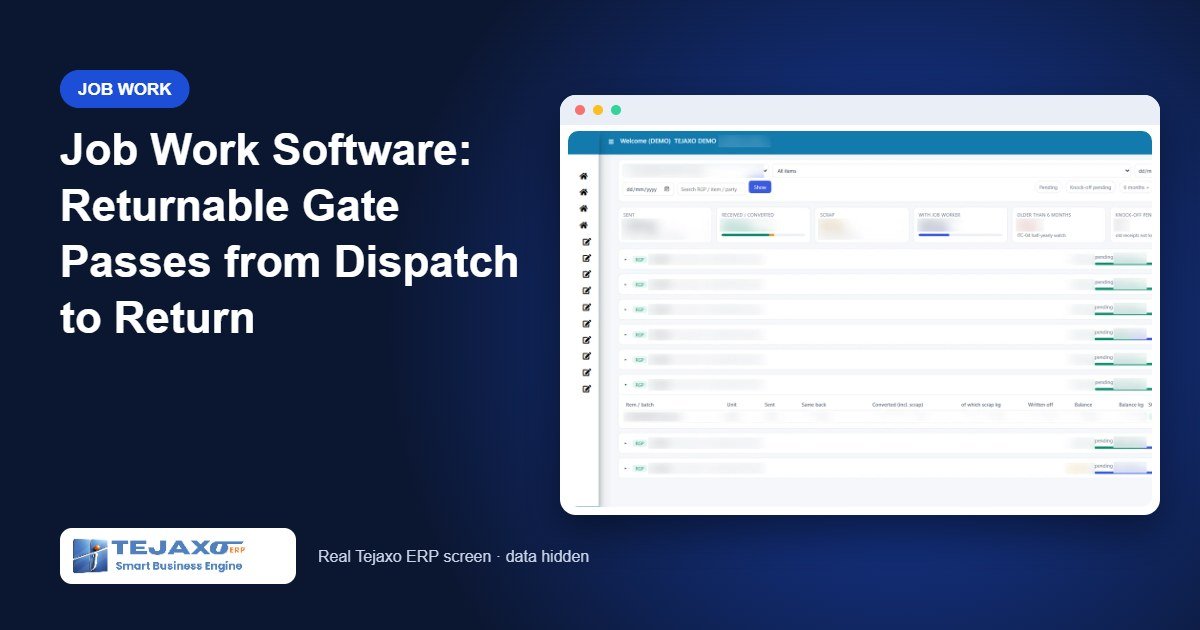
Almost every manufacturing plant sends material out for job work: brackets for plating, sheets for powder coating, shafts for hardening. The trouble starts once the truck leaves the gate. The returnable gate pass sits in a file, the job worker’s bill arrives with a different weight, the stores team receives the goods against no reference, and three months later nobody can say how much of your material is still lying at the job worker’s shop. Good job work software closes this gap by treating the returnable gate pass (RGP) as a live document that stays open until every piece is accounted for.
This article walks through how outward job work runs in the RGP module of Tejaxo ERP, using a simple plating job as the example. It covers the masters you set once, the RGP challan, receipt at the gate, the stock entry (MRR), the knock-off that closes the RGP, and the reports that come out at the end.
Why spreadsheets and paper RGPs fail
A paper RGP records what left the plant. It does not record what came back, against which line, at what rate, or what is still pending. Most plants try to fill this gap with a spreadsheet, and the spreadsheet fails for predictable reasons:
- The job worker’s rate is agreed on the phone or in an email, so the charge on the bill cannot be checked.
- Goods come back in two or three lots, and partial receipts are never matched to the original line.
- Stock is kept in pieces while the job worker bills per kg, so the two quantities never agree.
- Material that is pending for a long time is noticed only when the ITC-04 return or an audit asks for it.
An ERP fixes this by linking every document in the chain: the job work order gives the rate, the RGP gives what was sent, the gate entry and MRR record what came back, and the knock-off reduces the pending balance line by line.
Step 1: Masters you set once
Process master
Processes such as cutting, plating, painting and welding are kept in a small Process Master with a code, a name and an active flag. They are not hard-coded text, so each plant can add the operations it actually sends out. The same list feeds the process drop-down on RGP lines, job work order lines and the job work BOM.
Items, weights and charge items
Each item carries its stock unit (NOS or KGS) and, where needed, a gross weight and scrap weight per piece. These weights let the module convert pieces to kilograms for billing and knock-off. Operations are billed through charge items that carry the SAC code, so the service is classified correctly on the bill and in the job work reports.
Job Work Order: the rate contract with the job worker
The Job Work Order (JWO) works like a purchase order for services. One line equals one operation, and each line holds the process, the charge item, the rate unit (KGS or NOS), the rate, the SAC, the GST rate and a validity date. Every later document – RGP receive line, gate line and MRR line – links to a JWO line and takes its rate, SAC and GST from there. Nobody types a job work rate twice.
Step 2: The RGP challan – what goes out
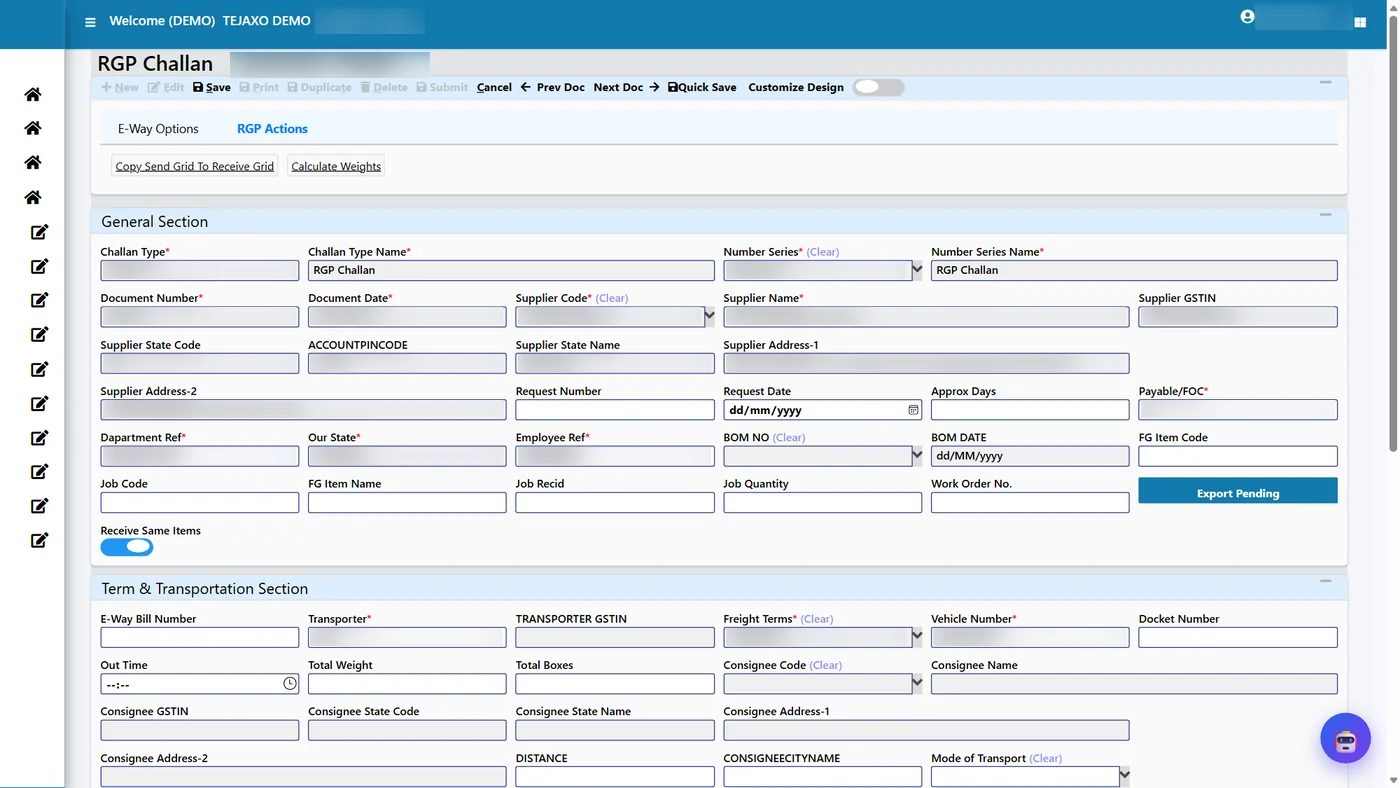
The RGP challan is created in the RGP module under Material Management. The user picks the job worker, the items to send, the quantities and the challan value. Two controls matter here:
- Only quality-passed stock can be sent. Material still under inspection does not appear in the item list.
- The receive grid states what you expect back. For a job where the same item returns (plating, for example), ticking “Receive Same Items” copies the send grid to the receive grid. The RGP Actions toolbar can also fill the weights from the item master and price the line from the JWO.
The receive line is then linked to the JWO line for the operation. From that moment the RGP knows the expected charge before the goods return.
Step 3: Receipt at the After Job Work Gate
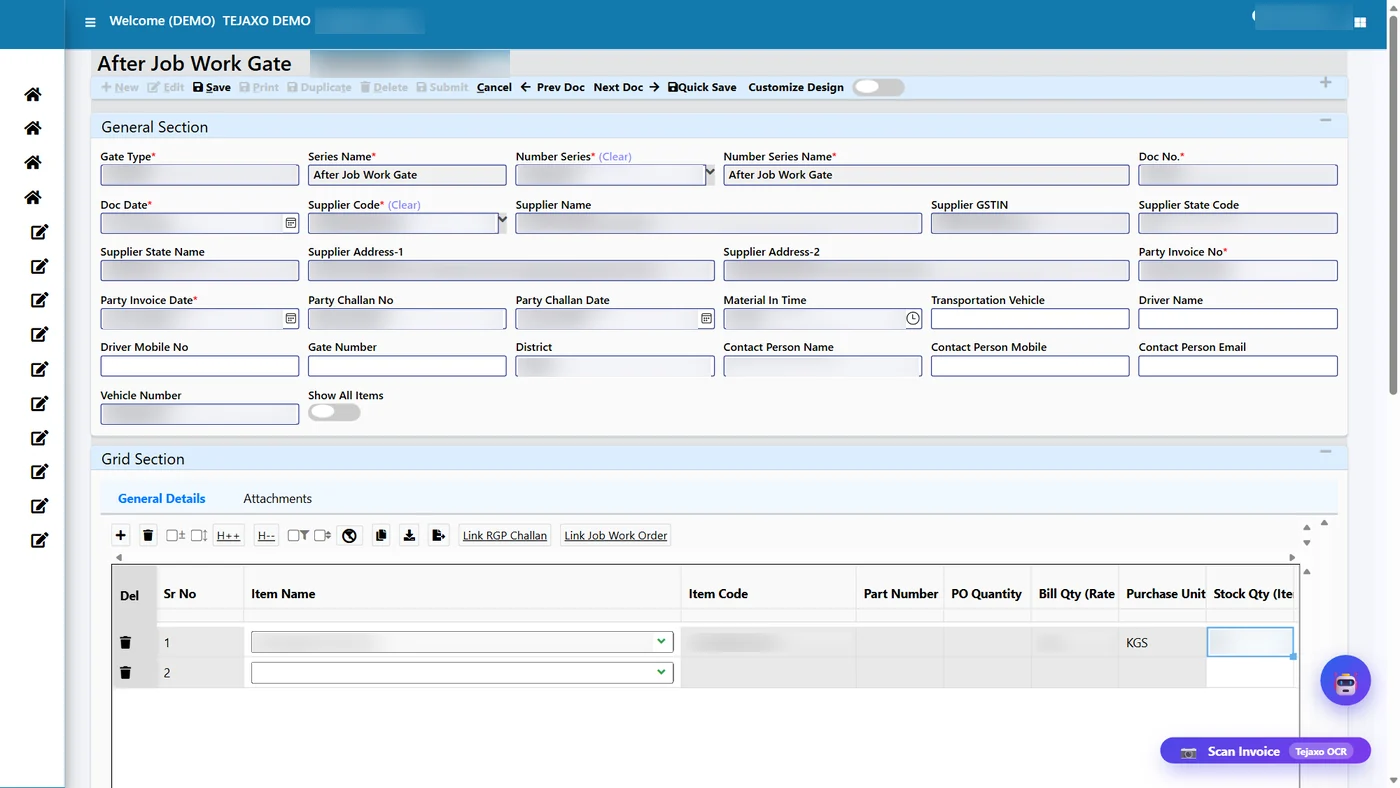
When the job worker returns the material, the security or stores team opens the After Job Work Gate. The item list here is not the full item master: it shows only the lines still pending with that party, with the RGP number, process, expected quantity, received quantity, pending quantity and rate. Picking a line brings its RGP link and JWO link with it.
The gate line holds two quantities. The bill quantity is in the JWO’s rate unit (kg for plating), and the stock quantity is in the item’s unit (pieces). The conversion between the two comes from the item weights. The job worker’s bill number and challan number are recorded on the gate entry, which is what the ITC-04 checks look for later.
A receipt can never exceed what is pending on the RGP line. If the gate keeper types more pieces than are pending, the entry is refused with a message, so an extra or wrong lot cannot quietly enter stock.
Step 4: MRR and knock-off – closing the RGP
The After Job Work MRR posts the received goods into stock after quality. Its Knock-off Sent Material tab is the heart of the module. “Propose Knock-off” builds the knock-off grid from the links made at the gate. For a same-item return, the link type is SAME: the pieces received consume the same number of pieces sent, at the weight that was sent.
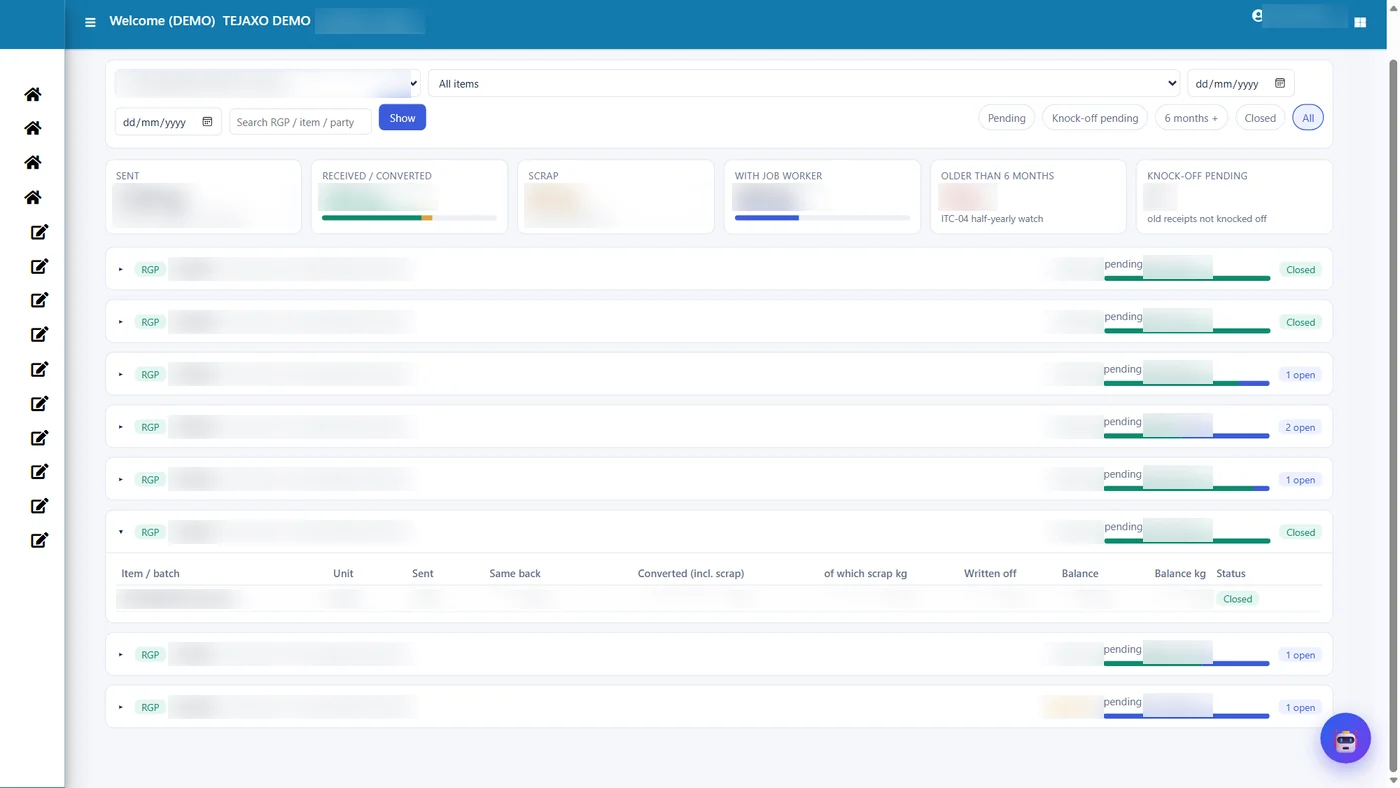
Once every piece on the RGP is knocked off, the RGP closes automatically. The RGP Reco Studio shows the sent quantity, the same-item return, the balance and the status in one row, and the RGP timeline lists every document that touched the RGP in date order: sent, to be received, gate in, MRR knock-off.
Worked example: 40 brackets sent for plating
Tejaxo Manufacturing sends 40 MS brackets (2.5 kg each) to Tejaxo Vendor for zinc plating. The JWO line for plating is ₹12 per kg. The brackets come back in two lots.
| Document | Pieces | Weight (kg) | Charge | Pending after entry |
|---|---|---|---|---|
| RGP-0012 (sent) | 40 | 100.0 | ₹1,200 expected | 40 nos / 100 kg |
| Gate GE-0101 + MRR MR-0201 (lot 1) | 25 | 62.5 | 62.5 kg × ₹12 = ₹750 | 15 nos / 37.5 kg |
| Gate GE-0108 + MRR MR-0209 (lot 2) | 15 | 37.5 | 37.5 kg × ₹12 = ₹450 | 0 – RGP closed |
At no point does anyone re-type the item, the rate or the SAC. If lot 2 had been entered as 18 pieces, the gate would have refused it, because only 15 were pending.
Reports that come out of the RGP module
Because every receipt is linked to a sent line, the reports are a by-product of daily work rather than a month-end exercise. The RGP reports include:
- RGP pendency and the in-out register, party-wise and item-wise.
- Aging of material lying with job workers, including items pending for more than six months.
- Job work charges and Job Work Order usage (received quantity and value against each JWO line).
- Scrap register, document tracking and item-to-receive pending.
- ITC-04 Table 4 and Table 5A, and the deemed-supply list for inputs not returned in time.
An ITC-04 compliance watch flags missing job worker challan numbers, items over six months and pending knock-offs before the return is due. The filing side is explained on our ITC-04 filing from ERP page.
Common mistakes and how the ERP prevents them
| Mistake in a manual system | What Tejaxo ERP does |
|---|---|
| Sending material that has not passed incoming quality | Only quality-passed stock is available on the RGP |
| Accepting a job worker bill at a rate nobody agreed | Rate, SAC and GST come from the JWO line |
| Receiving more than was sent, or against the wrong challan | Receipts above the pending quantity are refused |
| Closing a small balance by editing the old challan | Losses are written off in RGP Reco with a reason and a mandatory remark, as a separate reversible document |
| Old RGPs that stay open for years | A one-time knock-off proposal cleans up old pending RGPs |
Who this is for
The RGP module suits any plant that sends material out for processing and needs it back: sheet metal and fabrication units, auto component makers who send parts for plating or coating, and forging shops that send forgings for outside operations – see our ERP for the forging industry. It also handles inward job work, where a customer’s material is processed in your plant and returned, with a customer material register and return challans. RGP is one part of Tejaxo ERP, so the same stock, quality and GST records feed purchase, production and accounts.
How Tejaxo implements this
We start with a discovery session to list the operations you send out, your job workers and how each one bills you. In the pilot we load your own items, processes and job work orders and run real RGPs alongside your current register, so your stores team sees the pending figures match. After go-live and training at the gate and in stores, the same team that configured the module supports you. If you are new to ERP, our ERP implementation page explains the approach.
If material lying with job workers is a regular worry in your plant, book a free demo at marketing.tejaxo.com/consult or message us on WhatsApp at +91 96717 27474. We will show the full RGP cycle on sample data, and in the second session on your own items.
Frequently asked questions
What is a returnable gate pass (RGP) in job work?
An RGP is the challan under which material leaves the plant for processing and is expected to come back. In Tejaxo ERP the RGP stays open, line by line, until every piece sent is received back, knocked off or written off with a reason.
Can the job worker bill per kg while we keep stock in pieces?
Yes. Each gate and MRR line carries a bill quantity in the rate unit of the job work order (for example kg) and a stock quantity in the item unit (for example nos), converted using the item weights.
How does the ERP stop excess or wrong receipts from a job worker?
The After Job Work Gate lists only lines pending with that party, and a receipt above the pending quantity on the RGP line is refused at save.
Does Tejaxo ERP produce the ITC-04 report from job work entries?
Yes. ITC-04 Table 4, Table 5A and the deemed-supply list come from the RGP, gate and MRR entries, and a compliance watch flags missing challan numbers and items pending for over six months.
How are small process losses closed on an RGP?
In RGP Reco the balance is written off with a reason and a mandatory remark. The write-off is a separate document that can be reversed, so the original challan is never edited.
Can Tejaxo ERP handle inward job work for customer material?
Yes. Inward job work tracks the customer material balance, return challans and a customer material register.