
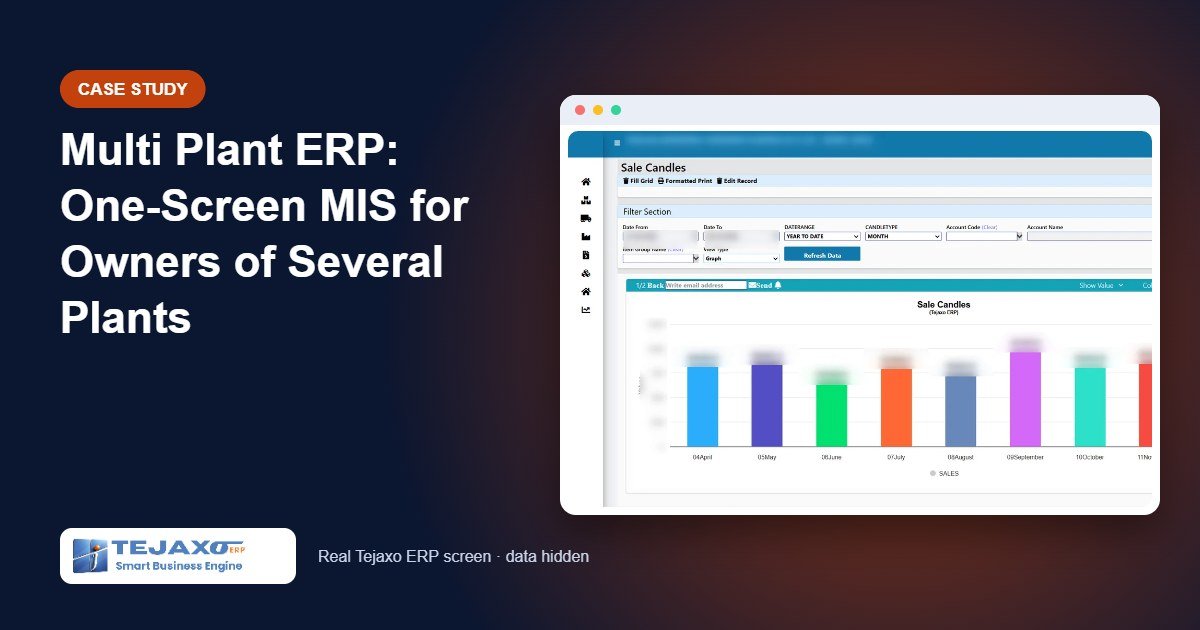
An owner with three or four plants usually receives MIS the hard way. Each plant’s accountant prepares a sheet, someone at head office merges them, and the combined report reaches the owner around the tenth of the next month, already stale. Each plant also tends to define “sales” a little differently. A multi plant ERP removes this monthly ritual: every plant posts into one system, and the owner reads the combined picture on one screen whenever he wants.
This article describes, without naming the company, how a multi-plant manufacturer uses Tejaxo ERP’s reports and dashboards to see sales, growth and accounts across plants. It explains what is on the screen, how the filters work, and what an owner should ask for when choosing an ERP for more than one plant.
Why multi-plant MIS breaks in spreadsheets
Spreadsheets work for one plant. They fail when the same question has to be answered for several plants at once:
- Different cut-off dates: one plant closes its sheet on the 3rd, another on the 7th, so the combined figure is never for the same moment.
- Different definitions: one plant reports sales including tax, another excluding it; inter-plant transfers are sometimes counted as sales.
- No drill-down: when a number looks wrong, the owner has to call the plant and wait for an explanation.
- No history: comparing this quarter with the same quarter two years ago means finding old files.
The owner in this case wanted all of his MIS on a single screen, filtered by plant when needed, with growth comparisons built in.
One database, separate plants
The foundation is how the ERP stores data. In Tejaxo ERP, every plant runs on one live database, but each plant keeps its own numbering series, stock and books. An invoice from Plant 1 and an invoice from Plant 2 have their own series and post to their own books, yet both are visible to a report that asks for “all plants”. This is what makes plant-wise and consolidated reports possible without merging files.
Consolidated finance reports for all plants come from the same data. Plant-wise budgets are also available, so budget versus actual can be compared plant by plant.
What the owner sees on one screen
Home dashboards
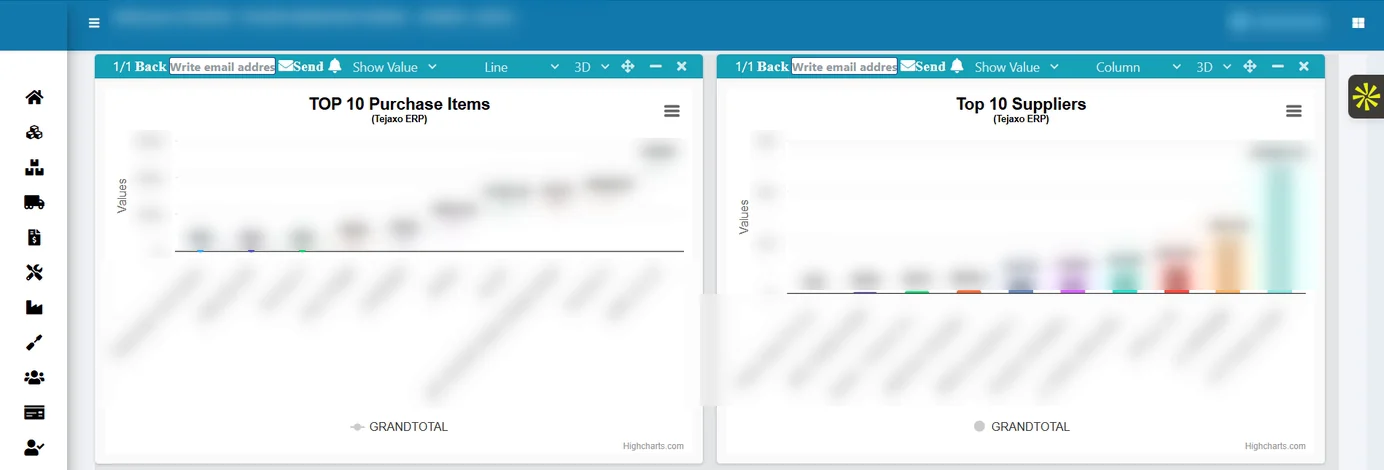
The home dashboard opens with the key figures, and each figure drills down to the records behind it. For owners who want the whole business at a glance, the business intelligence layer also includes the Owner’s Cockpit, which answers five questions every morning: am I making money, is cash safe, are customers happy, is the operation flowing, and what needs my attention.
Sales trend charts
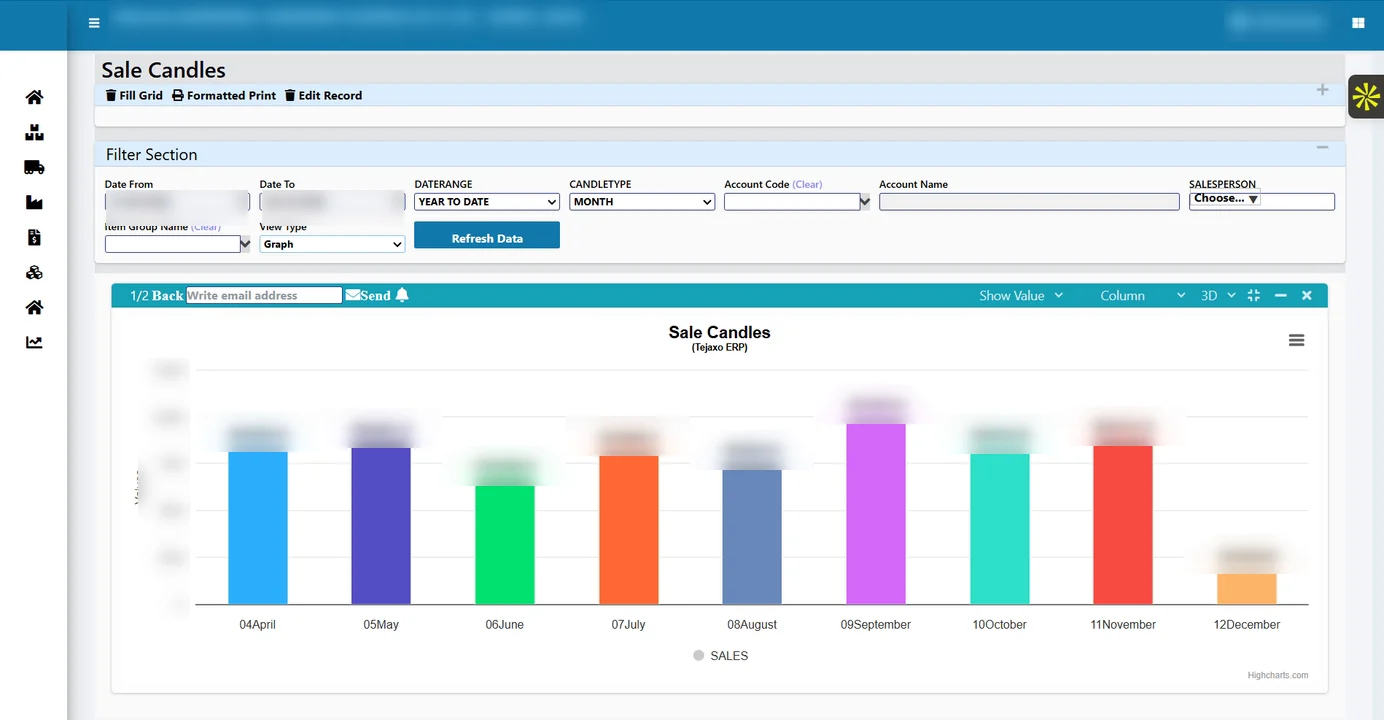
Candlestick-style sales charts show the movement of sales over daily, weekly, monthly and yearly periods, alongside a monthly sales view. Trends are easier to read in a chart than in a table of thirty-one daily numbers.
All MIS on a single screen
The single-screen MIS brings the main measures together, so the owner does not have to open separate reports for sales, growth and accounts.
Growth comparisons
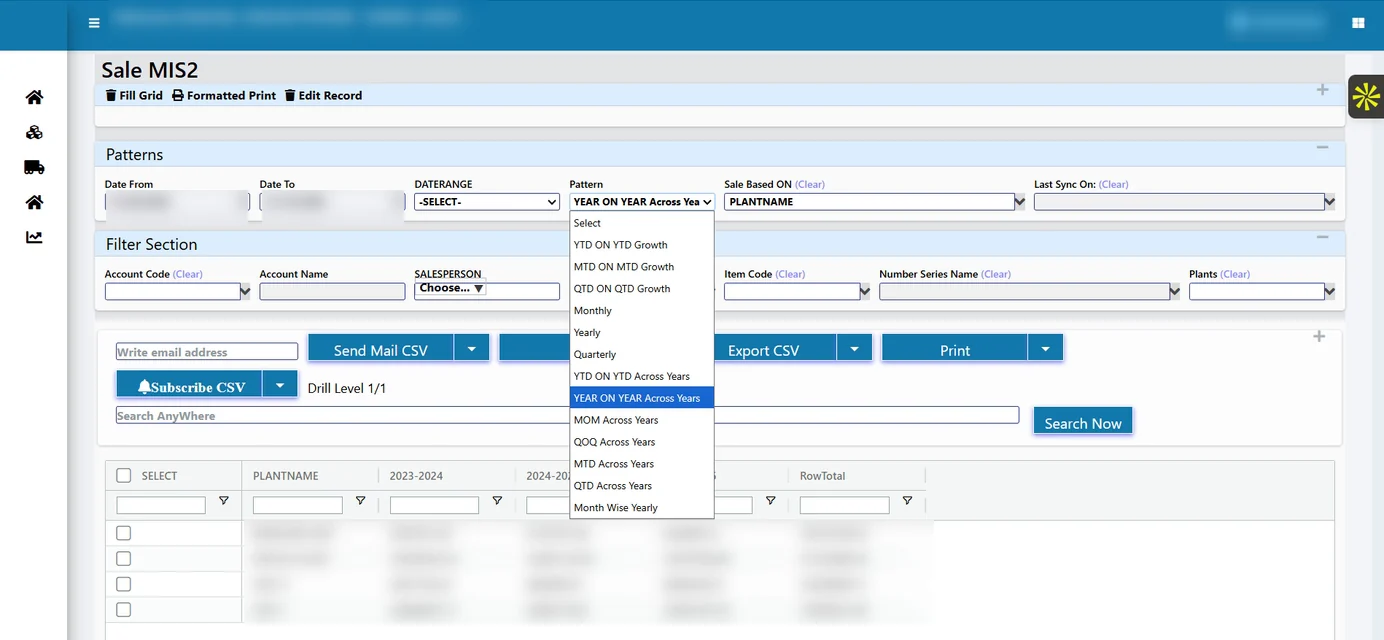
Year-on-year, month-on-month and quarter-on-quarter growth are shown directly, along with MTD, QTD and yearly figures. Reports across years make long-term comparison possible without old files.
Dynamic selection by plant
Every report can be selected dynamically, for example by plant. The owner can look at one plant, a group of plants or all plants with the same report.
Sales by plant, state and customer
Sales can be grouped by plant and state, and further by customer. This answers questions such as which state is growing for Plant 2, or which customers buy from more than one plant.
Plant-wise, account-wise
Accounts are available plant-wise and account-wise, so expenses and income can be compared between plants on the same basis.
₹ 12.40 cr
+14.2%
+6.1%
-2.3%
| Plant | State | Sales QTD | YoY |
|---|---|---|---|
| Plant 1 | Haryana | ₹ 6.10 cr | +18% |
| Plant 2 | Rajasthan | ₹ 4.20 cr | +11% |
| Plant 3 | Uttar Pradesh | ₹ 2.10 cr | +9% |
Worked example: reading the quarter in five minutes
Suppose the owner of Tejaxo Manufacturing opens the MIS at the start of the month. The numbers below are samples.
| Question | Report used | Sample answer |
|---|---|---|
| Are we growing overall? | YoY, QoQ growth | Sales QTD up 14.2% on last year, 6.1% on last quarter |
| Which plant is driving it? | Sales, plant-wise | Plant 1 up 18%; Plant 3 up 9% |
| Where is Plant 3 slowing? | Sales, plant, state and customer-wise | Two customers in one state ordered less this quarter |
| Is last month a dip or a trend? | Candlestick sales, weekly | One slow week after a holiday; recovery in the last week |
| Are costs moving with sales? | Plant-wise, account-wise | Freight up at Plant 2; other heads in line |
None of these answers required a call to a plant accountant. Each figure can be drilled into, and any report can be exported to Excel if the owner wants to share it with a partner or banker.
Common mistakes in multi-plant reporting, and how the ERP avoids them
- Mixing plants in one series: plant-wise numbering series keep documents and books separate from the start.
- Stale figures: reports are built on live transactions, with no separate data warehouse, so there is no monthly refresh to wait for.
- One-off reports: the same report serves one plant or all plants through dynamic selection, so definitions stay consistent.
- Numbers without records: every dashboard figure drills down to the entries behind it.
- Short memory: across-years reports keep long-term comparison available.
Asking questions instead of opening reports
Some owners prefer to ask. With Ask Tejaxo AI, an authorised user can type a question such as “dispatch this month vs last” and get an answer, a summary and the table behind it. The period, plant and GST basis are stated with every answer, which matters when several plants are involved. The AI is read-only by design and cannot change data. The same questions can be asked on WhatsApp through the Tejaxo AI agent; see ERP with WhatsApp automation and how an AI ERP differs from a traditional ERP.
What to ask before choosing a multi plant ERP
If you are evaluating systems for a group of plants, these questions separate a true multi-plant design from a single-plant ERP copied several times:
- Is there one database or one copy per plant? Separate copies bring back the consolidation problem.
- Does each plant keep its own numbering series, stock and books? Without this, plant-wise accounts and GST records become hard to defend.
- Can the same report run for one plant and for all plants? If every view is a custom report, definitions will drift.
- Are growth comparisons built in? YoY, QoQ, MoM, MTD and QTD should not need a spreadsheet.
- Does every number drill down to entries? An MIS that cannot be questioned will not be trusted.
- Who can see what? Owner-level dashboards should be visible only to authorised users, with menu-level rights for everyone else.
Tejaxo ERP answers each of these with the same design: one live database, plant-wise series, stock and books, dynamic plant selection, built-in growth views, drill-down on every tile and role-based menu rights. You can read more about the full platform on the Tejaxo ERP page.
Who this is for
This setup suits owners and directors of groups with two or more plants, often spread across states, and finance heads who currently consolidate MIS by hand. Many such groups have their head office in Gurgaon or Delhi and plants in the industrial belts around NCR. Tejaxo has worked with manufacturers since 2017, serves 50+ clients, and the ERP ships with 1000+ standard reports.
How Tejaxo implements this
We start with a discovery workshop to collect the MIS formats you use today and agree one definition for each measure across plants. A pilot follows on your own masters and data, plant by plant, so the owner can compare the new screen with the old sheets. Go-live includes training for plant accountants and the head-office team, and support continues from the same team.
Next step
If your MIS still arrives as merged spreadsheets, see what one screen for all plants looks like. Book a free demo, or message us on WhatsApp at +91 96717 27474.
Frequently asked questions
What is a multi plant ERP?
It is an ERP in which several plants run on one database, each with its own numbering series, stock and books, while the owner can see figures for one plant or all plants together. Reports can be filtered or grouped by plant without merging spreadsheets.
Can I see sales by plant, state and customer in one report?
Yes. Tejaxo ERP reports can be selected dynamically by plant and grouped by plant, state and customer, with daily, weekly, monthly, quarterly and yearly views.
Does the MIS show growth compared with last year?
Yes. The MIS includes year-on-year, month-on-month and quarter-on-quarter growth, as well as MTD, QTD and yearly figures and reports across several years.
Is the MIS built from live data or a separate data warehouse?
Reports are built on live transactions in the ERP, with no separate data warehouse to maintain, so the figures change as entries are posted.
Can the MIS be exported to Excel?
Yes. Every report in Tejaxo ERP can be exported to Excel for further analysis or sharing.
Can plant-wise accounts be seen separately?
Yes. Books are kept plant-wise, and the MIS includes plant-wise, account-wise reports, along with consolidated finance reports for all plants.