
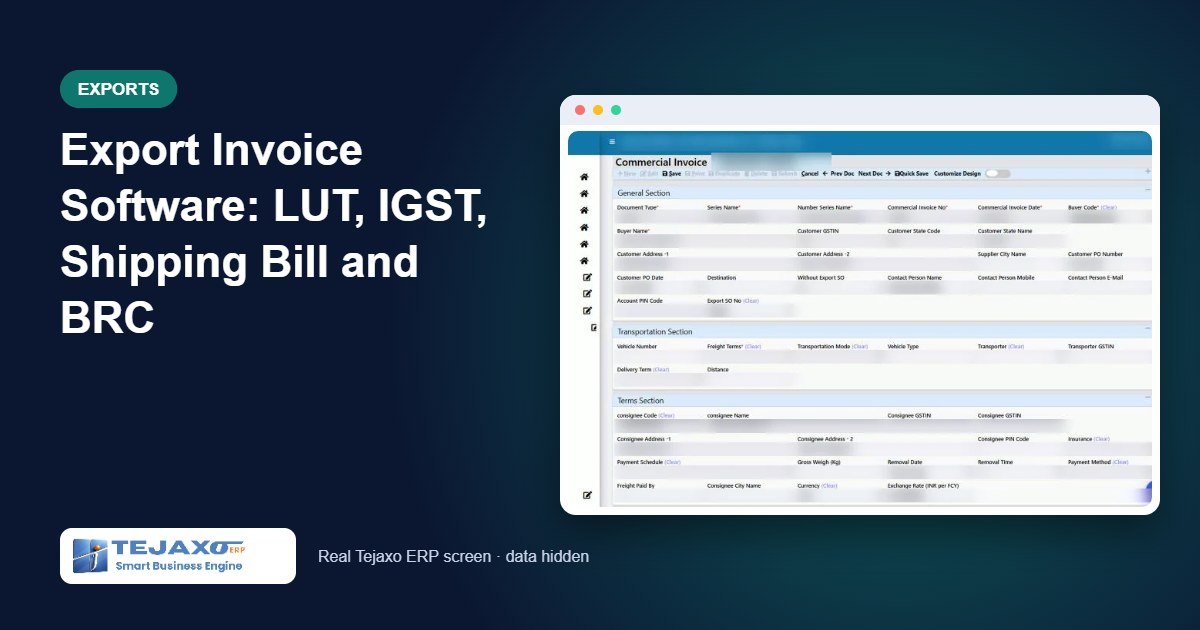
An export order looks simple on the shop floor: make the goods, pack them and hand them to the forwarder. In the office, it is a chain of documents that must agree with each other: a commercial invoice in dollars or euros for the buyer, a GST tax invoice in rupees, a shipping bill from customs, the bank’s realisation certificate (BRC) and, finally, the receipt at whatever rate the bank gives. Generic billing tools treat this as one invoice. Good export invoice software treats it as the chain it is.
When the chain breaks, the cost is real: IGST refunds held up because the shipping bill quotes the wrong invoice number, BRCs that nobody chases, forex differences buried in the buyer’s ledger. This article explains how the export invoicing flow in Tejaxo ERP keeps every document linked, from the export sales order to the BRC.
Why an export needs two invoices
Tejaxo ERP creates two separate documents for every export shipment, each with its own purpose:
- Commercial Invoice: for the overseas buyer, in the buyer’s currency (USD, EUR and so on), on its own series and numbering. It has no effect on stock or accounts.
- Export Tax Invoice: for GST, in INR, on your Indian invoice series. The stock movement and the sales voucher are created here.
One commercial invoice produces exactly one tax invoice. After the tax invoice is made, the buyer, currency, items, quantities and rates on the commercial invoice are locked, so the two can never drift apart.
The export flow, step by step
Tejaxo Customer
10 × Product A
USD 150 each
CI-0001 · USD 900
6 units · no posting
EXP-0001 · LUT
₹75,150.00 @ 83.50
stock + sales voucher
SB 1234567 · port code
LEO date · BL / AWB
USD 900 @ 85.00
forex gain ₹1,350.00
BRC no. on CI
status: Closed
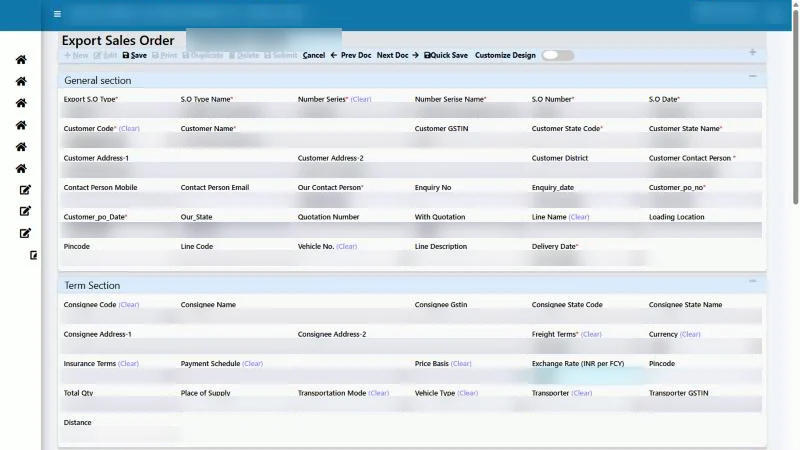
Step 1: Export sales order
The export sales order captures the buyer, the buyer’s PO and delivery date, the currency and exchange rate, and the rate of each product in foreign currency; the INR value is calculated automatically. The export details section records the Incoterm, payment terms, export type (LUT or with payment of IGST), ports and country. The order can be edited until a commercial or tax invoice has been made from it.
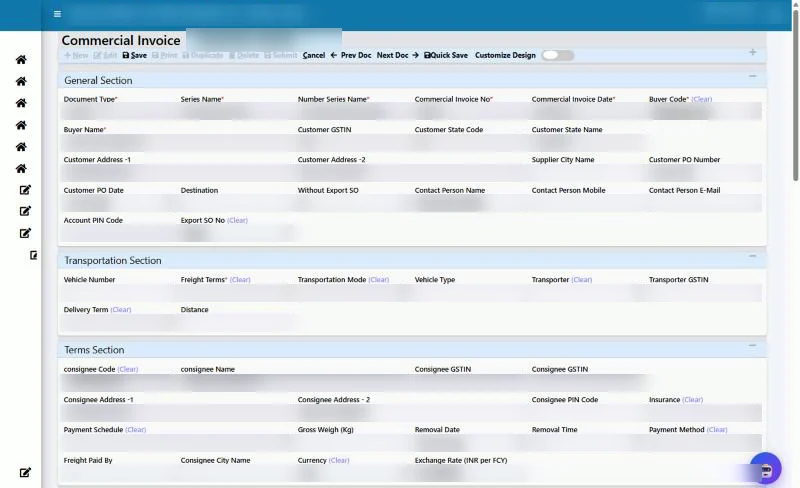
Step 2: Commercial invoice
When the buyer is chosen, only that buyer’s export orders with a pending quantity are offered. Selecting an order fills the header and lines: PO, consignee, currency, rate and the overseas state code. The user enters the quantity for this shipment (partial shipments are allowed), packages, weight and country code. The ERP refuses a quantity larger than the order balance.
Step 3: Export tax invoice
From the saved commercial invoice, one action creates the export tax invoice, already filled with the lines, foreign-currency rate, ports, export type and commercial invoice reference. Saving it posts the stock and the sales voucher, with the foreign-currency amount recorded on the voucher as well. If the sales ledger is not set for the export series, the invoice does not save, so nothing is posted to a wrong ledger.
Step 4: Shipping bill and BL
Once customs clears the goods, the user opens the commercial invoice and fills the shipping bill section: shipping bill number and date, port code, LEO date, BL or AWB number and, later, the BRC number. The shipping bill number, date, port and country code are copied to the tax invoice automatically, where they are needed for the GSTR-1 export sheet and the e-invoice export details.
Step 5: Receipt and forex
On the receipt voucher, the user selects the buyer, bank and export bill, and enters the currency and the bank’s rate. The ERP settles the bill in both INR and foreign currency and posts the rate difference to Forex Gain/Loss. For a partial receipt, only the foreign-currency amount actually received is settled.
Step 6: BRC
When the bank issues the BRC, its number is entered on the commercial invoice, and the shipment shows as closed in the export register.
Worked example
Tejaxo Manufacturing books an export order from Tejaxo Customer for 10 units of Product A at USD 150 each (USD 1,500) at an exchange rate of ₹83.50. The first shipment of 6 units goes under LUT; the remaining 4 units are shipped later with payment of IGST.
| Document | Detail | Value |
|---|---|---|
| Commercial invoice CI-0001 | 6 × USD 150 | USD 900 |
| Export tax invoice (LUT) | USD 900 × 83.50, GST 0 | ₹75,150.00 |
| Receipt | USD 900 × bank rate 85.00 | ₹76,500.00 |
| Forex gain | USD 900 × (85.00 − 83.50) | ₹1,350.00 |
| Commercial invoice CI-0002 | 4 × USD 150 | USD 600 |
| Export tax invoice (with IGST) | USD 600 × 83.50 | ₹50,100.00 |
| IGST at 18% | posted to IGST Refund Receivable | ₹9,018.00 |
On the receipt for the first shipment, the buyer is credited ₹75,150, the bank is debited ₹76,500 and the ₹1,350 difference is credited to Forex Gain/Loss. Had the rupee strengthened instead, the difference would be a loss on the debit side. For the second shipment, the buyer is debited only the goods value of ₹50,100, while the IGST of ₹9,018 sits in IGST Refund Receivable until customs refunds it.
LUT or IGST: what changes
| Under LUT (without IGST) | With payment of IGST | |
|---|---|---|
| GST on lines | 0 on every line | IGST only |
| Posting | Buyer Dr, Sales Cr | Buyer Dr goods value; IGST Refund Receivable Dr |
| E-invoice supply type | EXPWOP | EXPWP, refund claim Y |
| GSTR-1 | Export sheet, WOPAY | Export sheet, WPAY |
| LUT number | Printed automatically from configuration | Not required |
SEZ invoices
Supplies to a Special Economic Zone use their own invoice type with an SEZ details section. With payment of tax, the ERP always charges IGST, even when the SEZ unit is in your own state; a ₹50,000 supply from a Haryana plant to a Haryana SEZ unit carries IGST of ₹9,000 and no CGST or SGST. Without payment of tax, the supply goes under LUT with zero GST. The LUT number, the SEZ unit’s Bill of Entry number and date and the officer’s endorsement date are recorded on the invoice. E-invoice types are SEZWP and SEZWOP, and SEZ invoices appear in the correct GSTR-1 sheet.
Seven export reports
- Export Register (CI to Realisation): each commercial invoice with its tax invoice, INR value, IGST, shipping bill, amount received, balance and status, such as “Shipping Bill pending” or “BRC pending”.
- Pending Export SO: order quantity less invoiced quantity, with balance in foreign currency and delivery date.
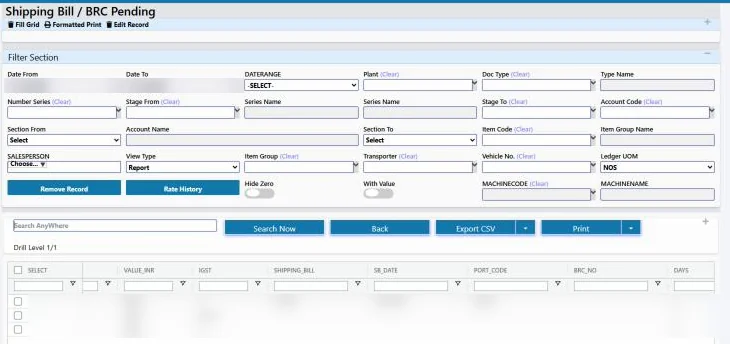
- Shipping Bill / BRC Pending: every tax invoice still waiting for a shipping bill or BRC, with days pending.
- Foreign Currency Receivables: buyer-wise billed, received and balance amounts, with bill-wise drill-down and the oldest days.
- Export Forex Gain / Loss: every receipt with booking rate, receipt rate and the gain or loss.
- Export and SEZ GST Register: invoices by category (EXPWOP, EXPWP, SEZWP, SEZWOP) with taxable value, IGST, refund due, shipping bill and IRN.
- Export Sales by Country / Currency: invoices, buyers and values by destination and currency.
Every report has a date filter, search, CSV export and print. For management dashboards across sales and finance, see business intelligence.
Common mistakes the ERP prevents
- Wrong invoice number on the shipping bill: customs needs the tax invoice number, not the commercial invoice number. The ERP keeps both visibly linked so the right number is used.
- Invoicing more than ordered: a commercial invoice quantity above the order balance is refused.
- Two tax invoices for one shipment: only one tax invoice can be made from a commercial invoice.
- Forgotten BRCs: the pending report shows every open shipment until its BRC is entered.
- Missing ledgers: exports with IGST, or receipts with a rate difference, do not save until the IGST Refund Receivable and Forex Gain/Loss ledgers are configured.
Who this is for
The export module suits manufacturers who ship directly to overseas buyers or supply SEZ units, from occasional exporters to plants where exports are a large share of sales. It is used alongside the rest of Tejaxo ERP, so export orders, production and dispatch share the same data. Manufacturers in western Uttar Pradesh can read our page on manufacturing ERP in Meerut. If you sign invoices in bulk, see digital signature (DSC) signing from the ERP.
How Tejaxo implements this
We start by mapping your export pattern in a discovery session: currencies, LUT or IGST, SEZ customers and how your forwarder and bank share documents. We set up the series, ledgers and buyer masters, run a pilot on your own orders, check the GSTR-1 export data with your accountant, and then go live with training for sales, logistics and accounts. Support after go-live is provided by the same team.
See an export shipment end to end
Bring one recent export order, and we will take it through Tejaxo ERP from sales order to BRC in a live session. Book a free demo or WhatsApp us at +91 96717 27474.
Frequently asked questions
Why does an export need both a commercial invoice and a tax invoice?
The commercial invoice is for the overseas buyer, in the buyer’s currency, and does not post to stock or accounts. The export tax invoice is in INR on your GST series and creates the stock movement and the sales voucher.
What is the difference between LUT and IGST (WPAY) export invoices?
Under LUT the export is made without paying IGST, so all lines carry zero GST. With payment of IGST, IGST is charged and posted to an IGST Refund Receivable ledger, because the refund is claimed from customs.
Which invoice number should go on the shipping bill?
The export tax invoice number, not the commercial invoice number. If the numbers do not match, the IGST refund can get stuck.
How does the ERP track BRC for export invoices?
The BRC number is entered on the commercial invoice along with the shipping bill details, and the Shipping Bill / BRC Pending report lists every invoice still waiting for either document, with days pending.
How is forex gain or loss booked on export receipts?
On the receipt voucher you enter the currency and the bank rate. The bill is settled at its booking rate and the difference is posted to the Forex Gain/Loss ledger, as a gain or a loss.
Is IGST charged on a supply to an SEZ in the same state?
Yes. A supply to an SEZ unit is treated as inter-state, so with payment of tax the ERP charges IGST and not CGST and SGST, even when the SEZ is in your own state. Without payment, it is made under LUT with zero GST.