
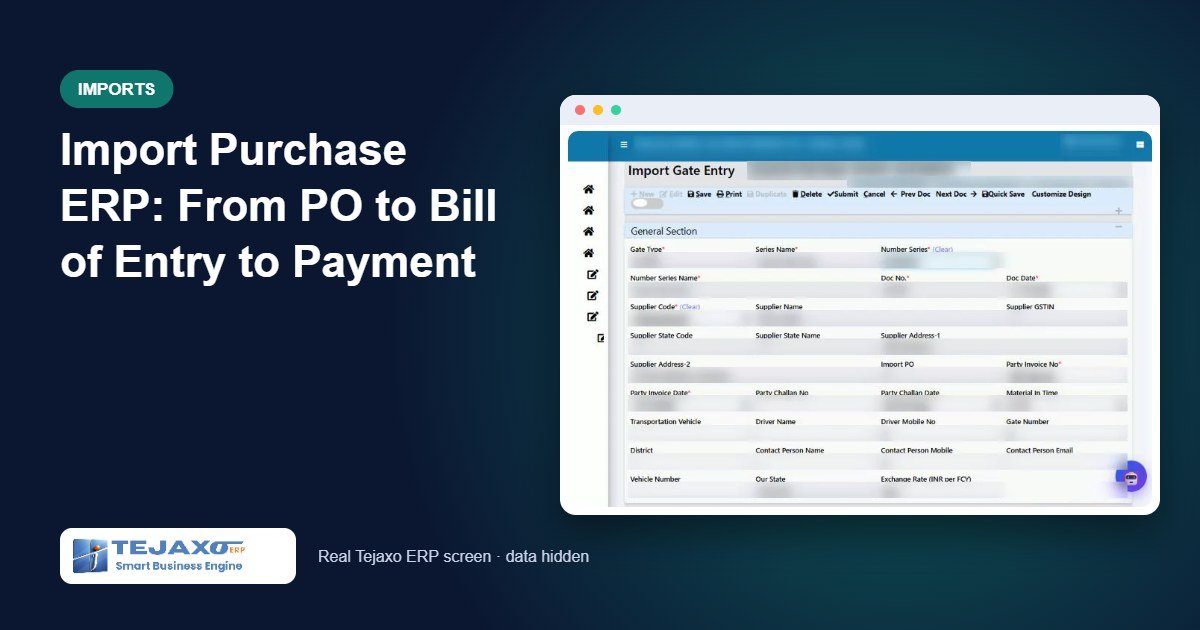
An import purchase touches more people than any other purchase in a plant. The purchase team raises a PO in euros or dollars, the courier or customs house agent (CHA) clears the goods, accounts receives two separate bills, and the stores team needs to know what the material actually cost in rupees. Without an import purchase ERP flow, this usually ends up in a spreadsheet that only one person understands.
The result is familiar: stock valued at the invoice rate instead of the landed rate, import IGST added to cost by mistake, the agent’s bill booked twice or not at all, and forex differences adjusted by a journal entry at year end. This article walks through how Tejaxo ERP records an import from the purchase order to the Bill of Entry to the final foreign payment, with a worked example.
Why import purchases need their own flow
A domestic purchase has one supplier, one bill and one currency. An import has at least two parties (the overseas supplier and the clearing agent), three rates (the invoice or book rate, the customs rate printed on the Bill of Entry and the bank rate on the day of payment) and a mix of costs and credits. Basic Customs Duty (BCD) and the Social Welfare Surcharge (SWS) are part of the material cost. Import IGST is input tax credit. Clearing charges are cost, but the GST charged on them is credit, and TDS under section 194C applies to the service portion.
Tejaxo ERP handles this with separate import menus that write to the same tables as domestic purchase. Pending PO, GRNI, stock and closure reports keep working, while the import screens have their own design and numbering series. Every import document saves both the foreign-currency (FCY) value and the INR value.
The six steps from PO to payment
Step 1: Import purchase order
The overseas supplier is marked as Overseas in the account master with its currency (EUR, USD and so on). When this supplier is chosen on a PO, the PO is flagged as an import PO and GST stays at zero. The buyer enters the currency and an indicative exchange rate, and adds the supplier’s freight or packing as a separate charge line. Only approved PO lines can be received at the gate.
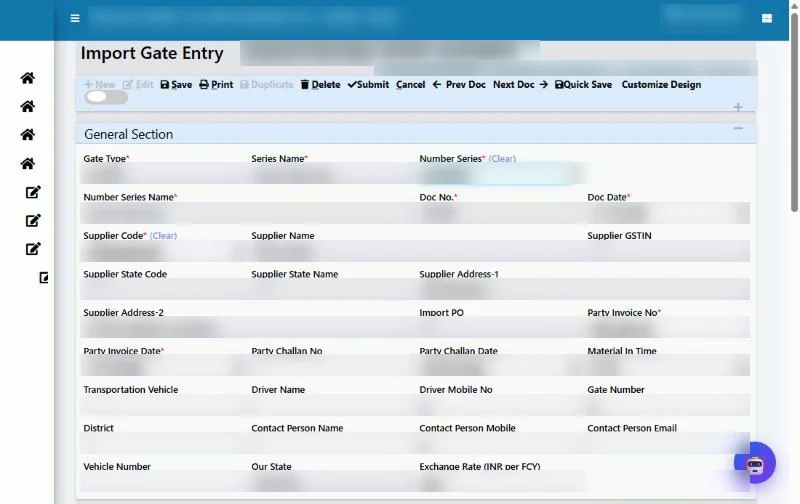
Step 2: Import gate entry
When the consignment arrives, the security or stores user opens Import Gate Entry. The item picker shows only the pending, approved import PO lines of that supplier, and the bill quantity cannot exceed the PO balance plus tolerance. The user enters the supplier’s commercial invoice number and date, the exchange rate (INR per FCY), and the shipment details: Incoterm, shipment mode, AWB or HAWB number, port and, if known, the Bill of Entry number. The ERP calculates the INR value of every line.
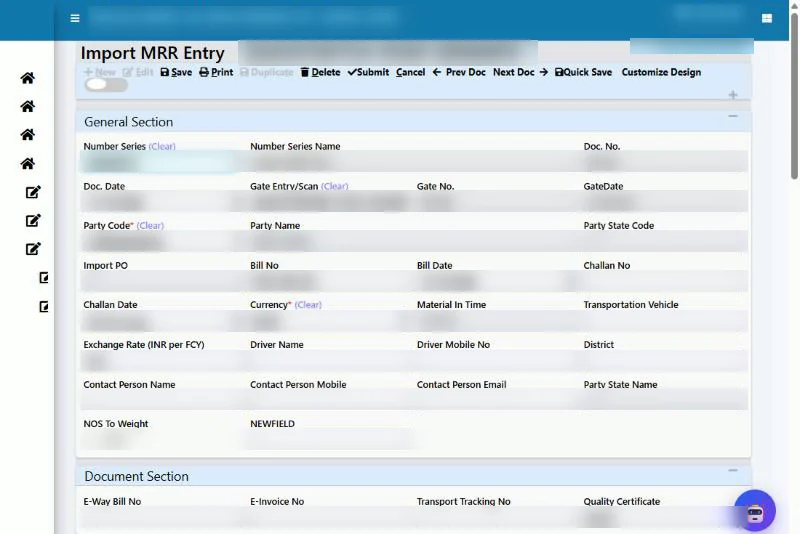
Step 3: Import MRR with Bill of Entry and landed cost
Import MRR Entry picks up only import gate entries. Lines, currency, exchange rate, AWB, Incoterm and Bill of Entry details come across automatically. Each line shows its BCD %, SWS % and import IGST % from the item and HSN. The user then fills the Bill of Entry and Landed Cost section: Bill of Entry number and date, the customs exchange rate, the CHA or courier party, the agent’s bill number, clearing charges, GST % on clearing and TDS %. If the Bill of Entry shows exact duty amounts, they are entered as they are; a blank field means “calculate from the rate” and zero means “nil”. One click on Calculate Landed Cost fills the totals.
Step 4: Quality and stock at the landed rate
The Import MRR passes through basic quality like any other receipt. Once passed, the stock is valued at the INR landed rate, so stock ledger, valuation, issue rate and work-order costing all use the true cost of the material. The supplier’s freight line carries zero stock value because its cost is already inside the landed rate of the goods.
Step 5: Import purchase voucher
Accounts opens the normal Purchase Voucher Entry and selects the Import MRR. Lines come in FCY with the currency, exchange rate, Bill of Entry and agent details. Check and Calculate builds the ledger lines and, on saving, the ERP creates two pending bill references: the supplier’s bill in FCY and the agent’s bill in INR. The direct “pass purchase voucher” button on the MRR is blocked for imports, because it would not create the agent’s bill.
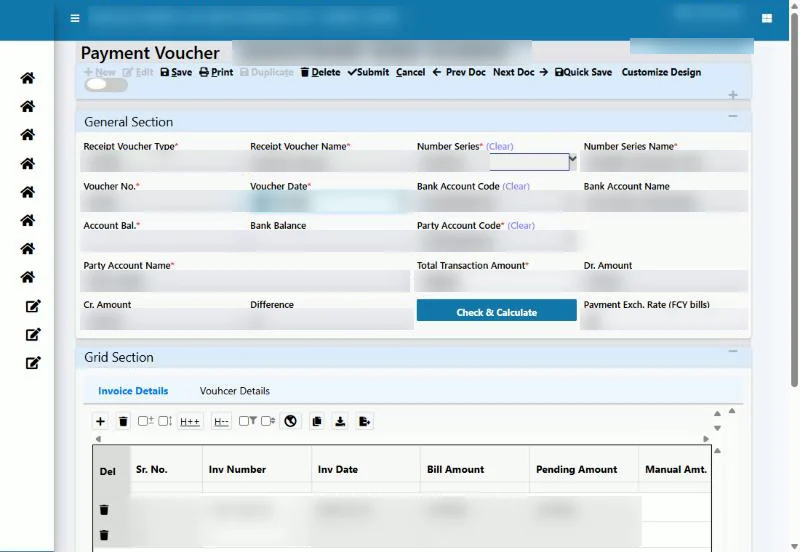
Step 6: Foreign payment
In the Payment Voucher, the user selects the foreign supplier and the bank, enters the bank’s rate from the bank advice and picks the import bill. The ERP settles the bill in FCY, sets the bank amount at FCY multiplied by the bank rate and posts the difference to Forex Gain/Loss. The agent’s bill is paid as a normal INR payment, with TDS already deducted.
Worked example: one shipment, end to end
Tejaxo Manufacturing imports 4 units of Product A from Tejaxo Vendor at EUR 2,500 each, plus EUR 400 supplier freight. The exchange rate at the gate and on the Bill of Entry is ₹92.00. BCD is 7.5%, SWS is 10% of BCD and IGST is 18%. The CHA pays the duty and IGST on the company’s behalf and bills ₹6,000 as clearing charges with 18% GST.
| Landed cost line | Calculation | ₹ |
|---|---|---|
| Goods value | EUR 10,000 × 92.00 | 9,20,000.00 |
| Supplier freight share | EUR 400 × 92.00 | 36,800.00 |
| Assessable value | EUR 10,400 × 92.00 | 9,56,800.00 |
| BCD | 7.5% of assessable | 71,760.00 |
| SWS | 10% of BCD | 7,176.00 |
| Clearing charges (CHA) | as per agent’s bill | 6,000.00 |
| Landed cost (stock value) | goods + freight + BCD + SWS + clearing | 10,41,736.00 |
| Landed rate per unit | 10,41,736 ÷ 4 | 2,60,434.00 |
| Import IGST (ITC, not cost) | 18% of (9,56,800 + 71,760 + 7,176) | 1,86,432.48 |
The purchase voucher created from this MRR looks like this:
| Ledger | Debit ₹ | Credit ₹ |
|---|---|---|
| Purchase Import | 9,56,800.00 | |
| Tejaxo Vendor (EUR 10,400 @ 92.00) | 9,56,800.00 | |
| IGST Input on Import | 1,86,432.48 | |
| Customs Duty (BCD + SWS) | 78,936.00 | |
| Clearing and Forwarding (Import) | 6,000.00 | |
| IGST input on clearing service (18%) | 1,080.00 | |
| CHA (IGST + duty + clearing + GST) | 2,72,448.48 | |
| TDS 194C (2% of 6,000) | 120.00 | |
| CHA (TDS set-off) | 120.00 | |
| Total | 12,29,368.48 | 12,29,368.48 |
Two bills are now pending: Tejaxo Vendor for EUR 10,400 (₹9,56,800 at book rate) and the CHA for ₹2,72,328.48 after TDS. When the supplier is paid at a bank rate of ₹93.10, the bank pays ₹9,68,240. The bill is cleared at its book value of ₹9,56,800 and the difference of ₹11,440 (EUR 10,400 × 1.10) is posted as a forex loss. If the rupee had strengthened instead, the same difference would be a gain. The bill closes to zero in both EUR and INR.
One-time setup
Before the first import, the administrator creates five ledgers and links them in ERP configuration: Purchase Import, IGST Input on Import, Customs Duty (BCD + SWS), Clearing and Forwarding (Import) and Forex Gain/Loss. The TDS 194C ledger is linked in the TDS section master. Overseas suppliers are marked with their currency, and menu rights are given for Import Gate, Import MRR, Import Reports and the payment exchange-rate field. If a required ledger is missing, the voucher simply does not save, so a half-posted import cannot slip into the books. We also recommend cross-checking the first live shipment with your chartered accountant.
Seven import reports
All import reports sit under Material Management, with date, plant and party filters, CSV export, print and drill-down:
- Import Register (PO to Payment): one row per shipment with PO, gate, FCY value, rate, Bill of Entry, duty, landed value, purchase voucher, amount paid and status.
- Import Landed Cost Register: item-wise goods value, BCD, SWS, freight and clearing, landed value and landed rate.
- Bill of Entry / Import IGST Register: month-wise assessable value, BCD, SWS and IGST credit, for GSTR-3B table 4(A)(1) and matching with GSTR-2B and ICEGATE data.
- Foreign Currency Payables: supplier-wise billed, paid and balance in FCY and book INR, with age in days.
- Forex Gain / Loss Register: every payment with FCY paid, book rate, bank rate and the gain or loss.
- CHA / Courier Duty Bill Register: agent bills with IGST reimbursed, duty, clearing, GST, TDS and balance payable.
- Pending Import Documents: what is stuck at each stage: gate pending MRR, MRR pending voucher, supplier payment pending and agent bill pending.
The pending documents report is worth opening every morning: the oldest rows are the ones that will cause trouble at month end. For wider management reporting, see our business intelligence page.
Special cases the module handles
- DDP shipments: the supplier pays the duty, so Bill of Entry, duty and clearing are left blank and the landed cost equals the invoice value.
- Duty paid directly on ICEGATE: a “Customs ICE Gate” ledger is used as the duty bill party, with the challan or Bill of Entry number as the bill number.
- Partial shipments: each shipment gets its own import gate entry, and the PO balance reduces with every gate.
- Purchase voucher rate different from MRR rate: allowed; stock stays at the MRR rate and the liability follows the voucher rate.
- Courier-cleared parcels: where the courier’s bill shows BCD as nil and only IGST and service charges, BCD and SWS are entered as zero and only the service charges reach the cost.
Common mistakes and how the ERP prevents them
- Exchange rate left blank: the import gate and MRR will not save without an INR-per-FCY rate.
- Over-receipt: a bill quantity above the PO quantity plus tolerance is refused.
- Duty without a Bill of Entry: if duty or import IGST is entered, the Bill of Entry number becomes mandatory, and so does the agent party.
- Import received through the domestic MRR: an import gate entry can only become an Import MRR, and the purchase voucher must come from Purchase Voucher Entry.
- Import IGST inflating stock value: IGST is always posted to its own input ledger and shown in a separate column of the landed cost register.
Every save and approval is recorded in the audit trail with user and time, so the finance team can see who changed a rate and when.
Who this is for
The import module suits any manufacturer that buys machines, spares, moulds, instruments or raw material from abroad, whether by sea, air or courier. Plants in the export-oriented belts around Delhi NCR are typical users; see our pages for manufacturing ERP in Neemrana and manufacturing ERP in Noida. It works alongside the rest of Tejaxo ERP, so the landed rate flows straight into inventory valuation and work-order costing.
How Tejaxo implements this
We start with a discovery session to understand your import pattern: currencies, Incoterms, agents and how your accountant treats duty. We then run a pilot on your own suppliers, items and one real shipment, compare the landed cost and vouchers with your existing working, and only then go live with training for purchase, stores and accounts. Support after go-live comes from the same team that set it up. More on our approach is on the ERP implementation page.
See your own import in the ERP
If your import costing still lives in a spreadsheet, bring one recent shipment and we will walk it through Tejaxo ERP with you, from PO to payment. Book a free demo or message us on WhatsApp at +91 96717 27474.
Frequently asked questions
Can an ERP handle import purchases in foreign currency?
Yes. In Tejaxo ERP every import document, from the PO to the payment, stores both the foreign-currency (FCY) amount and the INR amount, and the supplier bill is tracked in FCY until it is paid.
Where is the Bill of Entry entered in Tejaxo ERP?
The Bill of Entry number, date, customs exchange rate and the BCD, SWS and IGST amounts are entered in the Bill of Entry and Landed Cost section of the Import MRR, which then calculates the landed cost.
Is import IGST added to the cost of the material?
No. Import IGST paid on the Bill of Entry is posted to an IGST Input on Import ledger as input tax credit. Only goods value, supplier freight, BCD, SWS and clearing charges go into the landed cost.
How is forex gain or loss calculated on an import payment?
You enter the bank rate on the payment voucher. The ERP settles the bill in FCY, calculates the bank amount at the bank rate and posts the difference from the book rate to the Forex Gain/Loss ledger.
What if the supplier pays the duty (DDP)?
For DDP shipments the Bill of Entry, duty and clearing fields are left blank, no customs agent party is needed and the landed cost equals the invoice value.
Does the import module change my domestic purchase process?
No. Imports use their own Import Gate Entry and Import MRR menus on the same tables, so domestic gate entry, MRR, pending PO and GRNI reports continue to work as before.