
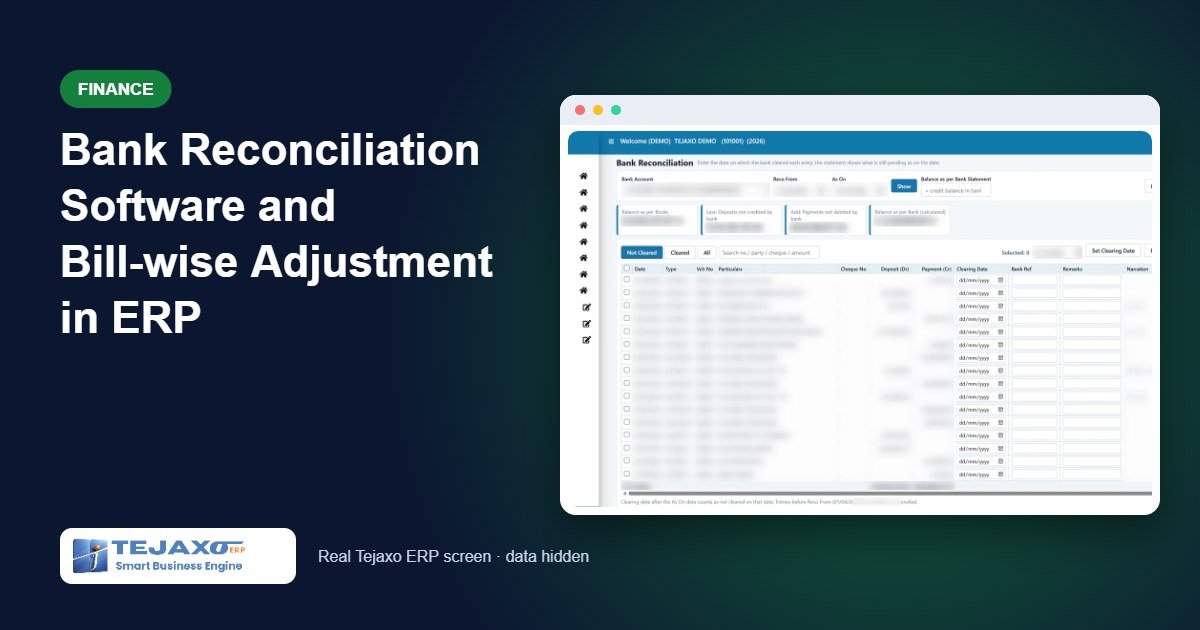
Two month-end jobs take far longer than they should in most plants. The first is matching the bank book with the bank statement, usually by printing both and ticking entries with a pen. The second is cleaning up party balances, where a customer’s total is correct but the bill-wise ageing still shows old invoices as unpaid because the receipt was entered “on account”. Proper bank reconciliation software, together with bill-wise adjustment, turns both into a short, repeatable routine.
This article explains the two forms Tejaxo ERP provides under Finance, Vouchers: Bank Reconciliation, which builds the bank reconciliation statement (BRS) from clearing dates, and Reference Adjustment, which knocks off pending bills against advances and credits. Both have worked examples with sample numbers.
Why books and bank do not agree
A voucher is entered in the ERP on the day you receive or issue a cheque or transfer. The bank clears it a few days later. Until then, the two balances differ, and that is normal. The reconciliation simply explains the difference:
- Balance as per books (the bank ledger, opening plus entries)
- Less: deposits not yet credited by the bank (a receipt is entered, but the bank has not credited it)
- Add: payments not yet debited by the bank (a cheque is issued, but it has not been presented)
- = Balance as per bank, calculated, which should match the closing balance on the statement
If the calculated balance and the statement balance agree, the difference is zero and the reconciliation is complete. If they do not, something is missing: usually bank charges, interest or a receipt the bank has credited that has not been entered in the books.
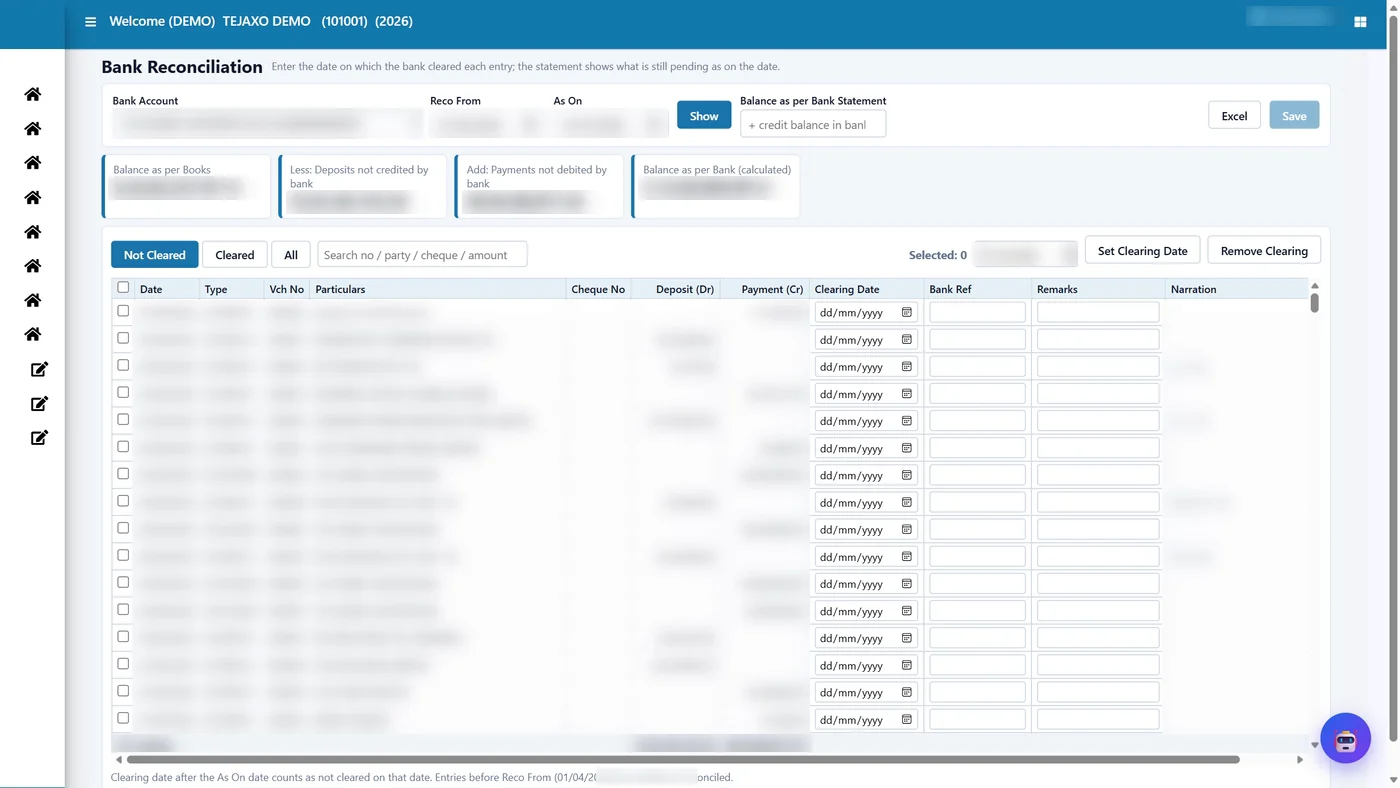
Bank reconciliation in Tejaxo ERP, step by step
- Select the bank account. “Reco From” defaults to the start of the financial year; entries before this date are treated as reconciled and do not appear.
- Enter the As On date, the last date of the bank statement, and click Show.
- Enter the statement’s closing balance (positive when money is in the bank).
- Mark clearing dates. Looking at the statement, enter the date each entry cleared, or tick several entries and use Set Clearing Date to apply one date to all of them.
- Watch the difference. The summary cards update immediately; the aim is for the difference card to read Matched.
- Save and export. Save stores the clearing dates. The Excel export contains the BRS and all entries in one file.
The entries table shows date, voucher type and number, party, cheque number, deposit, payment, clearing date, bank reference, remarks and narration. Filters for Not Cleared, Cleared and All, plus a search box, make it easy to find one cheque among hundreds.
Worked example: BRS as on 31 March
Tejaxo Manufacturing’s bank ledger shows ₹6,25,000 on 31 March. A customer cheque of ₹1,20,000 was deposited on 30 March but credited by the bank on 2 April. A cheque of ₹75,000 issued to a vendor on 29 March was paid by the bank on 3 April.
| Particulars | Amount ₹ |
|---|---|
| Balance as per books | 6,25,000.00 |
| Less: cheque deposited 30 March, credited 2 April | − 1,20,000.00 |
| Add: cheque issued 29 March, debited 3 April | + 75,000.00 |
| Balance as per bank (calculated) | 5,80,000.00 |
| Balance as per bank statement | 5,80,000.00 |
| Difference | Matched (0) |
Note how the clearing dates work. Both entries carry clearing dates in April, after the As On date of 31 March, so they are treated as not cleared on 31 March and appear in the BRS. If you change As On to 5 April and click Show, both entries are cleared and the difference disappears. If the statement had also shown bank charges of ₹590 that are not in the books, the difference card would show ₹590; the fix is to pass a bank charges voucher, not to adjust the balance.
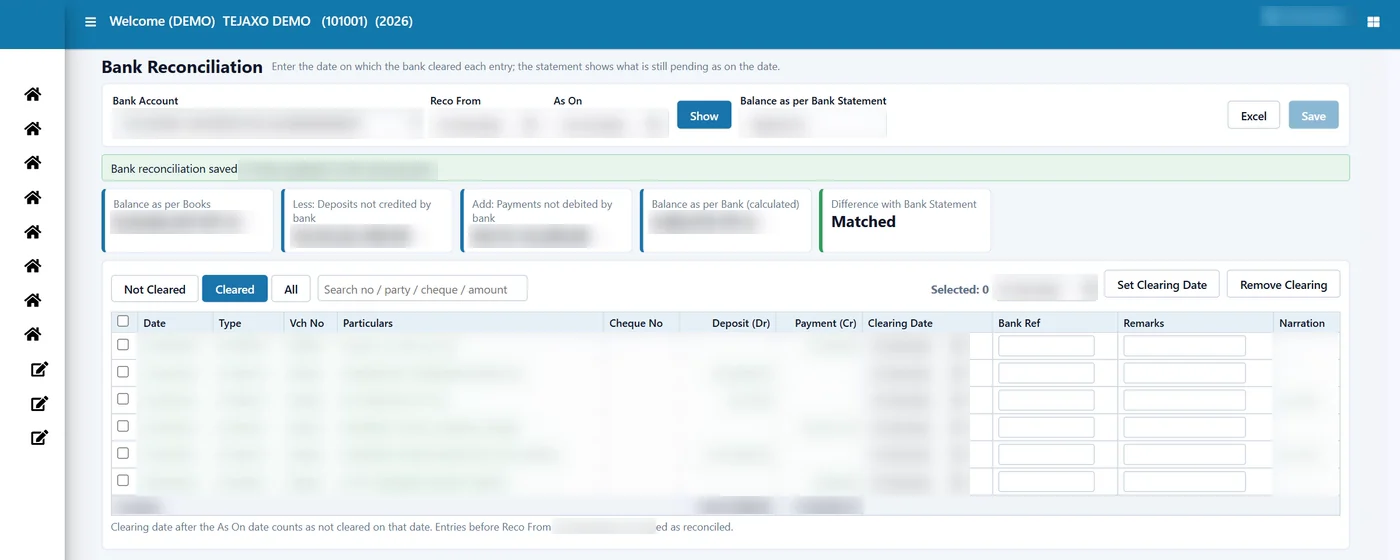
Rules that keep the reconciliation honest
- No clearing before the voucher date: the save stops and names the voucher.
- Removing a clearing: clear the date, or tick the entry and use Remove Clearing; after saving, the entry is not cleared again.
- Edited vouchers: if the bank amount on a voucher is changed later, the old clearing no longer matches and the entry shows as not cleared again, so a changed cheque cannot hide inside an old reconciliation.
- Unsaved work: if you switch bank or date before saving, the ERP asks for confirmation.
Reference adjustment: fixing bill-wise ageing
Every bill of every party is held bill-wise. When a customer’s payment is entered “on account” or as an advance instead of against specific invoices, both the invoices and the receipt stay pending. The party’s total balance is correct, but the ageing report shows old invoices as overdue and the advance as unused. Collection follow-ups, reminder letters and MSME due tracking all depend on this ageing, so it has to be right.
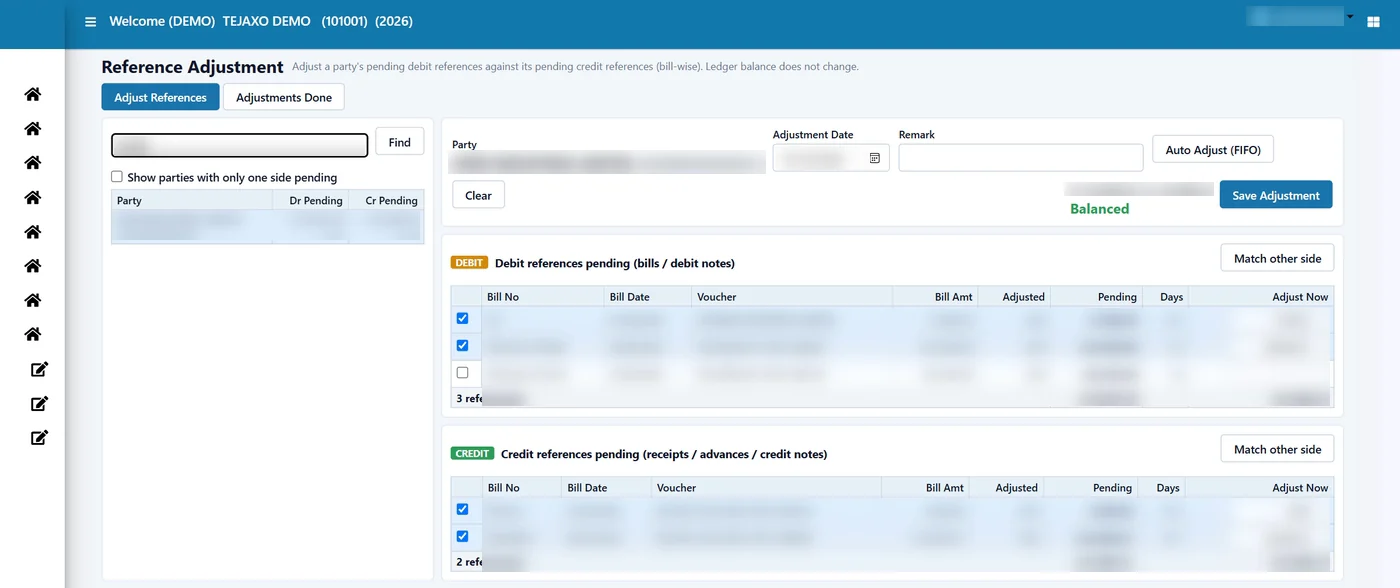
The Reference Adjustment form lists, on the left, every party that has both debit and credit references pending (a tick box shows parties with only one side pending too). Selecting a party shows two tables: debit references (bills) and credit references (receipts on account, advances, credit notes), each with bill number, date, voucher, bill amount, amount already adjusted, pending amount, days and an “Adjust Now” column.
How to adjust
- Select the party from the list or search by name or code.
- Set the adjustment date (today by default) and a remark if needed.
- Tick the debit bills to adjust; the full pending amount fills in, and you can reduce it.
- Tick the credit references to adjust them against.
- Check that the header shows Balanced (debit total equals credit total).
- Click Save Adjustment. The adjustment gets a number and fully adjusted bills drop off the list.
Three buttons speed this up. Auto Adjust (FIFO) fills the oldest references first on both sides, up to the smaller of the two totals. Match Other Side fills the other table from its oldest bills to match whatever you selected. Clear removes all filled amounts so you can start again.
Worked example
| Reference (Tejaxo Customer) | Pending ₹ | Adjust now ₹ | Still pending ₹ |
|---|---|---|---|
| INV-0101 (older) | 45,000.00 | 45,000.00 | 0.00 |
| INV-0108 | 60,000.00 | 30,000.00 | 30,000.00 |
| Advance receipt, on account | 75,000.00 | 75,000.00 | 0.00 |
FIFO clears the older invoice in full and part of the newer one. After saving, the ageing shows only ₹30,000 pending against INV-0108, which is exactly what the customer owes. The ledger balance of the party does not change; only the bill-wise matching does.
Controls built into the form
- At least one debit and one credit reference are needed, and the two totals must be equal.
- An amount above a bill’s pending value turns red and Save stays disabled.
- A reference without a bill number cannot be adjusted here; correct the voucher first.
- If two users work on the same party, pending amounts are checked again at save, and the second user is told that a bill is no longer pending.
- All on-account entries of a party count as one reference, the same way the outstanding reports count them.
The Adjustments Done tab lists past adjustments with number, date, party, amount, lines, remark and the user who entered it. A wrong adjustment is not edited: it is deleted, which makes its bills pending again, and a new one is made. Every save and delete is written to the audit log, and save and delete rights are given separately by user.
Who this is for
These forms are used by accounts teams in manufacturing companies that receive many cheques and transfers, give or take advances, and need reliable receivables ageing for follow-up. Both forms show the data of the plant you are logged into, which suits multi-plant companies with separate books per plant. They are part of the finance module of Tejaxo ERP, alongside ledgers, receivables ageing and payment reminders. Smaller manufacturers moving from basic accounting software can read about ERP for small manufacturing businesses, and owners who want finance on a dashboard can see business intelligence.
How Tejaxo implements this
We begin with a discovery session with your accounts team to understand your banks, receipt practices and how advances are recorded today. We load your opening bills, run a pilot reconciliation on your own statement and a cleanup of one or two large parties, then go live with training. Support after go-live comes from the same team. Read more on our ERP implementation approach.
Close the month faster
If your bank reconciliation still happens on paper, or your ageing report shows invoices that were paid months ago, let us show you both forms on sample data and then on your own. Book a free demo or WhatsApp us at +91 96717 27474.
Frequently asked questions
Why is the balance in my books different from the bank statement?
Usually because of timing: receipts entered in the books that the bank has not yet credited, and cheques issued that the bank has not yet paid. Bank charges or interest not yet recorded in the books are the other common cause.
How does bank reconciliation work in Tejaxo ERP?
You select the bank, enter the statement date and closing balance, and mark a clearing date on each entry the bank has cleared. The ERP builds the BRS and shows the difference, which should read Matched.
Can a clearing date be earlier than the voucher date?
No. If a clearing date is before the voucher date, the ERP stops the save and names the voucher, so you can correct it.
What is reference adjustment in accounting software?
It is bill-wise knock-off: matching a party’s pending bills against advances, on-account receipts or credit notes so that each bill shows as settled. The ledger balance does not change; only the bill-wise matching does.
Does auto adjust use FIFO?
Yes. Auto Adjust (FIFO) fills the oldest references first on both sides, up to the smaller of the two totals. You can change the amounts before saving.
Can a wrong adjustment be corrected?
An adjustment is not edited. It is deleted from the Adjustments Done history, which makes its bills pending again, and a new adjustment is made. Every save and delete is recorded in the audit log.