
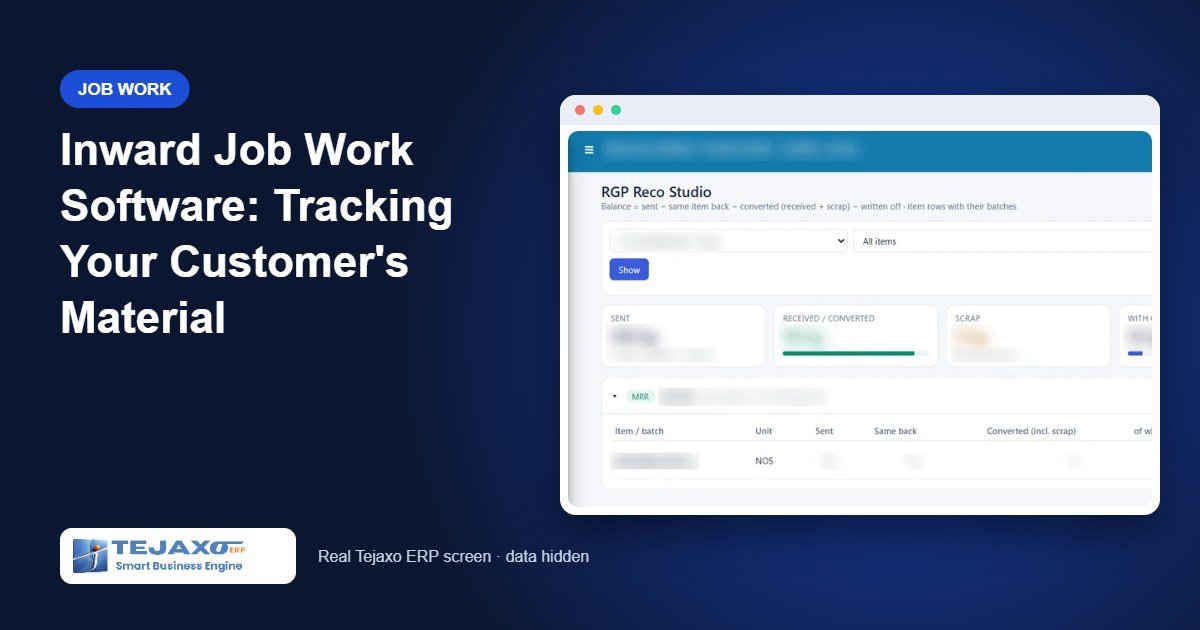
Many manufacturers in Delhi NCR are also job workers. A customer sends twenty plates for machining, a hundred brackets for plating or a coil for slitting, and expects every piece back, processed, with the paperwork in order. The material is not yours, but while it sits on your shop floor you are responsible for it. Good inward job work software keeps the customer’s material visible and separate from your own stock from the moment it reaches the gate.
Most plants manage this in a register or a spreadsheet. It works until a customer asks, “How many of our plates are still with you?” and nobody can answer without counting. This article shows how Tejaxo ERP handles inward job work, step by step, and which reports give that answer in seconds.
Why customer material needs its own trail
Customer material behaves differently from purchased material:
- You do not own it. It must not inflate your stock value or your purchase figures.
- It must go back. Every piece received has to be returned, processed or otherwise accounted for, against the customer’s own challan.
- The customer has a compliance duty. Your customer, as the principal, reports goods sent to job workers in ITC-04. When their figures do not match yours, they call you.
- Returns come in lots. Twenty pieces in, eighteen back this week, two next week. A simple in-out sheet loses track quickly.
Tejaxo ERP solves this by running inward job work on the same RGP engine it uses for outward job work, in the opposite direction. The customer’s MRR lines become the “sent” side, and your return challans knock them off.
The inward job work flow in Tejaxo ERP
All screens sit under RGP Module > RGP Inward Job Work in Material Management.
1. For Job Work Gate
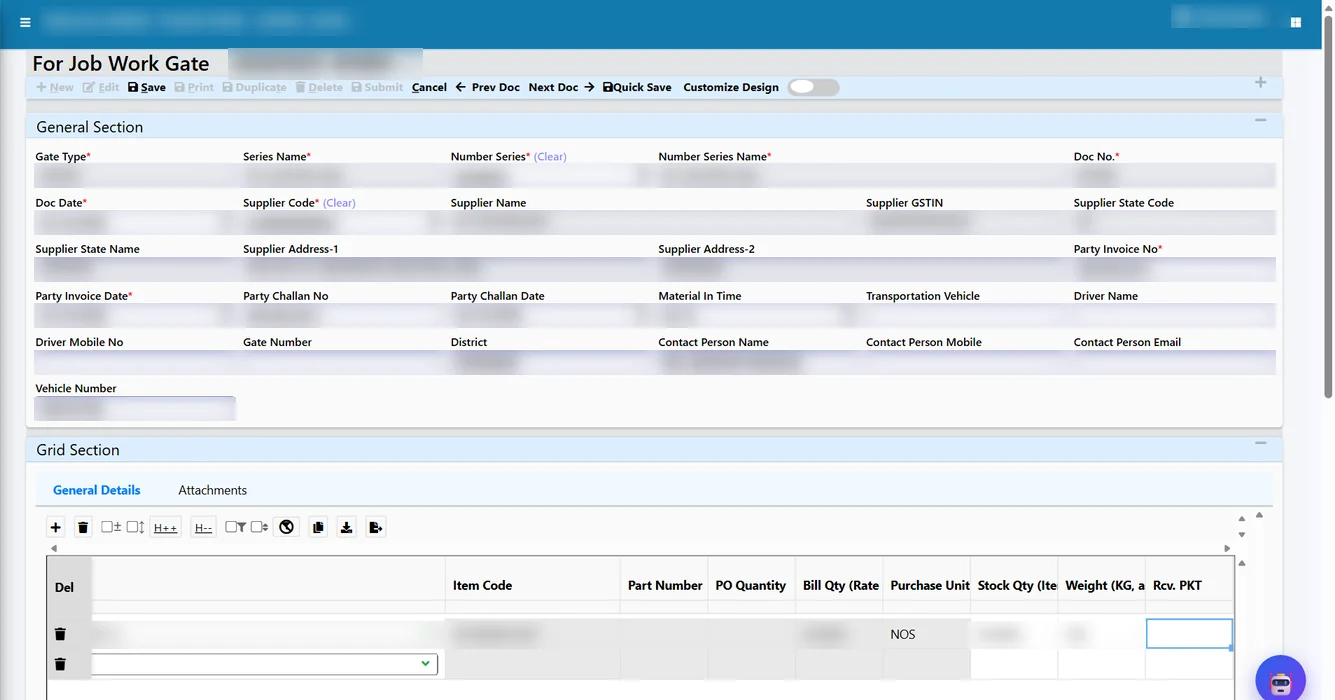
When the customer’s vehicle arrives, security or stores makes a For Job Work Gate entry. It records the party, the customer’s challan number and date, the items, the quantity in pieces and in kg, and the notional value per piece as stated on the customer’s challan. That value matters: it is the figure your customer uses on the challan and in their ITC-04.
2. For Job Work MRR
Stores then makes a For Job Work MRR, pulling the lines from the gate entry. After quality checking, this MRR line becomes the customer-material balance. It runs on its own document series, so customer receipts are never mixed with your purchase MRRs.
3. After Job Work Challan with Link Customer MRR
When processed material goes back, dispatch makes an After Job Work Challan. The button Link Customer MRR lists only that customer’s MRR lines that are still pending. The user picks the line, enters the quantity being returned, and the link is saved on the challan line.
4. Automatic knock-off
On save, the system writes a knock-off row in direction IN, for example “SAME 18” when eighteen of the same item go back. Nobody has to update a separate register.
5. Customer Material Reco
The Customer Material Reco screen shows, per customer MRR, how much was received, how much has been returned and what balance is still with you, with a status of Pending or Closed.
Worked example: forty base plates for machining
Tejaxo Customer sends 40 base plates (200 kg) to Tejaxo Manufacturing for machining. Their challan states a notional value of ₹350 per piece. The plates are returned in two lots.
| Step | Document | Qty (nos) | Weight (kg) | Balance with us |
|---|---|---|---|---|
| Customer material arrives | For Job Work Gate JG-0388 (customer challan TC/DC/0091, ₹350/pc) | 40 in | 200 | – |
| Received and quality checked | For Job Work MRR JMRR-0207 | 40 | 200 | 40 nos / 200 kg |
| First lot returned | After Job Work Challan AJC-0154, linked to JMRR-0207 | 30 out | 150 | 10 nos / 50 kg |
| Second lot returned | After Job Work Challan AJC-0161, linked to JMRR-0207 | 6 out | 30 | 4 nos / 20 kg |
| Status today | Customer Material Reco | 40 received, 36 returned | – | 4 nos / 20 kg, Pending |
When the customer asks about their plates, the answer is immediate: four pieces, twenty kg, against MRR JMRR-0207, with the two return challans listed. Notional value of the material still with you: 4 × ₹350 = ₹1,400.
The same balance, three ways to see it
Different people want the answer in different forms, so Tejaxo ERP shows the customer balance in three places, all reading the same data:
- Customer Material Reco (RGP Reco): the classic screen, one row per customer MRR with received, returned, balance and status.
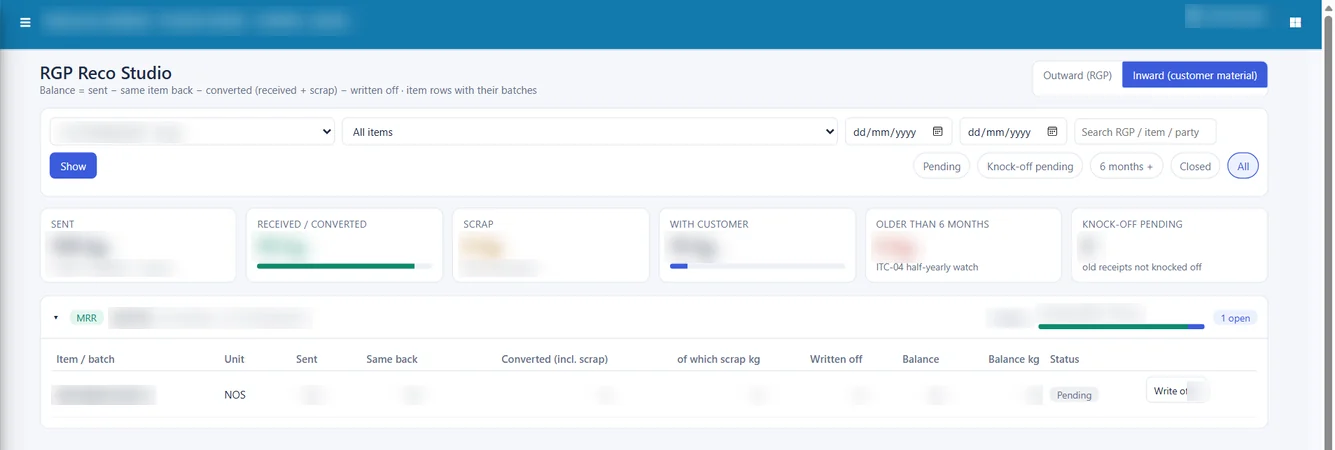
- RGP Reco Studio, Inward view: switch the toggle to Inward (customer material) and the KPIs and cards show what is still with you, in pieces and kg, customer by customer.
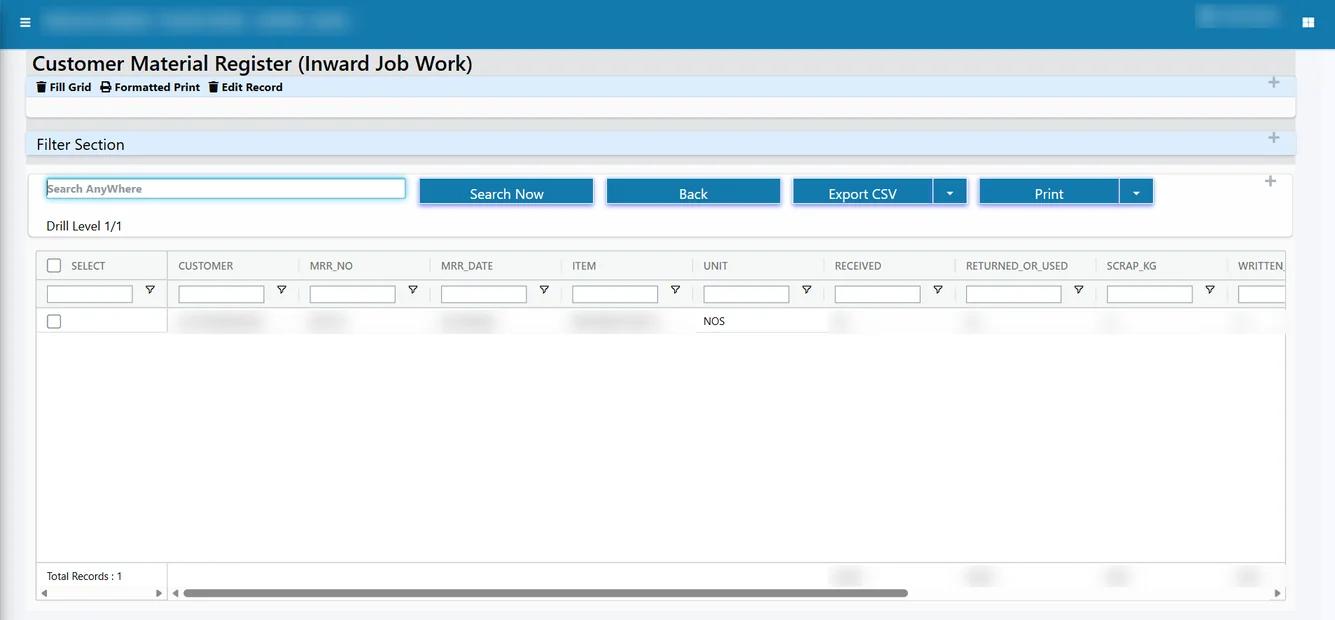
- Customer Material Register (RGP Reports): a printable, exportable register with customer, MRR, item, received, returned and balance. Like every Tejaxo report, it exports to Excel.
The RGP Insights page also has a switch for customers, giving aging cards that show the oldest customer material still on your floor. That is useful in a monthly review: material that has been sitting for months is either waiting for a decision from the customer or has been forgotten.
Agreeing the numbers with your customer
Disputes with customers over job work material are rarely about large quantities. They are about four plates here and two flanges there, discovered when the customer’s accountant reconciles their own records. A short routine, run every month, prevents most of them:
- Capture the customer’s challan exactly. Enter the customer’s challan number, date, quantity and notional value at the For Job Work Gate as printed. Your register then speaks the same language as theirs.
- Link every return. Never dispatch processed material on a challan that is not linked to the customer MRR. An unlinked return leaves the balance open, and the customer sees a different figure from yours.
- Send a balance statement. Export the Customer Material Register to Excel, filtered for that customer, and share it at month end. It lists each receipt, what has been returned against it and the balance.
- Review the oldest material. Use the customer switch in RGP Insights to see which material has been with you the longest, and ask the customer for instructions before it becomes a problem.
This routine takes minutes when the data is already in the ERP, and it gives your customer exactly what they need when they prepare their own job work return.
Common mistakes and how the ERP prevents them
Receiving customer material on a purchase MRR
This inflates your stock and confuses your purchase register. The For Job Work Gate and MRR use their own series, so customer material stays separate.
Returning against the wrong receipt
Link Customer MRR lists only the selected customer’s pending lines. A dispatch clerk cannot accidentally knock off another customer’s material.
Returning more than was received
Link Customer MRR shows the pending quantity on each customer MRR line, so dispatch returns against the real balance, and the reco shows at once if a line is fully closed.
Mismatched quantities between units
Customers often count in pieces while weighbridges record kg. The gate entry captures both, and the balance is shown in both, so there is one figure to agree with the customer.
Who this is for
Inward job work tracking fits job shops and contract manufacturers that process customer material: machining and sheet metal units, electroplating and powder coating shops, fabrication and welding units, and tool coating services. These are common across the industrial belts we serve, including Ballabhgarh, Faridabad and IMT Manesar. Many such plants also send their own material out for further processing, and Tejaxo ERP runs both directions in the same module. The outward side and its ITC-04 output are explained on our ITC-04 filing from ERP page, and smaller units can read how this fits their scale on ERP for small manufacturing businesses.
How Tejaxo implements this
We begin with a discovery session to understand how customer material arrives, how it is processed and how it goes back. We then run a pilot on your own customers, items and open customer receipts, so your team sees its own balances in the Customer Material Reco before go-live. After go-live and training on the gate, MRR and return challan screens, the same Tejaxo team stays with you for support. Tejaxo Technologies Pvt. Ltd. has been building manufacturing ERP since 2017 for 50+ clients.
If you process material for customers, you should be able to tell any of them, at any time, exactly what of theirs is on your floor. Book a free demo to see inward job work on sample data, or WhatsApp us on +91 96717 27474.
Frequently asked questions
What is inward job work in an ERP?
Inward job work is when a customer sends you their own material to process and return, for example plates for machining or parts for plating. The ERP records the material as the customer’s, not yours, and tracks how much is still with you.
How is customer material kept separate from my own stock?
In Tejaxo ERP it is tracked through the For Job Work MRR and the Customer Material Reco, so you always see the customer’s balance separately from your own purchased stock.
Can I return customer material in more than one lot?
Yes. Each After Job Work Challan links to the customer MRR lines that are still pending, and the balance reduces with every return until it reaches zero.
Which report shows how much customer material is with us?
The Customer Material Register under RGP Reports shows customer, MRR, item, quantity received, quantity returned and balance. The Reco Studio inward view shows the same balance in pieces and kg.
Who files ITC-04 for inward job work?
ITC-04 is filed by the principal, which is your customer. Tejaxo ERP records the challan details and notional value you receive with the material, so you can answer your customer’s reconciliation questions from the register.
Is inward job work a separate module?
No. It uses the same RGP engine as outward job work, running in the opposite direction, so the screens and reports work the same way.