
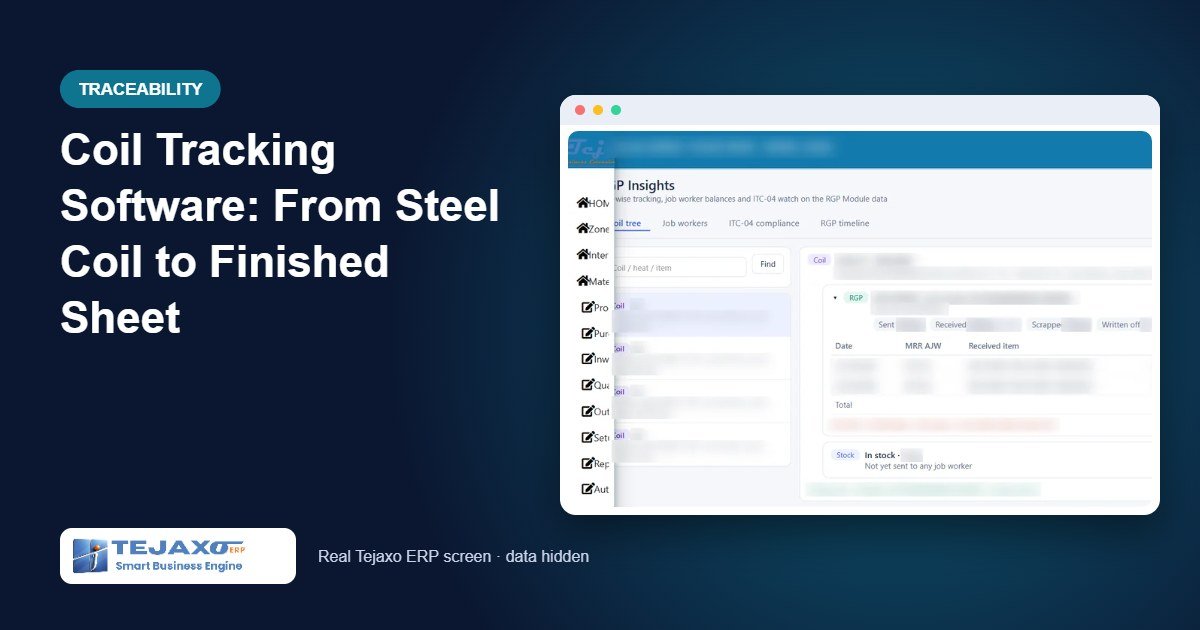
Ask a sheet metal plant where coil number 4 went, and the answer usually takes a day: someone checks the cutting register, someone calls the job worker, and the accountant tries to match scrap sales to purchase weights. Coil tracking software answers the same question in one screen, because every sheet, blank and kilogram of scrap is recorded against the coil it came from at the moment it is made.
This matters for more than curiosity. When a customer reports a defect, you need the coil and its mill certificate. When the job worker returns fewer sheets than expected, you need to know whether the loss was in cutting or in counting. This article explains how Tejaxo ERP tracks coils by batch through outside cutting and through an in-house strip processing line, and what the coil tree shows at the end.
Why coils are hard to track
A coil is bought by weight, but it leaves the plant as pieces. In between, it may be split across two job workers, cut into sheets of different sizes, and partly scrapped as edge trim. Three things usually go wrong:
- Coils are issued as “steel 2 mm, 500 kg” without a coil number, so the link to the supplier batch is lost on the first day.
- Sheets come back without any record of which coil they were cut from.
- Edge loss and scrap are adjusted at month end with a single stock correction, so nobody can see which coil lost how much.
Step 1: Every coil becomes a system batch at receipt
The coil item is set up in kg with batch tracking switched on and a lot size. When the coil is received on the MRR, the Generate Batches action splits the received weight into system batches by that lot size. A 2,000 kg receipt with a lot size of 500 becomes four batches, each with its own system batch number and the supplier’s coil number alongside it.
The sheet item is set up in pieces, with a gross weight and a scrap weight per sheet. These two numbers tell the system how much coil one sheet consumes. After incoming quality passes, the coils are in stock and available to issue – material that has not passed quality cannot be sent out.
Step 2: Coils on the RGP for outside cutting
When coils go to a job worker for cutting or slitting, the RGP challan has a batch grid. The coil picker shows only quality-passed coils that have stock. The user picks the exact coils being loaded on the truck, and the challan will not save until the batch quantities add up to the line quantity. If the line says 1,000 kg and only one 500 kg coil is picked, the save is refused.
The receive grid states what is expected back (for example, 15 sheets), linked to the cutting rate on the job work order. The general RGP flow is explained in our inventory management software for manufacturing page; here we focus on what is different for coils.
Step 3: “Cut from coil” on every sheet batch
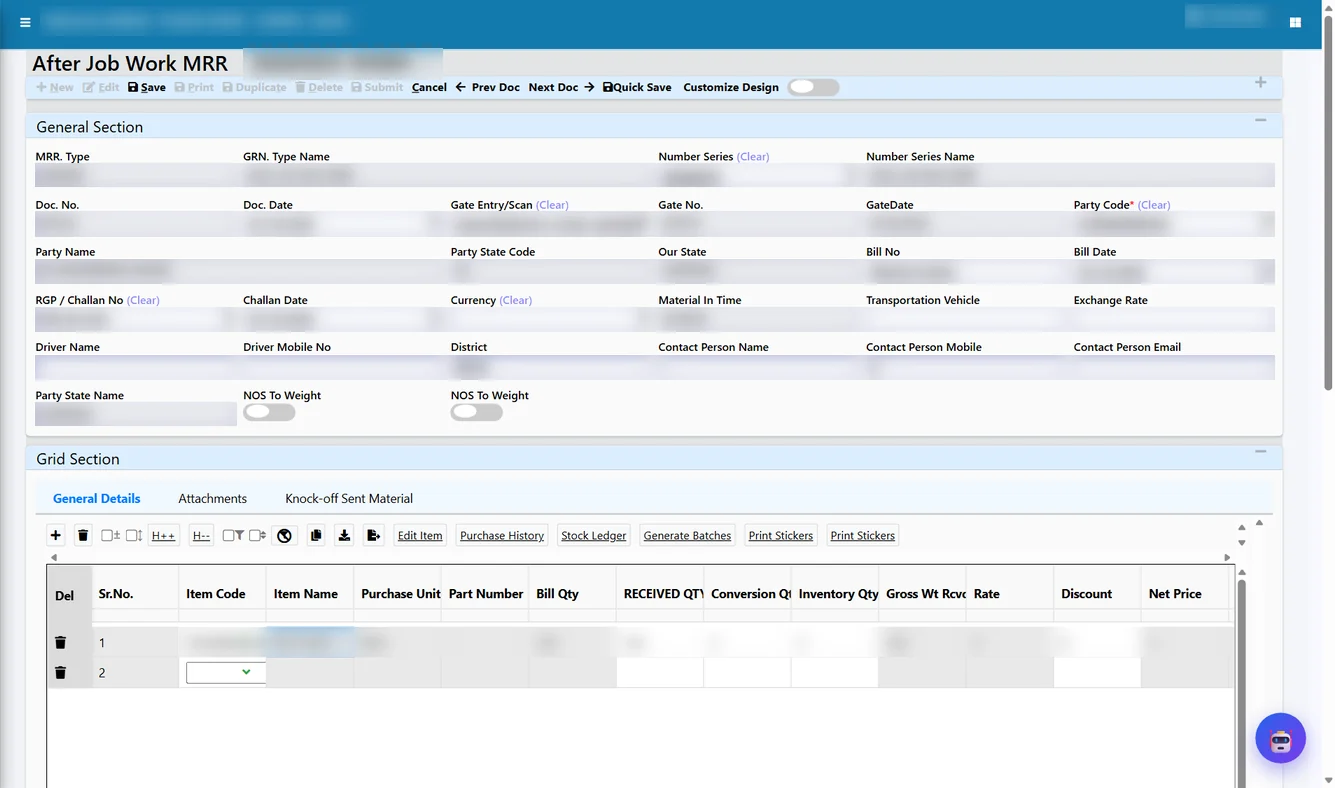
When sheets come back, the After Job Work MRR has a Batch Detail tab with a “Cut From Coil” column. Each sheet batch is linked to its parent coil, and the list offers only coils still pending with that job worker. If one lot contains 8 sheets from coil CL-01 and 2 sheets from coil CL-02, they are entered as two sheet batches with two parents.
The knock-off then runs coil by coil. Each coil is reduced by the sheet weight plus the scrap weight of the sheets cut from it. Before saving, the Coil / Batch Usage check shows each coil’s pending weight before and after this MRR, and any over-use is flagged and refused on save.
Worked example: two coils cut into sheets
Tejaxo Manufacturing sends coils CL-01 and CL-02 (500 kg each) to Tejaxo Vendor for cutting into sheets. Each sheet weighs 32 kg, with 6 kg of scrap per sheet, so one sheet consumes 38 kg of coil. The RGP expects 15 sheets back.
| Entry | Sheets | Coil CL-01 consumed | Coil CL-02 consumed | CL-01 pending | CL-02 pending |
|---|---|---|---|---|---|
| RGP-0031 sent | 15 expected | – | – | 500 kg | 500 kg |
| MRR MR-0512 | 10 (8 from CL-01, 2 from CL-02) | 256 + 48 scrap = 304 kg | 64 + 12 scrap = 76 kg | 196 kg | 424 kg |
| Gate attempt: 7 sheets | Refused – only 5 sheets pending on the RGP line | ||||
| MRR MR-0527 | 5 (all from CL-01) | 160 + 30 scrap = 190 kg | – | 6 kg | 424 kg |
| RGP Reco write-off | – | 6 kg, reason: process loss | – | 0 – closed | 424 kg |
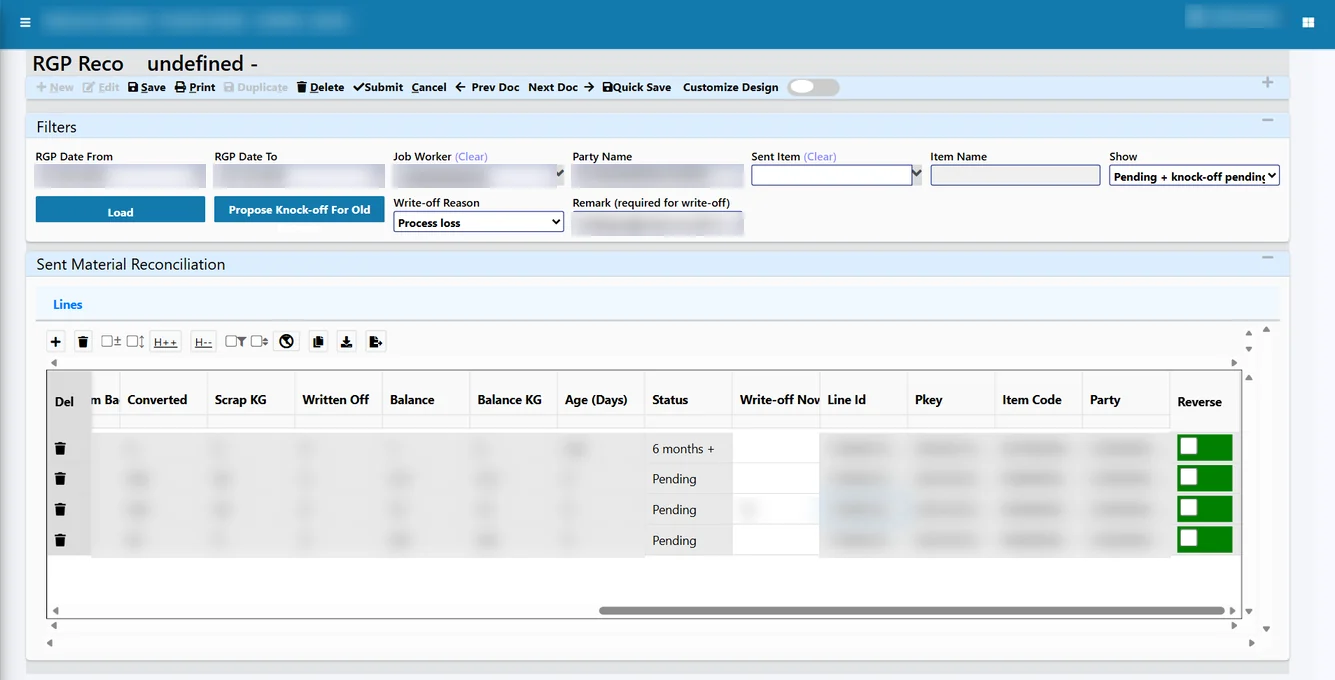
The 6 kg left on CL-01 is too little for another sheet. It is closed in RGP Reco with the reason “process loss” and a mandatory remark such as “edge trim loss agreed with the job worker”. The write-off is its own document and can be reversed; nobody edits the original challan or MRR. Coil CL-02 still shows 424 kg with the job worker, which is exactly the figure you want to see before the next RGP is raised.
Coil tracking on an in-house processing line
Coils are not only tracked through job work. In a metal strip processing implementation, Tejaxo ERP follows each coil through the plant’s own stages: casting, milling, bell annealing, pickling, slitting, blanking, annealing, upsetting, pickling and polishing, and final finishing. The set-up uses a line master, a machine master and a stage master, so the stages match the plant rather than a fixed list.
Barcode per coil and drag-and-drop stages
A barcode label is printed for each coil at the start. On the shop floor, operators scan the barcode on a tablet and move the coil from one stage to the next by drag and drop; the stage entry is saved as the coil moves. Slitting captures the final weight, width, thickness and hardness. Blanking separates output into a QC Ready section and a Scrap section.
Stage-wise quality
After each stage, a stage-wise quality screen lets the inspector select the stage, fetch the coils waiting there and record the quality check before the coil moves on. Rejected material is recorded through a rejection receipt entry, so it does not disappear from the books.
Coil reports
The Coil Status Report shows where every coil is right now, and the Coil Movement History shows each coil’s path over a date range. A Production Status report summarises output by stage for the selected period. All of these can be viewed on screen or downloaded.
Reports you get
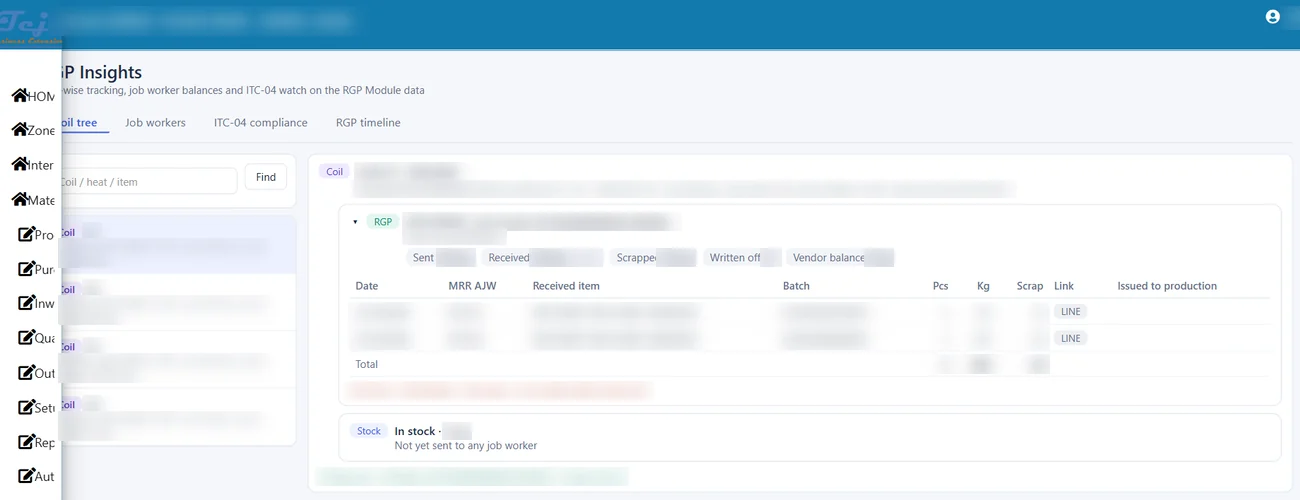
- Coil tree in RGP Insights: purchase MRR, each RGP, every sheet batch with its MRR and date, scrap, write-off and balance.
- Coil / Batch Tracking Tree report: the same tree as a drillable grid for export or print.
- RGP Reco Studio: item rows with their batch rows below, showing converted weight, write-off and balance per coil.
- Scrap register and RGP pendency by party and coil.
Batch numbers are carried forward into production and dispatch as well, so a finished part can be traced back to its coil and the coil back to its supplier. Our business intelligence layer puts these figures on dashboards for the plant head.
Who this is for
Coil tracking suits steel service centres, sheet metal and press shops, auto component makers who buy CRCA or HR coils, and strip processors with annealing, pickling and slitting lines. These plants are concentrated in industrial belts such as Ghaziabad and Sahibabad and the RIICO areas of Bhiwadi – see our pages for manufacturing ERP in Ghaziabad and manufacturing ERP in Bhiwadi.
How Tejaxo implements this
Coil tracking depends on clean masters, so we begin by agreeing coil lot sizes, sheet gross and scrap weights, and the stage list with your production and stores heads. During the pilot, a few real coils are received, issued and cut using your own data, and the coil tree is checked against your physical count. Go-live includes training for the gate, stores and shop-floor tablet users, and support continues from the team that set the system up.
If you want to see a coil tree built from your own coil numbers, book a free demo at marketing.tejaxo.com/consult or WhatsApp us on +91 96717 27474.
Frequently asked questions
How does coil tracking software link a sheet to its coil?
Each coil is a system batch from the MRR onwards. When sheets are received, each sheet batch records the coil it was cut from, and the coil is reduced by the sheet weight plus scrap.
Can one RGP carry more than one coil?
Yes. The RGP batch grid lists each coil sent on the line, and the challan only saves when the coil weights add up to the line quantity.
What happens to the small leftover weight on a coil?
It is written off in RGP Reco with a reason such as process loss and a mandatory remark. The write-off is a separate, reversible document, so source entries are never edited.
Can Tejaxo ERP track coils inside our own plant, not just at job workers?
Yes. In a strip processing implementation each coil carries a barcode, moves between stages on a tablet by drag and drop, and has stage-wise quality checks and a coil movement history.
Does the system stop a job worker from returning more sheets than expected?
Yes. A receipt above the quantity pending on the RGP line, or above the weight pending on the coil, is refused.