
Most ERP projects that disappoint do not fail on software. They fail on data: item masters copied across with three names for the same part, customers loaded twice with different spellings, stock entered from a register nobody had checked, and opening balances that do not match the old books. Users then distrust the new system from the first week. ERP data migration is the part of a project that decides whether people believe the numbers. This guide explains what to migrate, how to clean it, how to load opening stock and balances, and how to check the result – with a worked example.
What to migrate – and what not to
- Masters: items, customers, suppliers, BOMs, routings, machines, ledgers, tax details. These must be migrated, and cleaned.
- Opening balances: stock by item, batch and location; customer and supplier balances bill by bill; the trial balance.
- Open documents: pending sales orders, purchase orders, job work out, and work in progress.
- History: old invoices and vouchers usually stay in the old system for reference. Migrating years of history adds risk and rarely adds value.
Clean before you load
Cleaning is most of the work. For items, merge duplicates, fix units of measure, set a consistent naming and coding pattern, and attach the right tax rate. For parties, merge duplicates – the same GSTIN on two or three party records is the usual sign – and confirm addresses and state codes. For BOMs, check that every component exists in the cleaned item master and that quantities are per unit of the parent. Do this in a spreadsheet with the people who use the data daily, not alone in the IT room. Freeze new master creation in the old system during this period.
Worked example: what cleaning finds
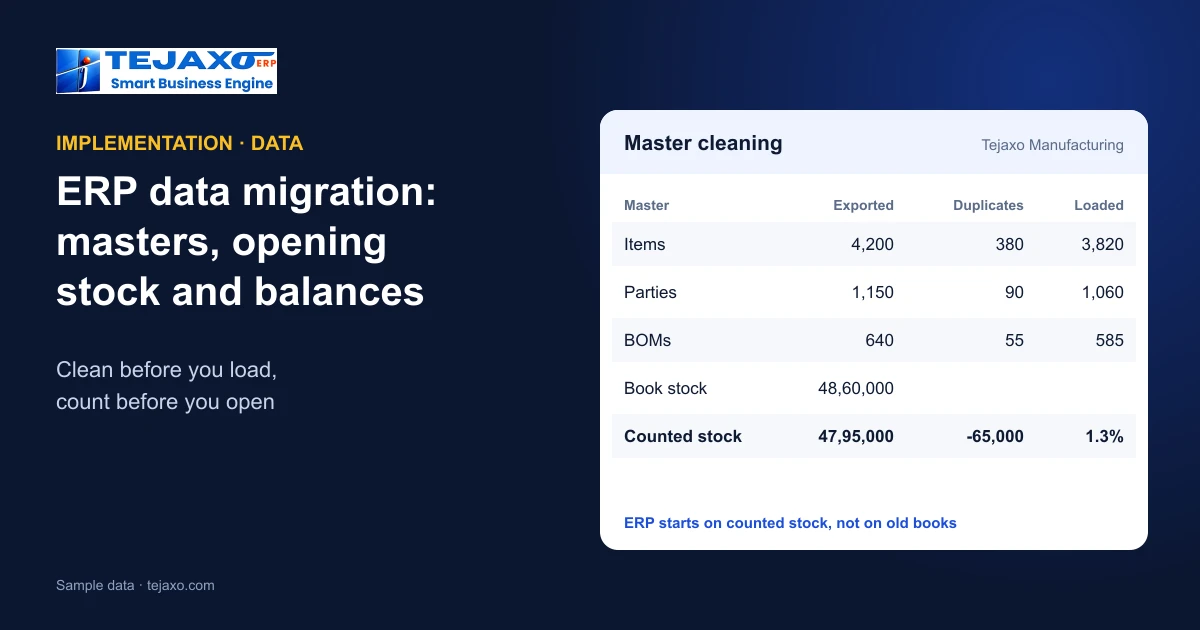
Tejaxo Manufacturing (sample data) exported its old masters and cleaned them before upload:
| Master | Exported | Duplicates | Loaded |
|---|---|---|---|
| Items | 4,200 | 380 | 3,820 |
| Customers and suppliers | 1,150 | 90 | 1,060 |
| BOMs | 640 | 55 | 585 |
Almost one item in eleven was a duplicate – the same bearing under a part number, a description and a supplier code. Loaded as they were, those duplicates would have split stock across records, broken reorder levels and made the first stock report wrong. The 90 duplicate parties were found mostly by matching GSTINs, and the 55 duplicate BOMs were older revisions of the same product that nobody had marked as obsolete.
Opening stock
Opening stock should come from a physical count, not only from the old system. Count by item, batch and location close to the cut-over date, value it at the agreed rate, and compare with the old book stock. In the example, book stock was 48,60,000 and the counted stock 47,95,000 – a difference of 65,000 (1.3%), which was investigated, approved and adjusted in the old books before cut-over, so the ERP started on counted stock. Bin locations and batches recorded at this point make later traceability possible – see ABC analysis and cycle counting.
Opening balances
- Trial balance: load the closing trial balance of the old system as the opening; it must balance to the rupee.
- Customers and suppliers bill by bill, not as one total, so ageing and collections work from the first day – see receivables ageing.
- Control totals: the sum of customer bills must equal the debtors balance in the trial balance; the same for suppliers and for stock value.
- Advances and unadjusted receipts loaded as such, then adjusted against bills.
Open documents and work in progress
Orders do not stop for a migration. Pending sales orders should be loaded with their open quantity and delivery schedule, so the backlog is complete on day one; pending purchase orders with their open quantity and rate, so receipts can be made against them. Material out with job-work vendors must be loaded against the original challans with quantities still to come back – otherwise the returns cannot be received properly; see job work software. Work in progress is the hardest: the simplest approach is to finish or close running jobs in the old system where possible, and to load the rest as opening work orders with the material already issued.
Choosing the cut-over date
The start of a financial year or a quarter is the cleanest point: books close naturally, GST periods align and comparisons are simple. If the project cannot wait, the start of a month works too, provided the old system’s month is closed and the trial balance is final before the opening is loaded.
Checks after loading
- Counts: number of items, parties and BOMs loaded matches the cleaned files.
- Totals: stock value, debtors, creditors and trial balance match the old closing figures.
- Samples: pick 20 items and 20 parties at random and check every field against the source.
- Run a real cycle: one purchase, one production order and one sale on the new masters before go-live.
Pilot on your own data
The safest way to prove the migration is to run a live month on the plant’s own masters before full roll-out: real items, real parties, real BOMs. Problems show up while the old system is still available as a reference, and users learn on data they recognise rather than demo records – see the ERP implementation process.
Moving from Tally or an older system
Many manufacturers move from Tally or a home-grown system. Masters and balances can be exported and cleaned the same way; for plants that keep Tally for some time, a two-way sync of masters, vouchers and GST data avoids keying data twice – see when to move from Tally to an ERP and legacy to cloud migration.
How Tejaxo handles it
Tejaxo ERP includes master upload and data migration tools for onboarding, and a no-code form designer to add or hide fields on screens. Tejaxo’s implementation runs in four steps: a discovery workshop; a pilot on the client’s own masters – uploading items, parties and BOMs and running a live month; go-live and training; and ongoing support by the same team. Finance audit checks flag wrong openings, unbalanced vouchers and the same GSTIN on many parties, and reference adjustment knocks opening bills off against advances and receipts so ageing is right from day one.
Common mistakes
- Loading masters as exported, duplicates and all.
- Opening stock from the books only, without a physical count.
- Party balances as one total, so ageing and collections start wrong.
- No control totals, so a missing or doubled balance is found months later.
- Migrating years of history that nobody will use.
Next step
See master upload, opening balances and a pilot on your own items in a free demo.
Frequently asked questions
What data should be migrated to a new ERP?
Masters (items, parties, BOMs, routings, ledgers), opening balances (stock, bill-wise customer and supplier balances, trial balance) and open documents such as pending orders and job work. Old transaction history usually stays in the old system.
How do I find duplicate items and parties?
Sort and compare by description, part number, supplier code and unit for items; for parties, the same GSTIN on more than one record is the clearest sign of a duplicate.
Should opening stock come from the old system or a physical count?
From a physical count by item, batch and location, compared with the old book stock; differences are investigated and adjusted before cut-over.
Why load customer balances bill by bill?
So ageing, reminders and collections work from the first day. A single opening total per customer cannot be aged.
What checks should follow data migration?
Record counts, control totals for stock, debtors, creditors and the trial balance, random field-by-field samples, and one complete live cycle before go-live.
Does Tejaxo ERP have data migration tools?
Yes. It includes master upload and data migration tools, and Tejaxo pilots on the client’s own masters – items, parties and BOMs – with a live month before full roll-out.