
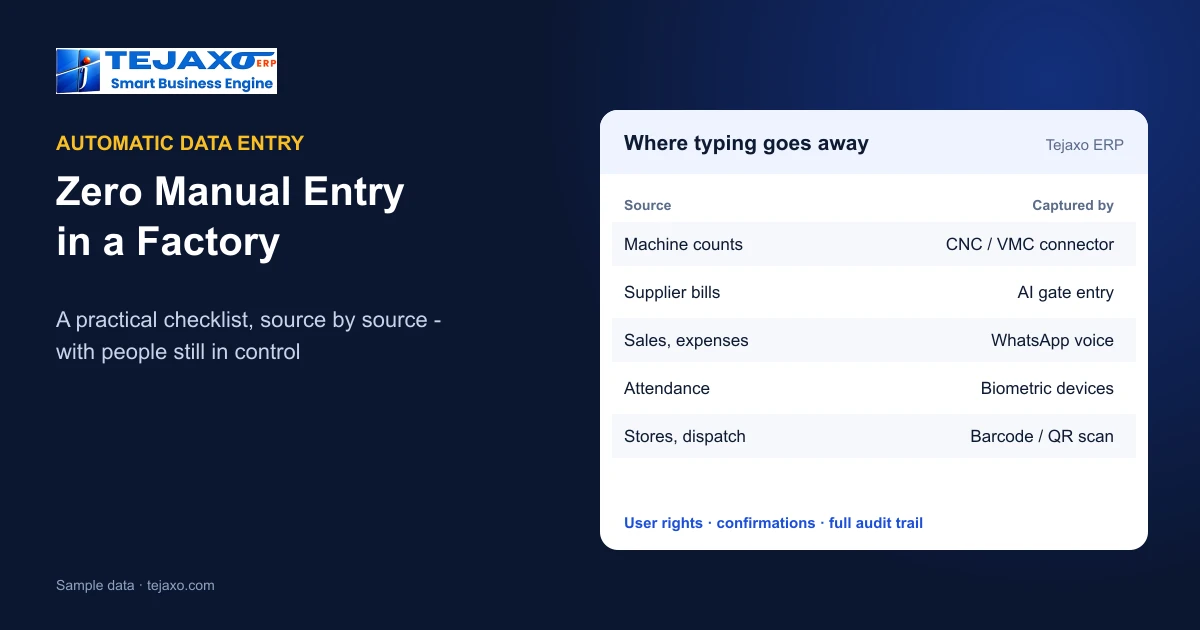
Automatic data entry software captures factory data at its source – the machine, the supplier’s bill, a WhatsApp message, the biometric device – so that nobody types it into the ERP afterwards. Zero manual data entry is not reached with one tool but source by source; the checklist below covers each place data is typed in a factory today and how Tejaxo ERP captures it automatically while people keep the decisions.
Why manual data entry is the real cost
In most factories the ERP is only as current as the last person who typed into it. Production counts arrive at the end of the shift, bills are entered days later, attendance is corrected at month end. Every manual step adds delay, errors and a person whose day goes into typing. Removing those steps gives the owner live figures and frees the team for work that needs judgement.
There is a second gain that owners notice quickly. When data arrives at its source, the questions on top of it get better answers. The Owner’s Cockpit, the reports and the answers on WhatsApp all read the same posted records, so a dispatch figure asked at noon already includes the morning’s trucks, and a production figure reflects the machine counts of the running shift rather than yesterday’s register. Automatic data entry is what makes a live dashboard actually live.
The checklist: where data is typed today
Go through your factory with this list. For each line, ask: who types this today, and how often?
| Data source | Typed manually today | Captured automatically in Tejaxo ERP |
|---|---|---|
| Machines | Shift-end production counts | CNC / VMC cycle counts, run and idle time, OEE |
| Supplier bills | Gate register and GRN | AI gate entry reads the bill photo or PDF |
| Suppliers | Store copies challans | Supplier portal: vendors upload invoices and challans |
| Sales, expenses, receipts | Typed on ERP screens | Spoken or typed on WhatsApp |
| Attendance | Muster or Excel | Biometric face and card devices |
| Stores and dispatch | Item codes keyed in | Barcode / QR scanning, serial numbers |
| Process plants | Readings written on log sheets | Tejaxo SCADA and Tejaxo Logger linked to the ERP |
| Next documents | Re-typed from the previous one | Each document pulls from the one before |
1. Machines: counts straight from the shop floor
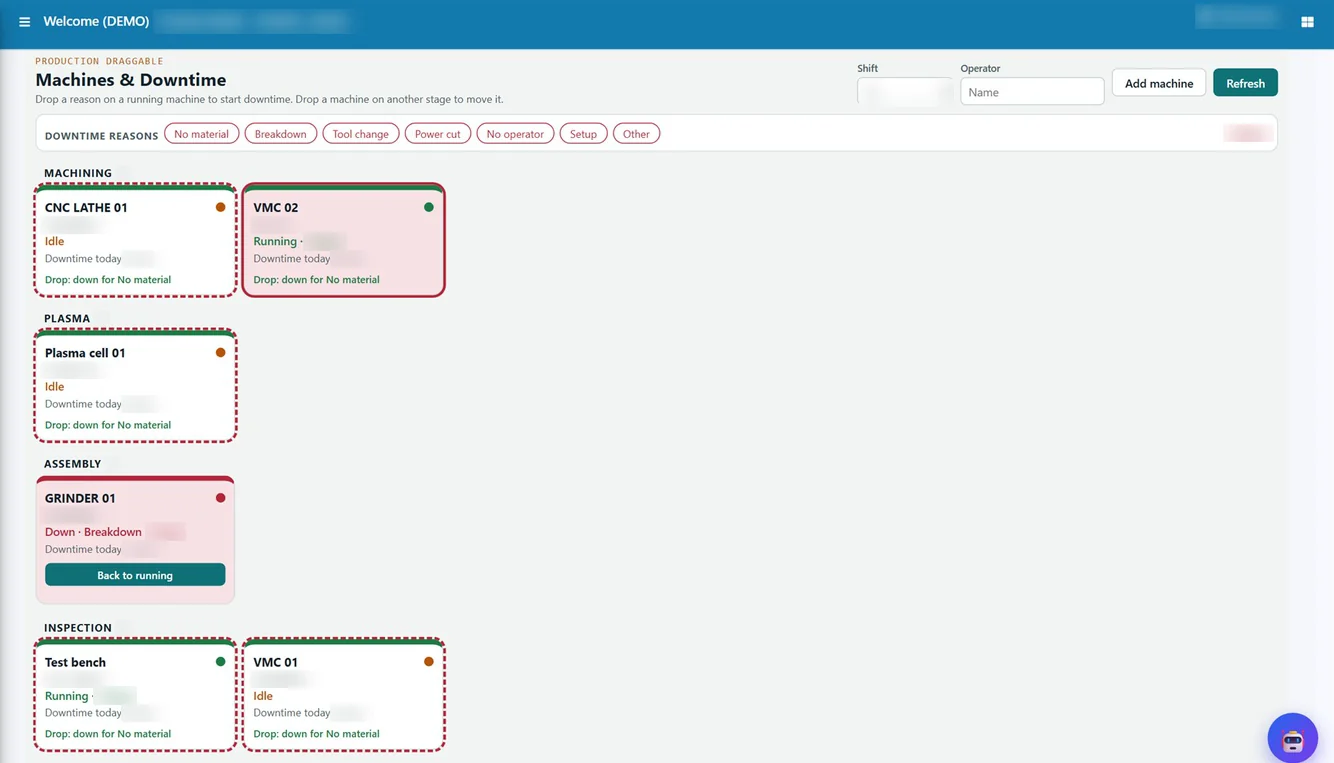
Machine-to-ERP is live at a client: CNC and VMC machines send cycle counts, run and idle time, OEE and downtime to Tejaxo ERP through the Tejaxo connector, which reads, cleans and buffers the data. Where counts are still recorded by people, downtime can be logged by dragging a reason chip on the Production Draggable boards instead of filling a form. See machine monitoring software for CNC and OEE.
2. Gate and stores: bills read, items scanned
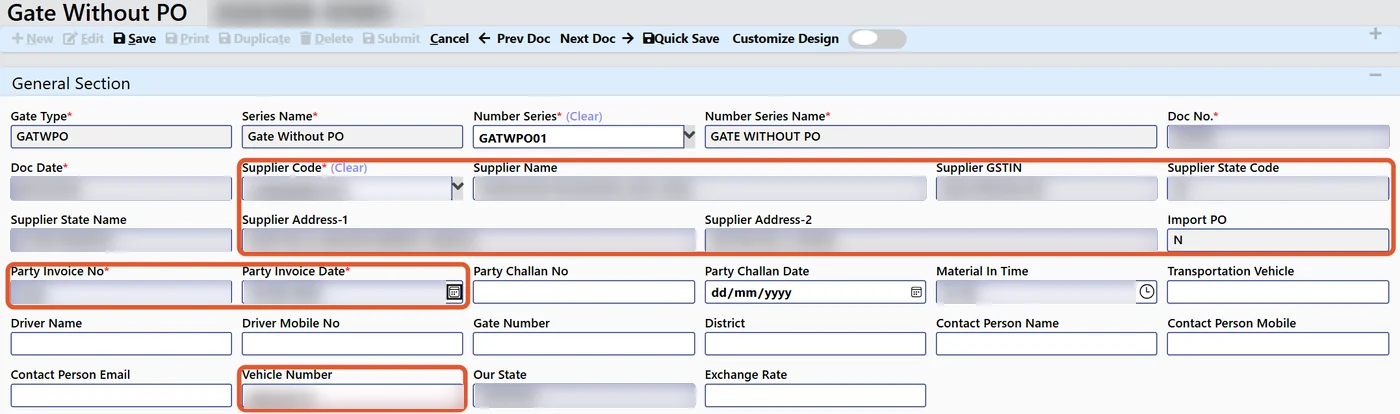
AI gate entry reads a supplier invoice – PDF, JPG, PNG or phone photo – for GSTIN, vendor, bill number and date, vehicle, items, quantity, rate and taxes, blocks duplicate bills and matches the open purchase order; the guard confirms. Through the supplier portal, vendors self-register and upload their own invoices and challans. In stores and dispatch, barcode and QR scanning and serial-number tracking replace typed item codes. Full flow: AI invoice processing: from supplier bill to GRN and AI invoice scanning for gate entry and GRN.
3. People: entries by voice on WhatsApp
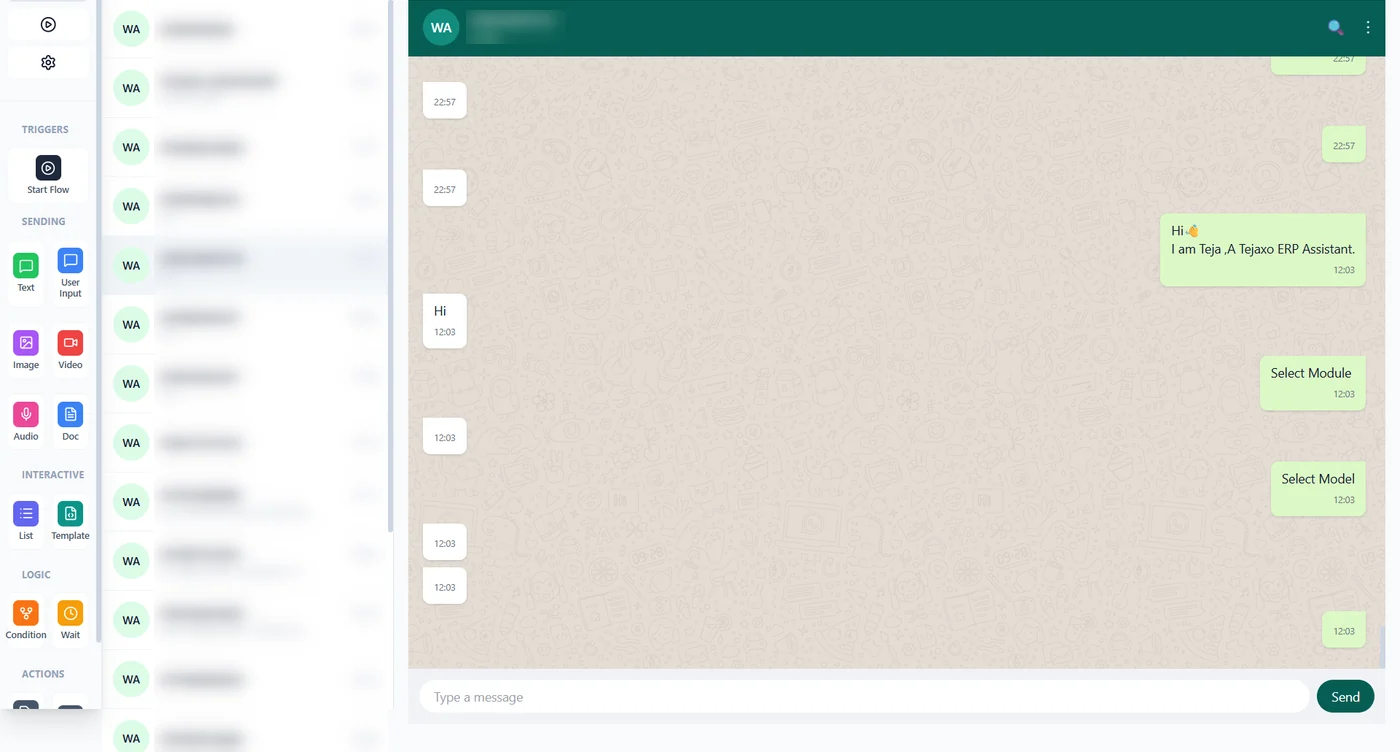
Some data has no machine or document behind it – a sales order agreed on the phone, an expense, a payment received. In Tejaxo ERP these are spoken or typed on WhatsApp in Hindi, English, Hinglish or another language. If a mandatory field such as rate or payment terms is missing, WhatsApp asks for it, and the entry is saved once complete. Attendance comes from biometric face and card devices into the payroll run. Details in WhatsApp ERP: entries and reports by voice.
4. Documents that fill themselves
A large share of manual entry is copying the previous document. In Tejaxo ERP each document pulls from the one before it: quotation to sales order to packing slip to invoice to receipt, and requisition to purchase order to gate entry to GRN to purchase voucher. Batch numbers travel through every step, forward and backward. Drawing and BOM data can come from AutoCAD into item masters and BOMs, and master upload tools load items, parties and BOMs at the start.
What stays with people
Zero manual entry does not mean zero control. In Tejaxo ERP:
- the guard confirms every pre-filled gate entry;
- quality records accepted and rejected quantity with a reason;
- WhatsApp entries are saved only under the rights of the user linked to that mobile number – otherwise the reply is, for example, “You do not have rights to save invoice”;
- approvals stay with the approver, now on the phone;
- the AI that answers questions is read-only, and every entry, approval and AI action is in the audit trail.
See approval workflows and user rights in ERP.
How to work through the checklist
- Count the typing. For each source above, note who types it and how many entries a day.
- Start with the biggest. Usually gate entries and production counts, then sales and expenses on WhatsApp.
- One plant, one month. Run the automatic source with real data and compare against the old manual register.
- Retire the register. When the figures agree, stop the manual entry for that source and move to the next.
For the full picture of what can run on its own, read Automated ERP: what runs without manual entry and AI agents in ERP, or book a free consultation to go through this checklist for your own plant.
Frequently asked questions
What is automatic data entry software for factories?
Software that captures data at its source – machines, supplier bills, WhatsApp messages, biometric devices, barcode scans – so nobody types it into the ERP afterwards.
Can a factory really reach zero manual data entry?
It is reached source by source. Machines, supplier bills, attendance, scanning and linked documents remove most typing; what remains, such as a sales order agreed on the phone, can be spoken on WhatsApp.
Which machines can send data to Tejaxo ERP?
CNC and VMC machines send cycle counts, run and idle time, OEE and downtime through the Tejaxo connector; Tejaxo SCADA and Tejaxo Logger are linked to the ERP for process plants and instruments.
How are supplier bills entered without typing?
AI gate entry reads the bill from a PDF or phone photo and pre-fills the gate entry; vendors can also upload invoices and challans on the supplier portal.
Who checks automatically captured data?
The guard confirms gate entries, quality records accepted and rejected quantity, WhatsApp entries follow user rights, and every action is in the audit trail.
Where should we start?
Count who types what each day, start with the largest source – usually gate entries or production counts – and run it on one plant for a month before retiring the manual register.