
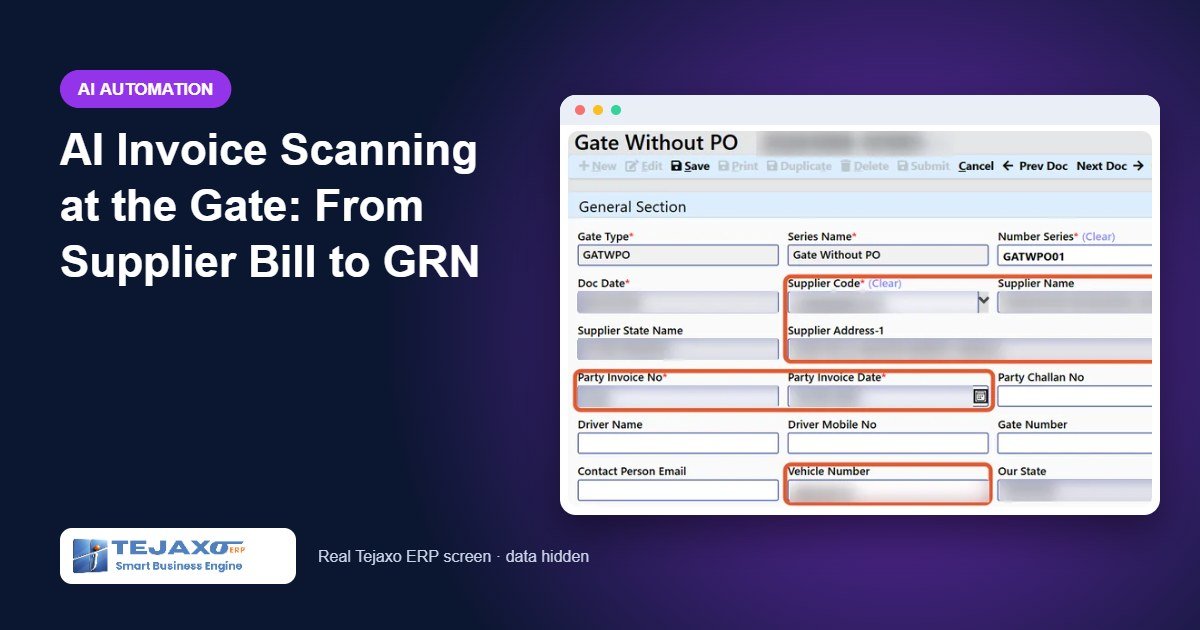
At most factory gates, a truck arrives with a supplier bill and a security guard copies it into a register or an ERP screen: supplier name, bill number, date, vehicle number, items and quantities. It is slow, the queue builds up, and mistakes are common. A digit in the bill number is wrong, the vendor is picked from the wrong list, or the same bill is entered twice. Those errors surface weeks later in accounts, when the purchase voucher does not match. AI invoice scanning moves the reading of the bill from the guard’s hand to the system, and moves the checking to the moment the truck is still at the gate.
Tejaxo ERP includes AI invoice scanning in its gate entry, and it is available to almost all Tejaxo clients. This article explains how it works, what it checks, and how the scanned gate entry flows into the GRN, quality check and purchase voucher.
Why the gate is the right place to catch errors
The gate entry is the first record of material entering your plant. Every later document depends on it: the MRR / GRN in stores, the incoming quality check, the purchase voucher in accounts, and any debit note for short or rejected quantity. If the gate entry is wrong, each of these inherits the mistake. Fixing it at the gate costs a few seconds; fixing it at month-end reconciliation costs hours, and sometimes input tax credit.
There is also a speed problem. A guard who has to type every line of a long bill becomes a bottleneck when several vehicles arrive together. Reading the bill automatically lets the guard confirm instead of type.
How AI invoice scanning works in Tejaxo ERP
The process has four steps.
1. Snap or upload
The guard uploads the supplier bill as a PDF, JPG or PNG, or takes a photo with a phone (HEIC photos are accepted).
2. Extract
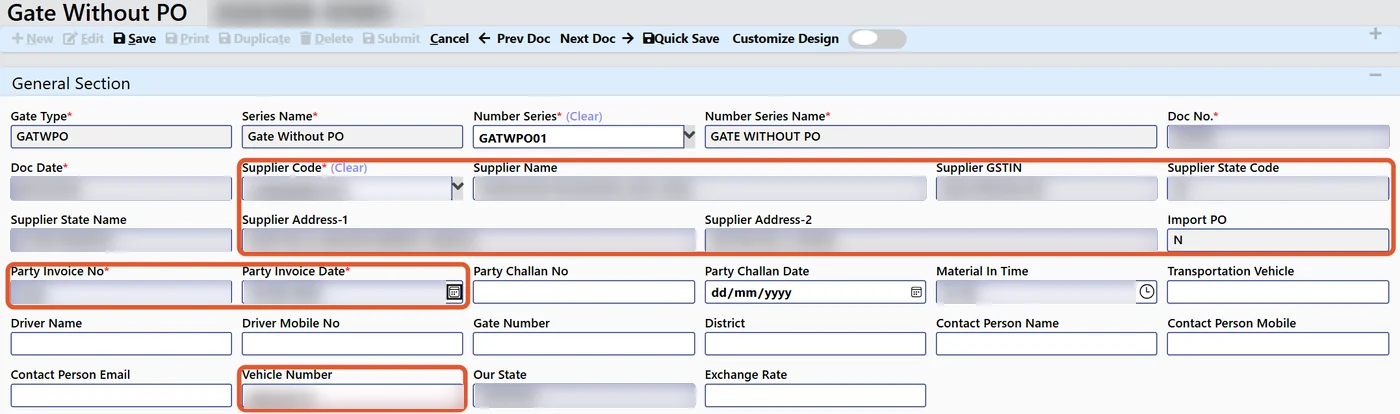
The system reads the bill and extracts the GSTIN, vendor, bill number and date, vehicle, items, quantity, rate and taxes.
3. Validate
The extracted data is checked before anything is saved. The vendor and plant are checked against your masters, duplicate bills are blocked, and the bill is matched with the open purchase order. Any errors are highlighted on screen.
4. Post
The gate entry arrives pre-filled. The guard reviews the highlighted fields and confirms it. Nothing is posted without that confirmation.
The text recognition runs on your own server. That means no per-page cloud fees, and your supplier invoices stay with you.

From gate entry to GRN, quality and payment
Once the scanned gate entry is confirmed, it follows the standard procure-to-pay chain in Tejaxo ERP:
| Step | What happens | Control in the ERP |
|---|---|---|
| Gate entry | Pre-filled from the scanned bill, confirmed by the guard | Bill number of a party cannot repeat; vendor and plant checked; PO matched |
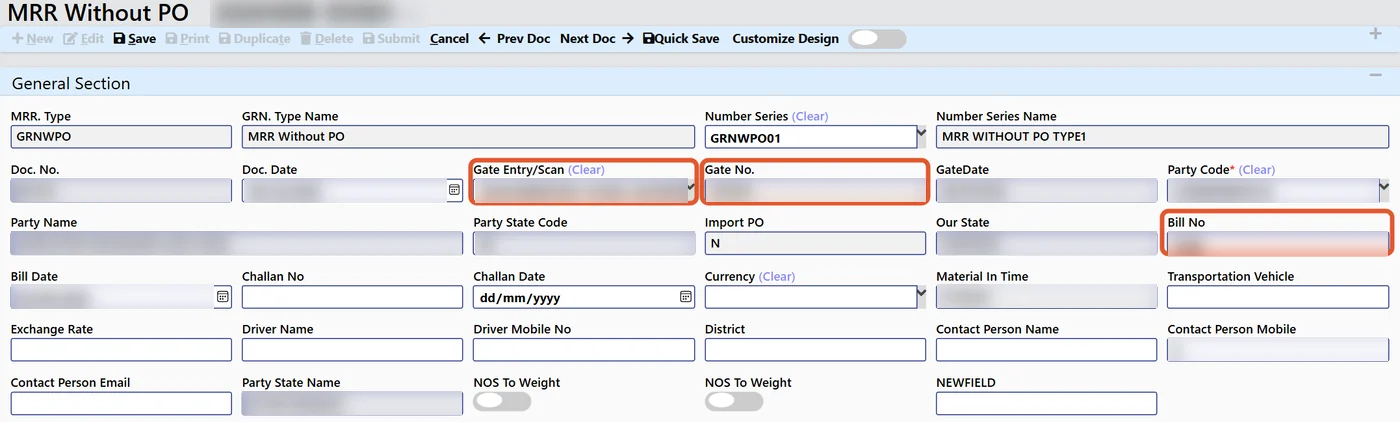
| MRR / GRN | Stores receives the material batch-wise against the gate entry | One gate entry per MRR |
| Incoming QC | Accepted and rejected quantity recorded | Reason mandatory for rejection; only accepted quantity enters stock |
| Purchase voucher | Accounts books the bill | 3-way match with PO and receipt; one voucher per MRR |
| Debit note | For short or rejected quantity | One click; rate, taxable value and GST for those quantities only |
Because the gate entry starts with the supplier’s own figures, the store, quality and accounts teams work from the same numbers from the start.
Worked example
A truck from Tejaxo Vendor arrives with bill INV-0001 for three items against PO-0123. All figures are samples.
| Item | PO qty | Bill qty | PO rate (₹) | Bill rate (₹) | Scan result |
|---|---|---|---|---|---|
| Product A | 500 kg | 500 kg | 80.00 | 80.00 | Matched |
| Product B | 200 nos | 200 nos | 45.00 | 47.50 | Rate highlighted for review |
| Product C | 100 nos | 120 nos | 30.00 | 30.00 | Quantity above PO highlighted |
The guard confirms the gate entry with the highlighted lines noted, so purchase knows before the material is unloaded that one rate and one quantity differ from the order. In stores, the GRN is made against the gate entry. Suppose quality then rejects 5 nos of Product C for damage; only accepted quantity enters stock, and accounts raise the debit note for the rejected quantity with one click. If the same bill INV-0001 is presented again next week, the gate blocks it as a duplicate.
Common mistakes this prevents
- Typing errors in bill numbers and dates: the bill is read, not retyped.
- Wrong vendor or plant: both are checked against your masters.
- Duplicate bills: a party’s bill number cannot be repeated.
- Material without an order: the bill is matched with the open PO, and differences are highlighted at the gate.
- Disputes discovered late: rate and quantity differences are visible before unloading, not at month-end.
- Data leaving the plant: scanning runs on your own server.
Where it fits in an AI-enabled ERP
AI invoice scanning is one part of the AI layer in Tejaxo ERP. The same principle applies throughout: the AI prepares, a person confirms, and every action is logged. Read how this differs from older systems in AI ERP vs traditional ERP, and see the wider AI agent integration options, including approvals on WhatsApp. Suppliers who prefer to send documents themselves can upload invoices and challans through the vendor management portal. After the GRN, batch-wise stock and FIFO issue are handled in inventory management.
What to prepare before you switch it on
Scanning is only as good as the masters it checks against. A few simple steps make the difference between a gate entry that is confirmed in seconds and one that is full of highlights:
- Clean vendor masters. Every active supplier should have the correct GSTIN and name in the vendor master, because the scanned GSTIN is how the bill is matched to the vendor.
- Raise purchase orders before material arrives. The scan matches each bill with the open PO. Material that arrives without a PO can still be entered, but it will not have an order to compare with.
- Keep item masters consistent. If suppliers describe items differently from your item master, agree the mapping during the pilot so lines match cleanly.
- Decide who confirms. The guard confirms the gate entry; decide in advance who reviews highlighted rate or quantity differences and how quickly.
- Start with your busiest suppliers. Testing with the vendors who send the most trucks shows the benefit fastest and exposes master issues early.
None of this needs new hardware beyond a phone or a scanner at the gate. The rest is good data discipline, which also improves every purchase report that follows.
Who it is for
It suits any plant with a steady flow of inward trucks: auto-component and engineering units, packaging, chemical and pharmaceutical plants, and job-work-heavy units where material arrives from many parties every day. It is most valuable where guards or store staff currently type bills by hand and where accounts spend time each month chasing mismatched bills.
How Tejaxo implements this
We start with a discovery workshop to review your gate and stores process and a sample of your real supplier bills. A pilot follows on your own vendor, item and PO masters, so the matching is tested on the bills your gate actually receives. Go-live includes training for guards, store keepers and the purchase team, and the same team supports you afterwards. Read more about our implementation approach.
Next step
If your gate still copies bills by hand, see a supplier invoice turn into a checked gate entry. Book a free demo with a few of your own bills, or message us on WhatsApp at +91 96717 27474.
Frequently asked questions
What is AI invoice scanning in an ERP?
It reads a photo or PDF of a supplier invoice and extracts the fields an ERP needs, such as GSTIN, vendor, bill number and date, items, quantity, rate and taxes. In Tejaxo ERP those fields fill the gate entry, which the guard confirms.
Which file types can be scanned?
PDF, JPG and PNG files, and photos taken on a phone, including HEIC photos, can be uploaded.
Does the AI post the entry on its own?
No. The system pre-fills the gate entry and highlights any errors, and a person at the gate confirms it. The MRR / GRN, quality check and purchase voucher then follow the normal approved flow.
How are duplicate supplier bills stopped?
A party bill number cannot be repeated in Tejaxo ERP. When a scanned bill matches one already entered, the duplicate is blocked at the gate.
Is our invoice data sent to an outside cloud service?
The text recognition runs on your own server, so there are no per-page cloud fees and the invoice data stays with you.
Can it match the bill to a purchase order?
Yes. The scanned bill is matched with the open purchase order for that vendor, and the vendor and plant are checked against your masters before the gate entry is confirmed.