
Reconciling job work is easy when the same item goes out and comes back. It becomes difficult the moment the item changes. You send plain brackets and receive painted brackets with a different item code. You send a coil and a bundle of base plates to a fabricator and receive welded frames and stiffeners. Job work reconciliation then has to answer a harder question: which sent material did each received piece consume, and how much is still lying with the job worker?
Most plants answer it with an estimate at year end, which is exactly when the ITC-04 return and the auditor ask for precise balances. This article shows two ways Tejaxo ERP reconciles changed items: a direct line link for one-to-one jobs, and a weight pool for many-to-many jobs where no bill of materials exists.
Three kinds of job work, three reconciliation rules
| Job type | Example | Link type | How material is knocked off |
|---|---|---|---|
| Same item back | Brackets sent and returned after plating | SAME | Piece for piece, at the sent weight |
| One item to another item | Bracket in, painted bracket out | LINE | Piece for piece against one sent line |
| Many items to many items | Coil + base plates in, frames + stiffeners out | CHALLAN | Weight pool shared over the sent lines |
The first type is covered in our article on returnable gate passes. This article deals with the second and third, where the item code on the receipt is not the item code on the RGP.
One item to another: when the output is decided at the gate
RGP with an empty receive grid
Sometimes the output item is not known when the material leaves. The RGP challan can be saved with only the send grid filled – for example, 24 MS brackets for powder painting – and the receive grid left blank.
Show All Items at the After Job Work Gate
Normally the gate lists only the to-receive lines pending with the party. When nothing was planned on the RGP, the gate user switches on Show All Items, and the item list changes from pending lines to the full item master. The user searches for the painted bracket and picks it.
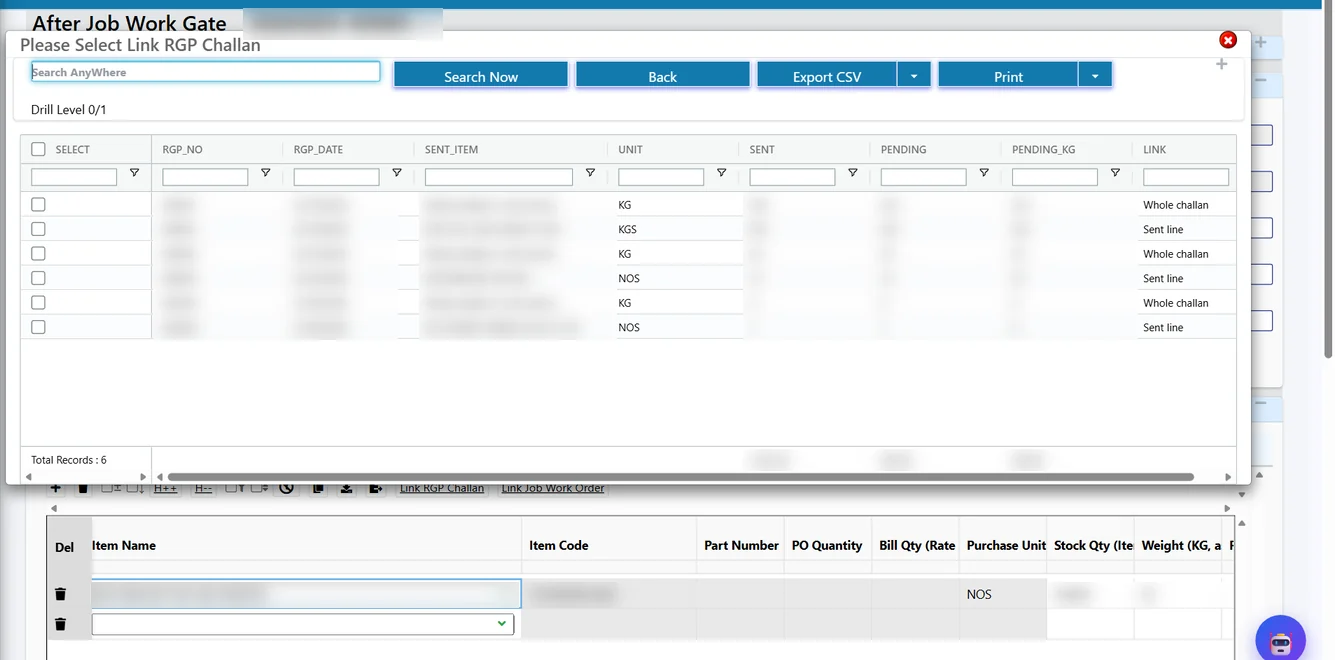
Link RGP Challan and Link Job Work Order
Two links are then made on the gate line. Link RGP Challan lists the party’s pending sent lines and whole challans; picking the sent line of the bracket RGP creates a LINE link. Link Job Work Order picks the painting rate. When the rate is per kg and the item is stocked in pieces, the bill quantity follows the weight typed on the gate, while the stock quantity stays in pieces.
The link is made per gate line, so a single gate entry can carry lines from different RGPs. The MRR then knocks off piece for piece: 20 painted brackets consume 20 brackets. The coating is a service you pay for, not your material, so it is billed but not knocked off.
A quick illustration with sample numbers: RGP-0039 sends 24 brackets of 4 kg each (96 kg) for painting at ₹25 per kg. The first lot returns as 20 painted brackets. The gate records 80 kg as the bill quantity and 20 pieces as the stock quantity, so the charge is 80 kg × ₹25 = ₹2,000. The MRR knocks off 20 brackets (80 kg) from RGP-0039, and the RGP Reco Studio shows 4 pieces (16 kg) still with the painter, ready to be followed up or, if genuinely lost, written off with a reason.
Many to many: the weight pool
A fabrication job often has no clean recipe. You send a coil for strips and a set of base plates, and the fabricator returns frames and stiffeners in several lots. Defining a bill of materials for every such job is not practical. For these jobs, Tejaxo ERP uses a weight pool.
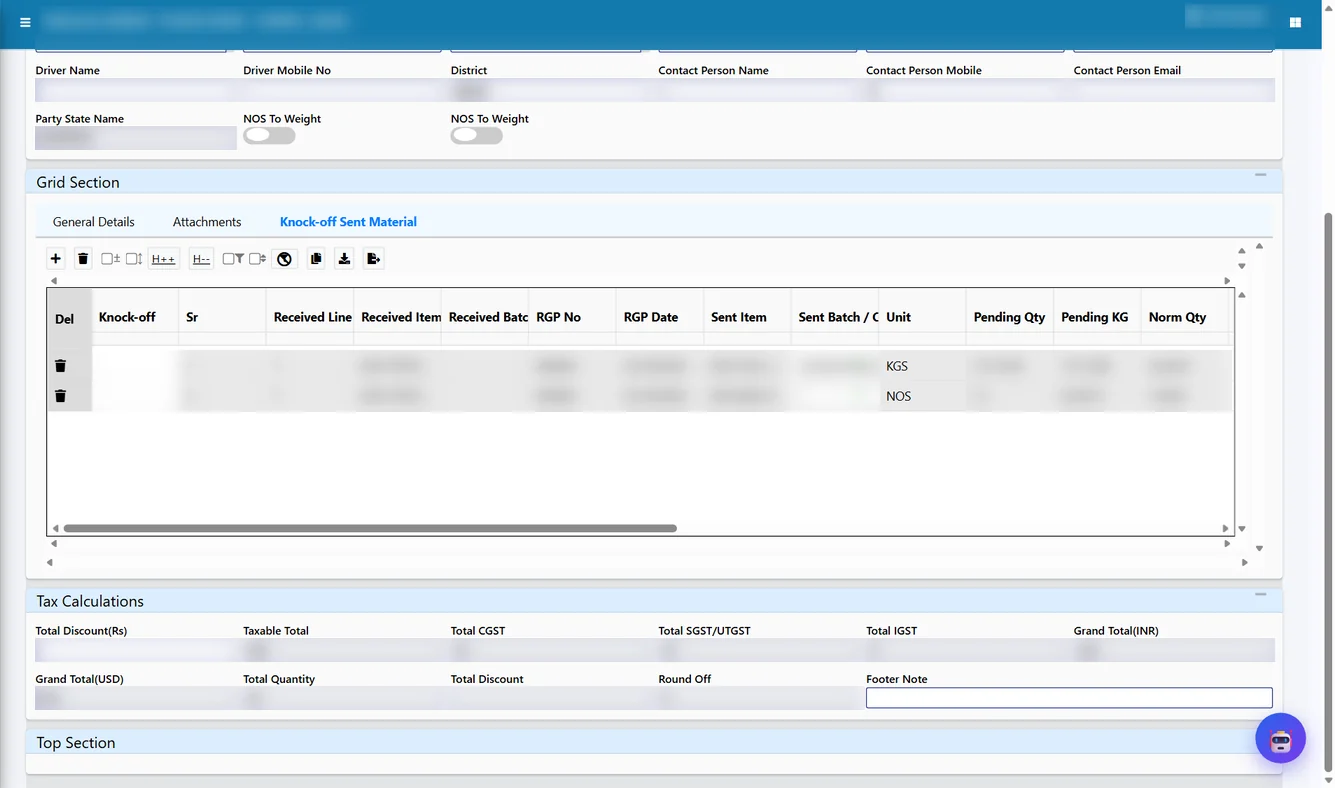
At the gate, the received line is linked to the whole challan (link type CHALLAN) rather than to one sent line. At the MRR, the received weight plus the declared scrap is shared over all the open sent lines in proportion to their pending weight:
Pool share of a sent line = (received kg + scrap kg) × line pending kg ÷ total pending kg
Lines stocked in pieces are knocked off in whole pieces only – the system never knocks off a fraction of a base plate, and pending pieces are always shown as a whole number.
Coil CL-07: 300 kg
Base plate: 30 nos (120 kg)
Total pending: 420 kg
12 frames = 120 kg
Scrap declared = 15 kg
Pool = 135 kg
Coil: 135 × 300/420 = 96.43 kg
Plates: 135 × 120/420 = 38.57 kg
= 9.64 nos → 9 nos
Worked example: frames and stiffeners from coil and base plates
Tejaxo Manufacturing sends RGP-0044 to Tejaxo Vendor for welding: coil batch CL-07 of 300 kg and 30 base plates of 4 kg each (120 kg). The receive grid expects 12 frames and 25 stiffeners, with welding at ₹15 per piece on the job work order.
| Step | Coil CL-07 | Base plates | Note |
|---|---|---|---|
| Sent on RGP-0044 | 300 kg | 30 nos / 120 kg | Pending split 300 : 120 = 71.4% : 28.6% |
| Receipt 1: 12 frames (120 kg) + 15 kg scrap | 96.43 kg knocked off | 9.64 nos share, 9 nos knocked off | Welding charge 12 × ₹15 = ₹180 |
| Balance after receipt 1 | 203.57 kg | 21 nos | Visible in RGP Reco Studio |
| Receipt 2: 25 stiffeners | Pooled again over the new pending weights; coil and plate balances fall in the same proportion | ||
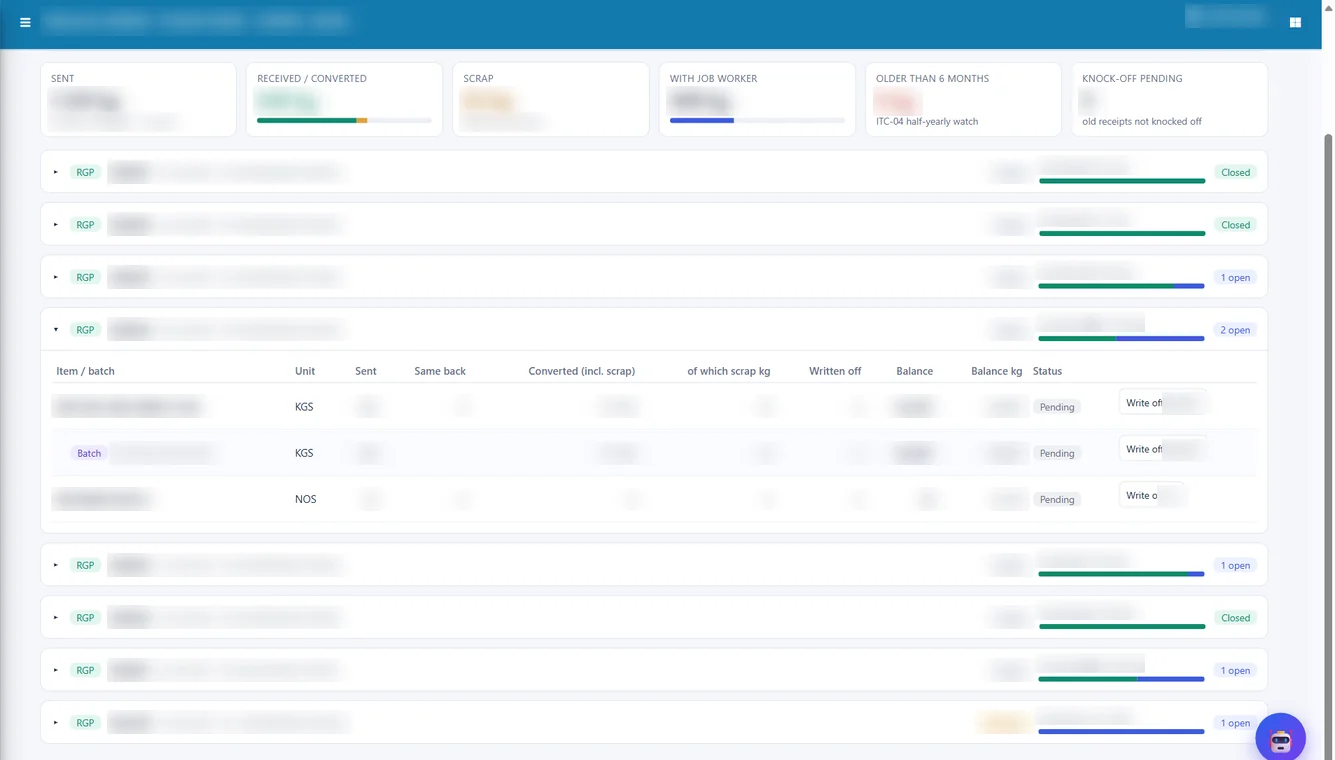
Without any BOM, the weight balance explains the job: everything that came back, plus scrap, is charged against what was sent, and the remainder is what the job worker still holds. The coil tree shows how much of CL-07 went into frames and stiffeners and how much is still with the vendor.
Reports that confirm the reconciliation
- RGP Reco Studio: each open sent line with sent, converted and balance, in kg or pieces.
- RGP timeline: every gate and pooled knock-off row on the RGP in date order.
- Coil / Batch Tracking Tree: for coils that were part of the pool.
- RGP pendency, aging and document tracking: for follow-up with the job worker.
Because the balances are exact, the ITC-04 tables and the deemed-supply list for material pending beyond the allowed period come straight from these entries. See ITC-04 filing from ERP for how the return is prepared.
Common mistakes in changed-item job work
- Receiving the new item as a fresh purchase. Stock goes up, but the RGP never comes down. In Tejaxo ERP the gate line must be linked to an RGP line or challan, so the sent material is reduced.
- Knocking off coating weight as material. Paint or plating adds weight that you pay for as a service. The knock-off counts the pieces, not the extra weight.
- Fractional pieces in the books. Spreadsheets end up with 7.43 base plates pending. The weight pool rounds pieces to whole numbers.
- Linking to the wrong challan. The Link RGP Challan list shows only that party’s pending lines, with quantities, so the gate user picks from what is actually open.
When the product structure is known and stable, a job work BOM gives exact consumption instead of a pool; that is the subject of our article on job work BOMs.
Who this is for
These rules suit fabrication and welding units, powder coating and painting job work, sheet metal shops, and any plant that sends mixed material to one vendor and receives a different product. They are common in machinery and equipment manufacturing – see our ERP for machinery and equipment page – and in small plants moving off spreadsheets, covered on ERP for small manufacturing businesses.
How Tejaxo implements this
In discovery we sort your current job work into the three types above and decide, vendor by vendor, which jobs need a line link, a weight pool or a BOM. The pilot runs a few live RGPs of each type on your own items, and we compare the pending balances with what your job workers confirm. At go-live we train the gate and stores users on Show All Items and the link buttons, and our support team stays with you after that.
To see a many-to-many job reconciled on screen, book a free demo at marketing.tejaxo.com/consult or send a WhatsApp message to +91 96717 27474.
Frequently asked questions
How do you reconcile job work when the returned item has a different code?
At the After Job Work Gate the received item is linked to the sent RGP line (LINE) or to the whole challan (CHALLAN). The MRR then knocks off the sent material using that link.
What is a weight pool in job work?
It shares the received weight plus scrap over all open sent lines of an RGP in proportion to their pending weight. It is used for many-to-many jobs that have no bill of materials.
Can the ERP knock off half a piece?
No. Lines stocked in pieces are knocked off in whole pieces, and pending pieces are always shown as whole numbers.
Can I receive an item that was not planned on the RGP?
Yes. Switch on Show All Items at the gate, pick the item from the full item master, and link it to the RGP line and the job work order rate.
Is paint or plating weight counted as consumed material?
No. Coating weight is billed as part of the job work charge but is not knocked off from the material you sent.