
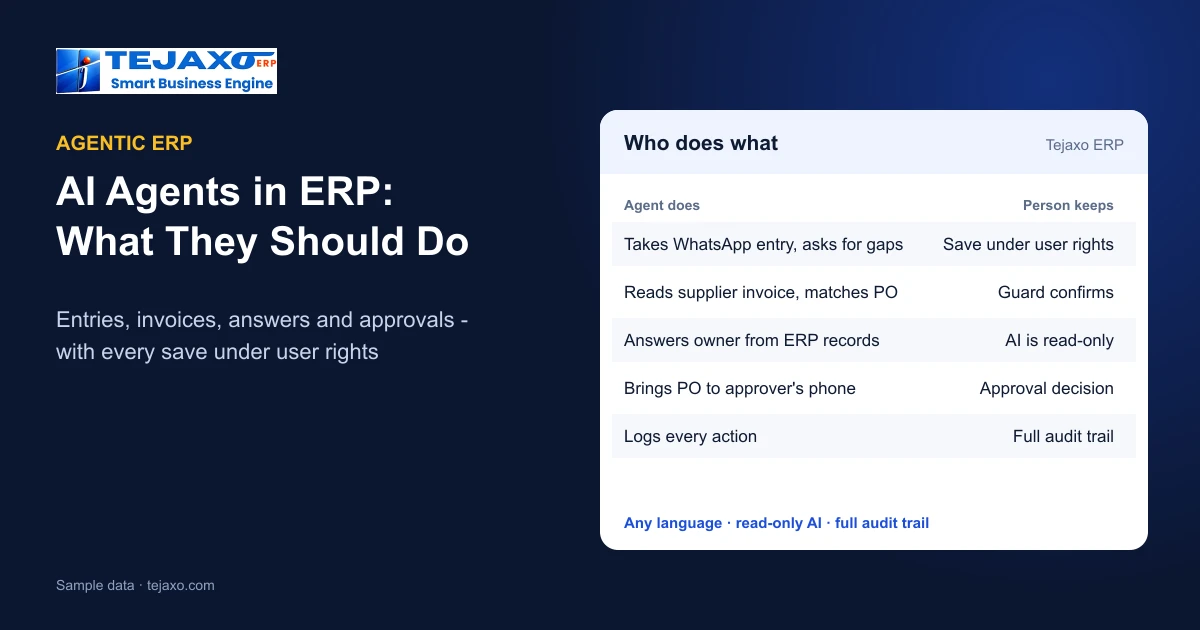
Agentic ERP means an ERP in which AI agents do work on their own: they take an entry from a WhatsApp message, read a supplier invoice, answer an owner’s question or chase an approval, instead of waiting for someone to open a screen. For a manufacturer the useful question is not whether an ERP has “AI agents”, but which jobs those agents take over, and where they must stop and hand the decision to a person. This guide explains both, with the way Tejaxo ERP does it.
What an AI agent in an ERP actually is
A chatbot answers. An agent also acts: it understands a request, collects what is missing, checks it against rules and moves the work forward. In an ERP there are four kinds of agent work that make sense today:
- Entry agents that turn a typed or spoken message into a complete ERP document.
- Document agents that read a supplier invoice and fill the gate entry.
- Answer agents that answer owners and managers from the posted ERP records.
- Follow-up agents that send alerts, reminders and approval requests to the right person.
All four remove typing and waiting. None of them should remove judgement or control – that is the line every agentic ERP has to draw.
1. The entry agent: ERP entries from WhatsApp
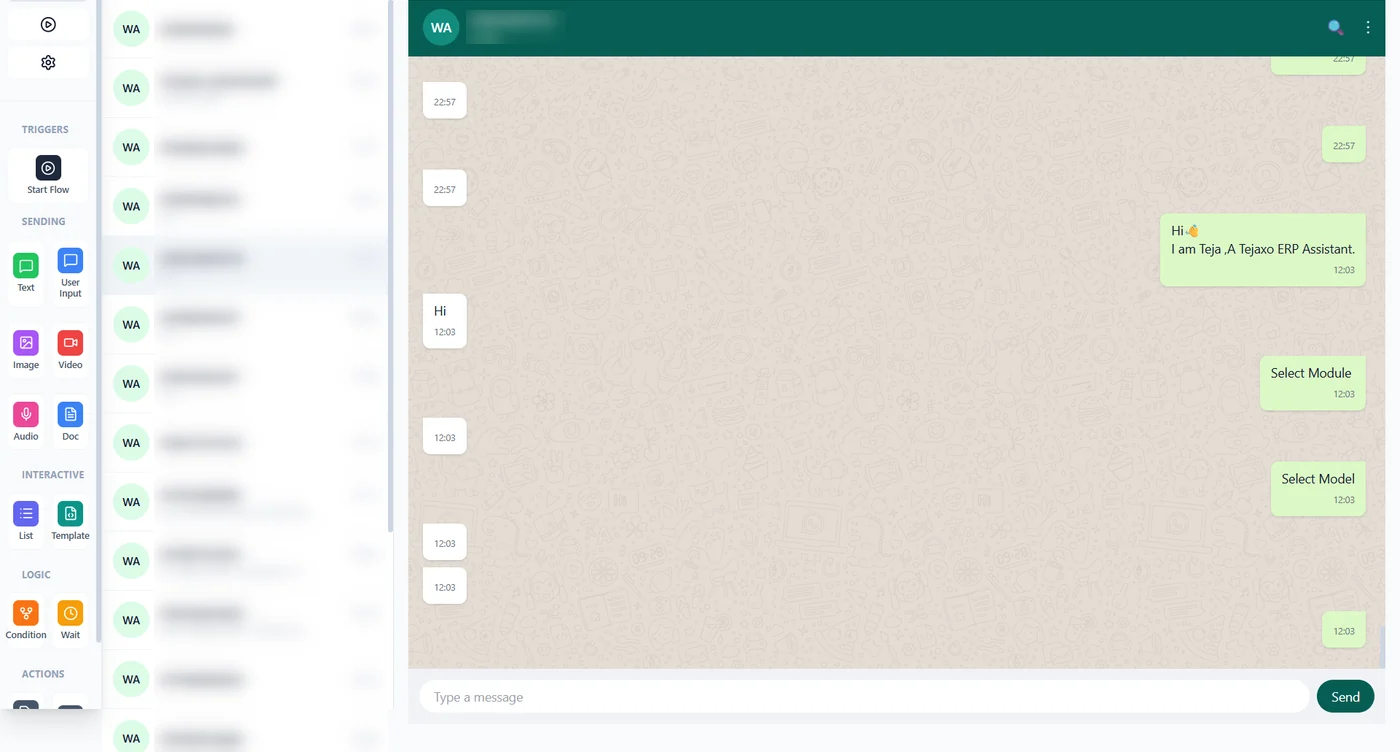
In Tejaxo ERP a supervisor, store keeper or salesperson types or speaks a WhatsApp message – in Hindi, English, Hinglish or another language – such as a sales order or a production entry. The agent matches the customer, item or employee against the masters, checks the message against the mandatory fields of that document, asks on WhatsApp for whatever is missing (rate, payment terms, delivery date) and saves the entry only when it is complete and the ERP user linked to that mobile number has the right to save it. Otherwise it replies, for example, “You do not have rights to save invoice”. Full walk-through: WhatsApp ERP: entries and reports by voice.
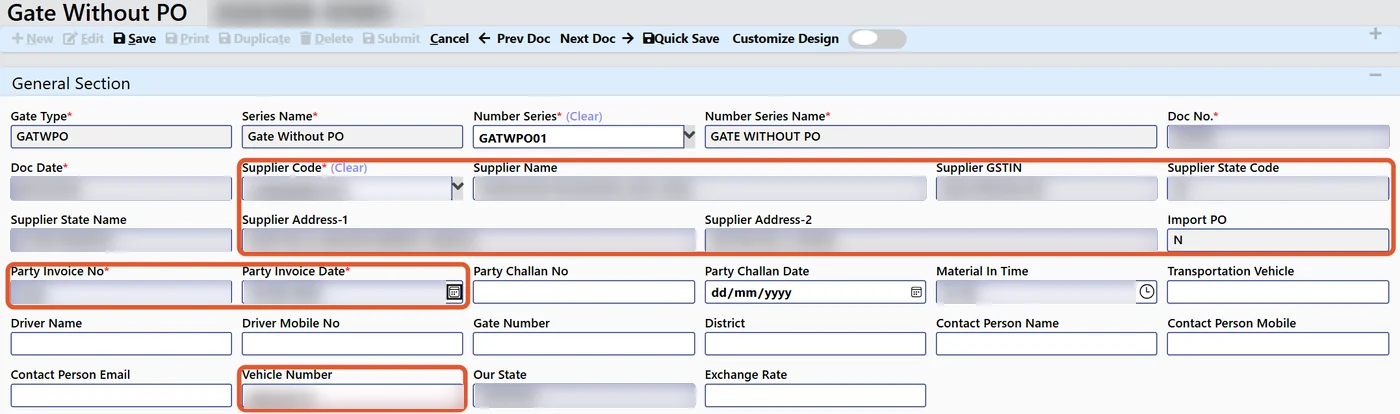
2. The document agent: supplier invoices read at the gate
With AI gate entry, a PDF or phone photo of a supplier invoice is read for GSTIN, vendor, bill number and date, vehicle, items, quantity, rate and taxes. The agent checks the vendor and plant against the masters, blocks duplicate bills, matches the open purchase order and highlights anything that does not fit. The guard confirms the pre-filled gate entry; the GRN then carries the gate number and bill details forward. The OCR runs on the client’s own server, so the documents stay with the client. Details: AI invoice scanning for gate entry and GRN.
3. The answer agent: owners ask, the ERP answers
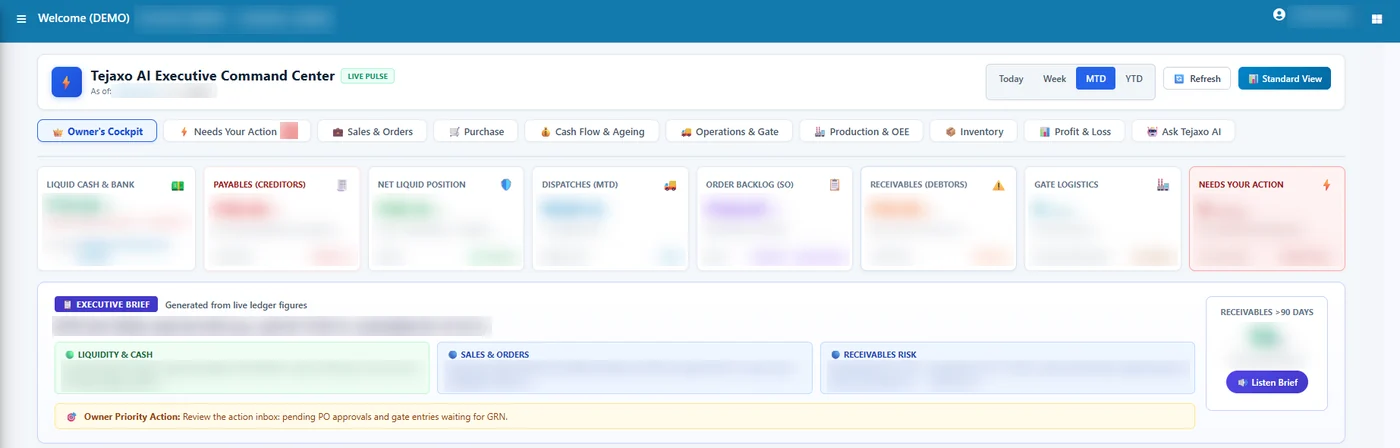
Owners and managers ask in plain English or Hinglish – for example “top 10 overdue debtors” or “dispatch this month vs last” – on screen with Ask Tejaxo AI or on WhatsApp, where the WhatsApp AI agent answers sales, purchase, receivables and salary questions 24/7. The answer comes with a summary and a drill-down table, or as a graph with a link to the ERP report, and states the period, plant and GST basis it used. Proven query templates run before any free-form AI, and confirmed answers are reused, so the same question gets the same figure. More on this: can you trust AI answers from your ERP?
4. The follow-up agent: alerts and approvals that move on their own
The ERP sends invoices, reports and reminders on WhatsApp and alerts the right people on approvals, stock and dues. Purchase requisitions, purchase orders and payments reach the approver on the phone and can be released there, under the same approval rules as on screen. The agent removes the waiting; the approval itself stays with the approver. See approval workflows and user rights in ERP.
What AI agents should not do in an ERP
The risk with agents is an ERP that changes data nobody checked. Tejaxo ERP draws these lines:
| Job | Agent does | Person keeps |
|---|---|---|
| Entry from WhatsApp | Reads the message, asks for missing details | Save happens only under that user’s rights |
| Supplier invoice | Reads fields, matches PO, blocks duplicates, highlights mismatches | Guard confirms the gate entry |
| Owner’s questions | Answers from posted records with drill-down | AI is read-only – it cannot change or delete data |
| PO and payment approval | Brings the request to the approver’s phone | Approval rule and decision unchanged |
| Every action | Logged automatically | Full audit trail of who, what and when |
In short: in Tejaxo ERP the AI reads data, writes go only through approved interfaces, changes need confirmation, and every AI action is logged.
Agentic ERP vs an ERP with a chatbot
| ERP with a chatbot | Agentic ERP (Tejaxo) | |
|---|---|---|
| Data entry | Still typed on screens | Spoken or typed on WhatsApp; invoices read at the gate |
| Missing details | Not handled | Agent asks until mandatory fields are complete |
| Answers | Generic help text | Figures from posted ERP records, with drill-down |
| Approvals | Wait for the screen | Reach the approver’s phone |
| Control | Often a shared login | User rights per mobile number, read-only AI, audit trail |
How to start with AI agents in a factory
- Pick the entry your team types most often – usually gate entry, production or sales orders.
- Run one agent on that flow on one plant with real data for a month.
- Check the audit trail and the time saved, then extend to answers for the owner and approvals on the phone.
For the bigger picture, read Automated ERP: what runs without manual entry and AI ERP vs traditional ERP, or book a free consultation to see the agents work on your own items.
Frequently asked questions
What is agentic ERP?
An ERP in which AI agents do work on their own – take entries from WhatsApp messages, read supplier invoices, answer owners’ questions and send approvals and alerts – while saves, approvals and decisions stay under user rights.
Which AI agents does Tejaxo ERP have?
An entry agent for typed or spoken WhatsApp entries, AI gate entry that reads supplier invoices, Ask Tejaxo AI and the WhatsApp AI agent that answer questions from ERP records, and WhatsApp alerts and approvals.
Can an AI agent change data in Tejaxo ERP on its own?
No. Ask Tejaxo AI is read-only. Entries from WhatsApp are saved only after mandatory details are complete and only under the rights of the user linked to that mobile number. Every AI action is logged.
Does the AI agent understand Hindi or Hinglish?
Yes. Entries and questions can be typed or spoken in Hindi, English, Hinglish or another language.
Where do supplier invoices go when the AI reads them?
The OCR for invoice scanning runs on the client’s own server, so the documents stay with the client.
How do we start with AI agents in our factory?
Choose the most-typed entry, usually gate entry or sales orders, run the agent on one plant with real data for a month, check the audit trail and time saved, then extend.