
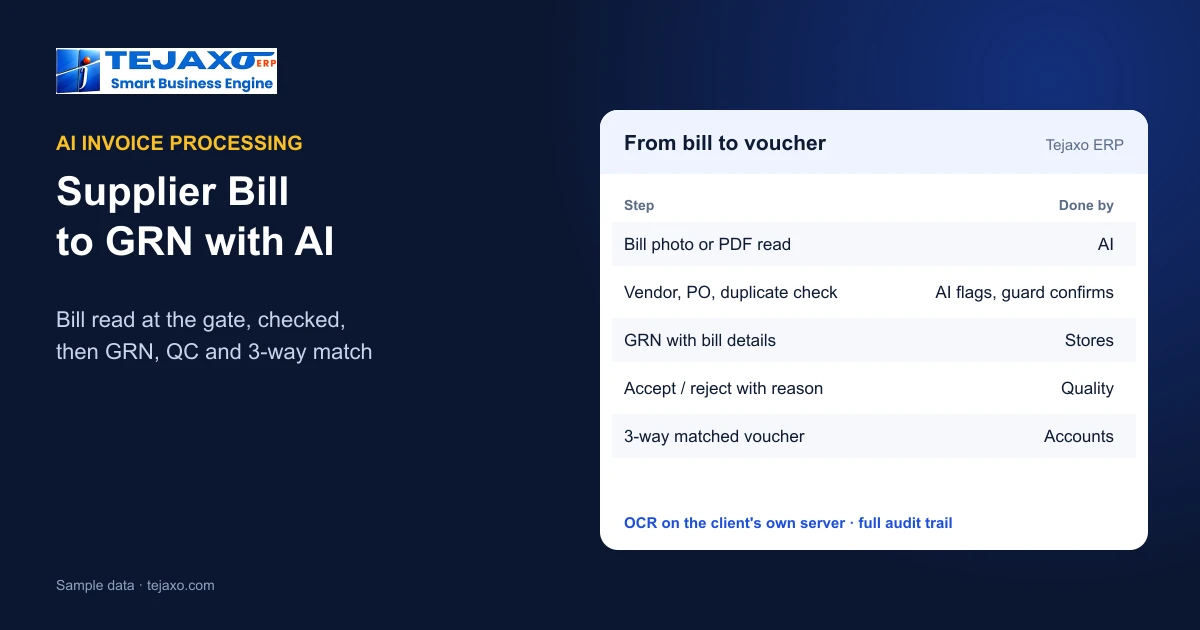
AI invoice processing for a manufacturer means the supplier’s bill is read by the system the moment the truck reaches the gate: a PDF or phone photo becomes a pre-filled, checked gate entry, and the same data flows on to the GRN, quality check and purchase voucher. In Tejaxo ERP the AI reads the bill, matches it to the open purchase order and blocks duplicates; the guard confirms, and the OCR runs on the client’s own server.
Why supplier bills are a data-entry problem in factories
Every inward truck brings a bill that someone has to type: at the gate, again in stores for the receipt, and again in accounts for the purchase voucher. Each re-typing is a chance for a wrong rate, a missed item or a bill entered twice. Accounting-side invoice tools only solve the last step. In a factory the problem starts at the gate, so that is where AI invoice processing should start too.

Step 1: the bill is read at the gate
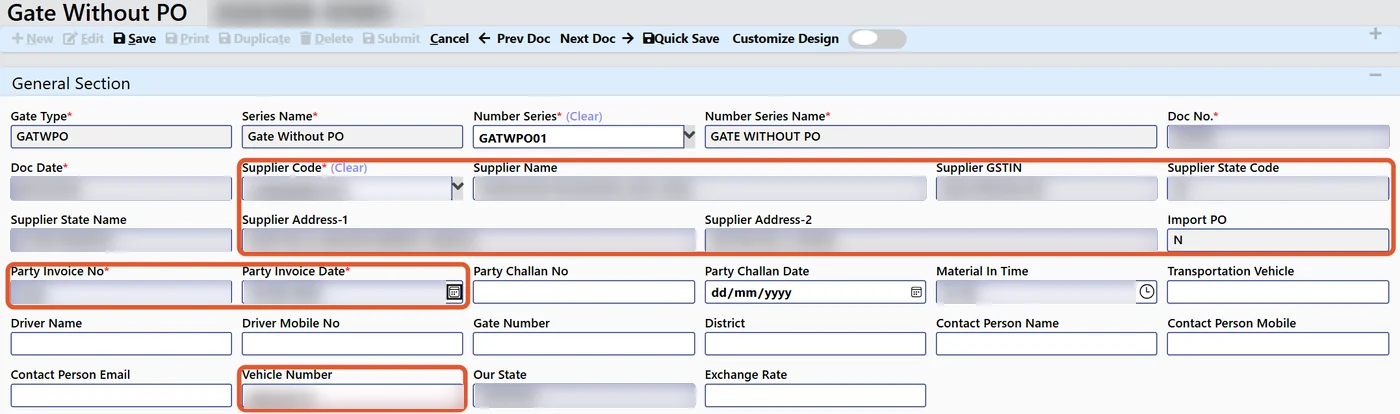
With Tejaxo AI gate entry, the guard or store keeper uploads the supplier invoice as a PDF, JPG, PNG or phone HEIC photo. The system extracts:
- Supplier GSTIN and vendor name
- Bill number and bill date
- Vehicle number
- Items, quantity, rate and taxes
The OCR runs on the client’s own server: there are no per-page cloud fees and the documents stay with the client. More on the gate side in AI invoice scanning for gate entry and GRN.
Step 2: the checks before anything is saved
Reading the bill is only half the job; checking it is what saves money. Before the gate entry is confirmed, Tejaxo ERP:
- checks the vendor and plant against the masters;
- blocks duplicate bills – a party’s bill number cannot be repeated;
- matches the bill to the open purchase order;
- highlights every field that does not fit, so the guard sees the problem at once.
The guard then confirms the pre-filled gate entry. Gate entries can also be made without a PO or after job work, so every inward movement is captured the same way.
Step 3: from gate entry to GRN and quality
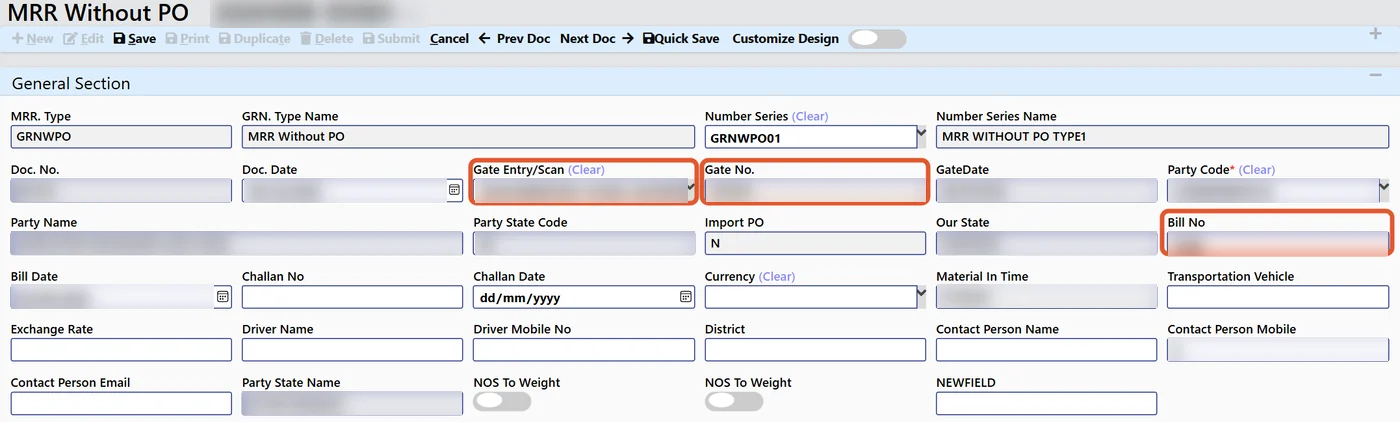
The GRN (MRR) is created against the gate entry and carries the gate number and supplier bill details forward – nothing is typed again. Receipt is batch-wise. Incoming quality records accepted and rejected quantity with a mandatory reason, and only accepted quantity enters stock. For short or rejected quantity, one click generates a debit note with rate, taxable value and GST for those quantities only – see debit notes for purchase returns with GST.
Step 4: the purchase voucher, 3-way matched
The purchase voucher is matched to the purchase order and the receipt (3-way match), so accounts pays for what was ordered and actually accepted. Purchase reports show the 3-way match, GRNI (goods received, not invoiced), vendor rating and price trends. Details in 3-way match and GRNI in purchase ERP.
Bills that do not follow the usual pattern
Not every inward bill is a simple local purchase against a purchase order, and AI invoice processing has to fit into the purchase chain that already handles the exceptions. In Tejaxo ERP:
- Without a purchase order – a gate entry can be made without a PO, so urgent or one-off purchases are still captured at the gate.
- After job work – material coming back from a job worker is received at the after-job-work gate against the pending returnable gate pass lines of that party.
- Discount after GST – when a vendor gives a discount after tax, the “Less Discount (After GST)” field keeps GST and input tax credit on the full taxable value and posts the discount to a Discount Received ledger, so the party balance matches the vendor bill.
- Imports – import purchases follow their own chain from import PO and import gate entry to an MRR with Bill of Entry and landed cost.
Because every inward movement passes through the same gate entry, the GRN and purchase reports show one complete picture, whichever way the material arrived.
Manual entry vs AI invoice processing
| Step | Manual entry | AI invoice processing (Tejaxo) |
|---|---|---|
| Gate | Guard copies bill details by hand | Bill photo or PDF read; fields pre-filled |
| Duplicate bills | Found later, if at all | Blocked at entry |
| PO match | Checked by stores on paper | Matched to the open PO, mismatches highlighted |
| GRN | Typed again | Created against the gate entry with bill details |
| Rejections | Debit note prepared separately | One-click debit note for short or rejected quantity |
| Accounts | Bill typed a third time | Purchase voucher 3-way matched to PO and receipt |
| Document storage | Paper files | On the client’s own server |
What stays with people
AI invoice processing removes typing, not responsibility:
- The guard confirms every pre-filled gate entry.
- Quality decides accepted and rejected quantity, with a reason.
- Accounts posts the purchase voucher against the matched PO and receipt.
- Rights and audit trail – every entry follows the user’s save rights and is recorded with who, what and when.
Suppliers can also send their side digitally: through the supplier portal, vendors self-register and upload invoices and challans – see advance shipping notice and supplier portal.
How to roll out AI invoice processing
- Start at one gate with the suppliers who send the most bills.
- Clean the vendor and item masters so matching works from day one.
- Run a month, review the highlighted mismatches and duplicates caught, then extend to all gates and plants.
AI invoice processing is one part of a factory that runs with less manual entry – read Automated ERP: what runs without manual entry and AI agents in ERP, or book a free consultation to see your own supplier bills read.
Frequently asked questions
What is AI invoice processing for manufacturers?
The supplier bill is read by the system at the gate – from a PDF or phone photo – and becomes a checked gate entry whose data flows to the GRN, quality check and purchase voucher without re-typing.
Which file types can Tejaxo AI gate entry read?
PDF, JPG, PNG and phone HEIC photos of supplier invoices.
What does the AI extract from a supplier invoice?
GSTIN, vendor, bill number and date, vehicle, items, quantity, rate and taxes.
How are duplicate supplier bills stopped?
A party’s bill number cannot be repeated, and the AI gate entry blocks duplicate bills before the entry is confirmed.
Where are the invoices processed?
The OCR runs on the client’s own server, so there are no per-page cloud fees and the documents stay with the client.
Does the AI save the entry on its own?
No. The guard confirms the pre-filled gate entry, quality records accepted and rejected quantity, and every save follows user rights with a full audit trail.