
In most plants the store learns what a supplier has sent only when the truck reaches the gate. The purchase team chases schedules on the phone, the gate types the invoice in by hand, and the supplier calls accounts to ask when payment is due. An advance shipping notice (ASN) fixes the first link in that chain: the supplier tells the plant, before dispatch, exactly what is coming against which order. This guide explains what an ASN contains, how it flows into gate entry and goods receipt, and how a supplier portal keeps schedules, ASNs, receipts and payment status in one place.
What an ASN is
An ASN is the supplier’s dispatch message: which purchase order and schedule line it fulfils, which items, how many, in which lots, on which invoice or challan, and in which vehicle. It arrives before the material does. For the plant, it turns an unknown truck into an expected receipt that can be checked, planned and booked quickly.
Why phone-and-email supply breaks down
- Schedules live in email threads, so suppliers work from old revisions and the plant gets the wrong quantity in the wrong week.
- The gate retypes every invoice, with mistakes in quantities, invoice numbers and dates that surface later in the 3-way match.
- The store cannot plan unloading or inspection because it does not know what is arriving today.
- Suppliers phone accounts to ask whether material was accepted and when they will be paid.
The flow: schedule to payment
- Purchase order with delivery schedules. The PO carries a schedule per line – quantity by date or week – after approval.
- Supplier sees the schedule in the portal and confirms it.
- Supplier creates the ASN at dispatch, against the schedule line, and uploads the invoice and challan.
- Gate entry picks up the expected receipt instead of retyping it; with AI invoice scanning, the supplier’s invoice can be read straight into the gate entry – see AI invoice scanning for gate entry and GRN.
- GRN and incoming inspection. The store receives batch-wise and quality accepts or rejects with a reason.
- Purchase voucher is 3-way matched to the PO and the receipt; rejected quantity goes back as a purchase return and debit note – see from gate entry to debit note.
- Supplier sees GRN and payment status in the portal instead of calling the plant.
Worked example: one schedule, four weeks
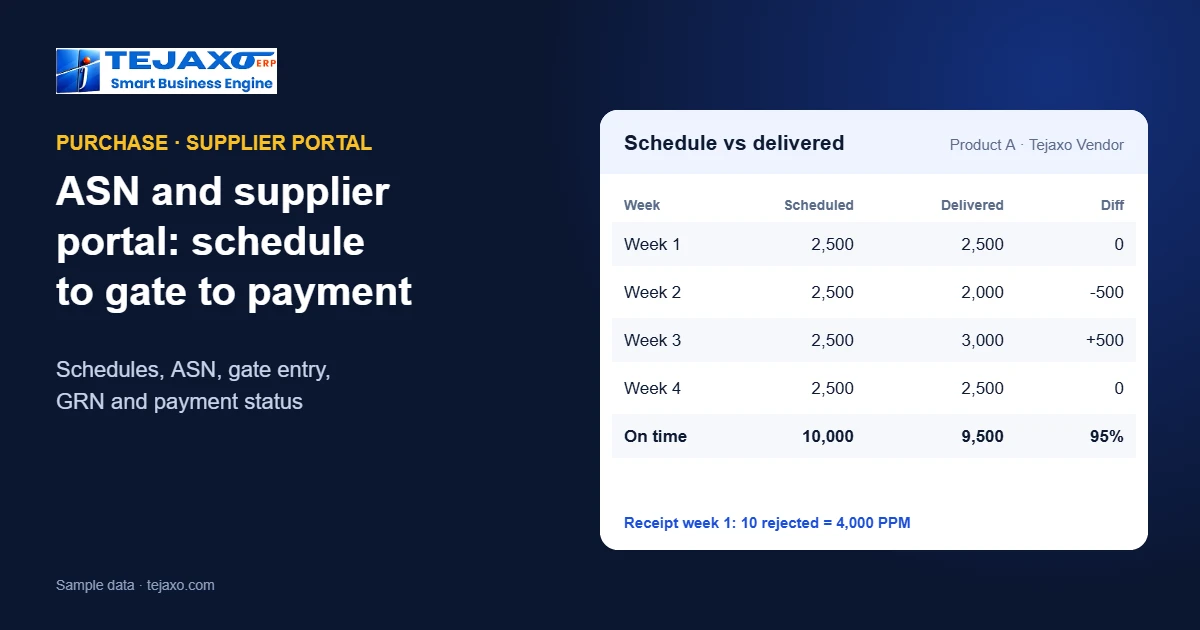
Tejaxo Manufacturing (sample data) orders 10,000 pieces of Product A from Tejaxo Vendor, scheduled at 2,500 a week.
| Week | Scheduled | Delivered | Difference |
|---|---|---|---|
| Week 1 | 2,500 | 2,500 | 0 |
| Week 2 | 2,500 | 2,000 | -500 |
| Week 3 | 2,500 | 3,000 | +500 |
| Week 4 | 2,500 | 2,500 | 0 |
The full 10,000 arrived, but not when it was needed: week 2 was 500 short and week 3 brought 500 early. Counting only what arrived up to each week’s schedule, the supplier met 95% of the scheduled quantity on time – a fairer picture than “order complete”. In week 1 the ASN said 2,500 pieces in two lots; the gate counted 2,500 against the ASN, and incoming inspection rejected 10, so the GRN accepted 2,490 and the receipt ran at 4,000 PPM – see how PPM and the defect Pareto work. Because the ASN named the lots, the 10 rejects are traced to their lot, and the debit note follows from the same receipt.
Fields a useful ASN carries
- Order reference: purchase order number and the schedule line it fulfils.
- Items and quantities: item code, quantity and unit, matching the PO.
- Lots or batches: lot or heat number per quantity, so quality and traceability start at receipt.
- Documents: invoice or delivery challan number and date, with the scanned copy attached.
- Transport: vehicle number, transporter and expected arrival.
- Packing: number of boxes, bundles or pallets, so the gate can count packages before unloading.
Keep the ASN short. Every extra field the supplier must type is a reason not to send it; the fields above are enough for the gate, stores and quality to do their work.
What the plant gains
- Faster, cleaner gate entry: the receipt is expected, so the gate confirms rather than types.
- Planned unloading and inspection: the store and quality team know the day’s arrivals in advance.
- Schedule vs actual by supplier: deliveries are measured against the schedule line, which feeds vendor rating.
- Fewer disputes: the ASN, invoice, gate count, GRN and debit note all refer to the same order and lots.
- Fewer calls: suppliers see schedules, receipts and payment status themselves.
What the supplier gains
- One place for current schedules – no doubt about which revision is valid.
- Proof of dispatch: the ASN, invoice and challan are on record before the truck leaves.
- Visibility of what was accepted, what was rejected and why.
- Payment status without chasing accounts.
Beyond regular purchases
The same discipline helps wherever material comes back to the gate. When parts return from a job-work vendor after plating or heat treatment, a dispatch note from the vendor against the returnable gate pass tells the store what is coming back and what is still lying outside – see job work software. For imported material, the shipment details known in advance let the purchase and accounts teams prepare for duty and clearing before the goods reach the plant – see import purchase from PO to payment.
How Tejaxo handles it
Tejaxo’s vendor portal works with Tejaxo ERP: vendors self-register, see delivery schedules, send ASNs, upload invoices and challans, and track GRN and payment status. In the ERP, the procure-to-pay chain runs from requisition (manual or from MRP) to purchase order with schedules, gate entry, batch-wise GRN, incoming QC with PPM, and a purchase voucher 3-way matched to the PO and receipt; reports include schedule vs actual and vendor rating. For plants that run SAP or Microsoft Dynamics, the same kind of supplier portal can be built around the existing ERP – see extending SAP and Dynamics.
Rolling out a supplier portal
- Start with the top suppliers – the ten or twenty who deliver most often.
- Clean the schedules first. A portal only helps if the PO schedules are current.
- Make the ASN the rule at the gate: material with an ASN is received first.
- Share schedule vs actual and PPM with each supplier every month.
- Add more suppliers once the first group is working.
Common mistakes
- Portal without schedules. If POs have no delivery dates, suppliers have nothing to follow.
- ASN optional forever. When the gate accepts material without one, suppliers stop sending it.
- Measuring only order completion. An order delivered in full but late or early still disrupts production; measure against the schedule line.
- Hiding rejections. Suppliers improve faster when they see their own rejections and reasons.
Next step
See the vendor portal, ASN and gate-to-GRN flow on your own suppliers in a free demo, or read about MRP and purchase planning and the free reorder point calculator.
Frequently asked questions
What is an ASN in manufacturing?
An advance shipping notice: the supplier’s message, sent before the material arrives, stating the purchase order and schedule line, items, quantities, lots, invoice or challan and vehicle.
What is the difference between an ASN and a GRN?
The ASN is the supplier’s declaration of what was dispatched. The GRN (goods receipt note) is the plant’s record of what was actually received and accepted after counting and inspection.
What does a supplier portal do?
It lets suppliers see delivery schedules, send ASNs, upload invoices and challans, and check receipts and payment status, so purchase, gate, stores and accounts stop exchanging the same information by phone and email.
How is supplier delivery performance measured?
Against the schedule line, not only the order: quantity delivered on or before each scheduled date as a share of the scheduled quantity, alongside incoming PPM for quality.
Can suppliers register themselves on the portal?
Yes. In Tejaxo’s vendor portal, vendors self-register and then upload invoices and challans against their orders.
Can a supplier portal work with SAP or Microsoft Dynamics?
Yes. Tejaxo builds supplier portals with schedules, ASN, GRN and payment status around SAP, Dynamics and other ERPs, without changing their core.