
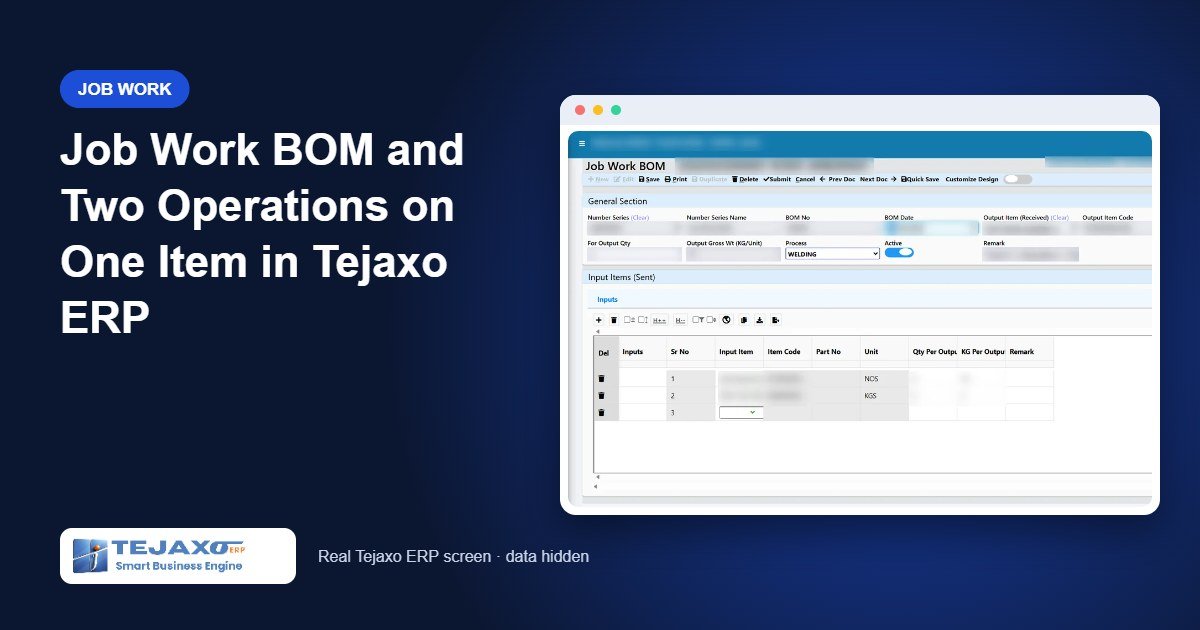
In an auto component plant, many parts are assembled or finished outside. A fabricator welds two base plates and a strip into a frame. A finisher plates a bracket and then paints it. If the plant knows exactly what goes into each frame, there is no reason to estimate consumption – a job work BOM can state it. And if one part goes through two operations at the same vendor, each operation should be billed at its own agreed rate, not lumped into one figure.
This article covers both situations in Tejaxo ERP: the Job Work BOM, which makes knock-off exact for assemblies made by a job worker, and multi-operation job work, where plating and painting on the same item are tracked as two separate lines.
Part 1: The Job Work BOM
What it is and why it is separate from the production BOM
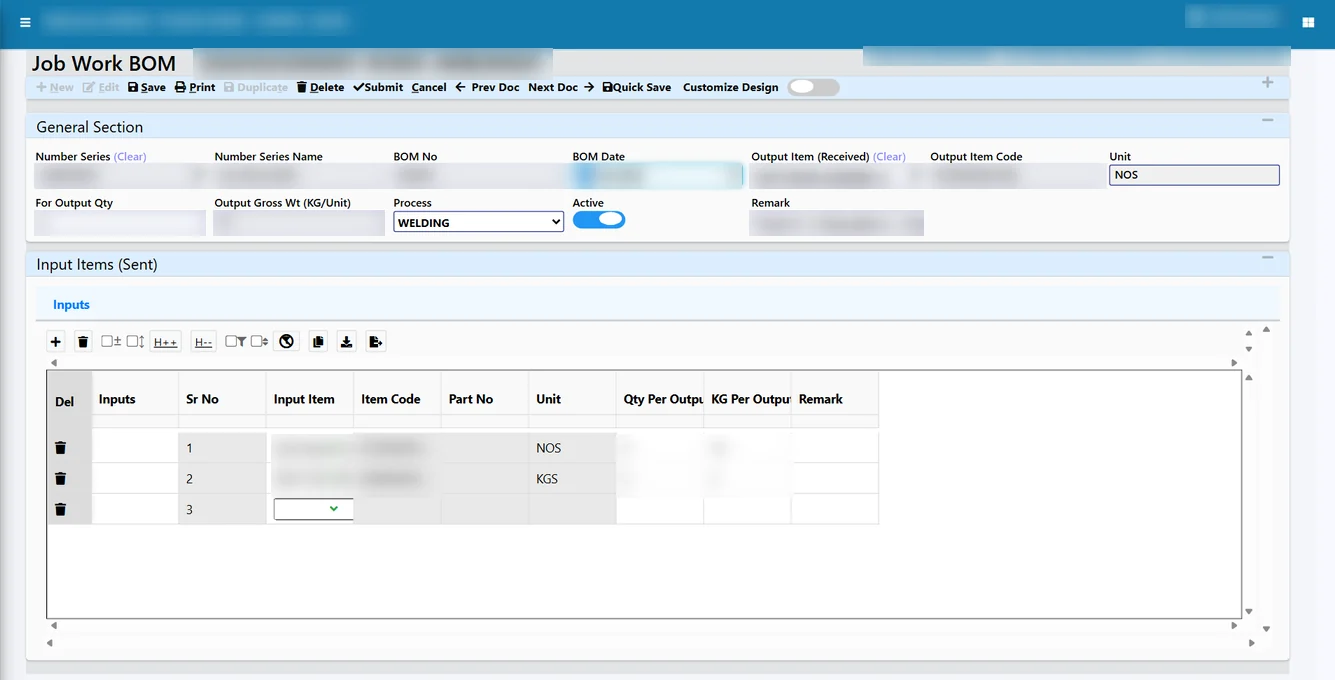
The Job Work BOM is a master in the RGP module. It defines one output item made by a job worker, the quantity it is defined for, the process (for example welding) and the input items with their quantities. It describes what the vendor consumes from your material, which may differ from your in-house production BOM – for instance, the vendor may supply the welding consumables, so they do not appear as your inputs.
How the knock-off chooses its rule
When a received item is entered on the After Job Work MRR, the knock-off picks its rule in a fixed order:
- Job Work BOM of the received item, if one exists and is active.
- Weight pool, if the receipt is linked to a whole challan with several sent lines.
- Line link, piece for piece against one sent line.
Each MRR line picks its own rule, so the same RGP can have some receipts knocked off by BOM and others by weight pool. You do not have to decide the method for the whole challan in advance.
Setting up a Job Work BOM
The master is opened from RGP Module > RGP Masters > Job Work BOM. The steps are short:
- Pick the output item the job worker will return, and the quantity the BOM is defined for (usually 1 piece).
- Pick the process from the Process Master, so the BOM, the RGP lines and the job work order all use the same operation name.
- Add each input item with its quantity in its own stock unit – pieces for bought parts, kg for coil or strip.
- Mark the BOM active so that the MRR uses it for knock-off. Receipts of items without a BOM continue to use the weight pool or line link.
Batch-managed inputs such as coil keep their batch identity. The RGP can send only part of a coil batch, and the BOM knock-off reduces that coil’s balance with the vendor, so the coil tree stays correct even when one coil feeds several jobs.
Worked example 1: frames welded against a BOM
Tejaxo Manufacturing defines a Job Work BOM: one frame assembly uses 2 base plates and 3.5 kg of coil strip, process welding. It sends RGP-0052 to Tejaxo Vendor with 16 base plates and 40 kg from coil batch CL-09 (only part of the coil’s 500 kg is sent; the batch quantity on the challan is 40). The job work order rate for welding is ₹15 per piece.
| Entry | Base plates | Coil CL-09 | Charge |
|---|---|---|---|
| RGP-0052 sent | 16 nos | 40 kg | – |
| Gate GE-0310 + MRR MR-0702: 8 frames | 8 × 2 = 16 nos knocked off | 8 × 3.5 = 28 kg knocked off | 8 × ₹15 = ₹120 |
| Balance with the job worker | 0 – closed | 12 kg | – |
The coil tree for CL-09 now shows 40 kg sent, 28 kg converted into 8 frames and 12 kg still with the vendor. If the vendor later returns the 12 kg as offcuts, or it is agreed as process loss, it is closed in RGP Reco with a reason and remark rather than by changing the BOM.
Part 2: Two operations on one item
Consider a bracket that is plated and then painted by the same vendor. In a manual system the vendor sends one bill, and the plant has no record of what each operation cost. Tejaxo ERP follows a simple rule: one line equals one operation.
Item line and charge line
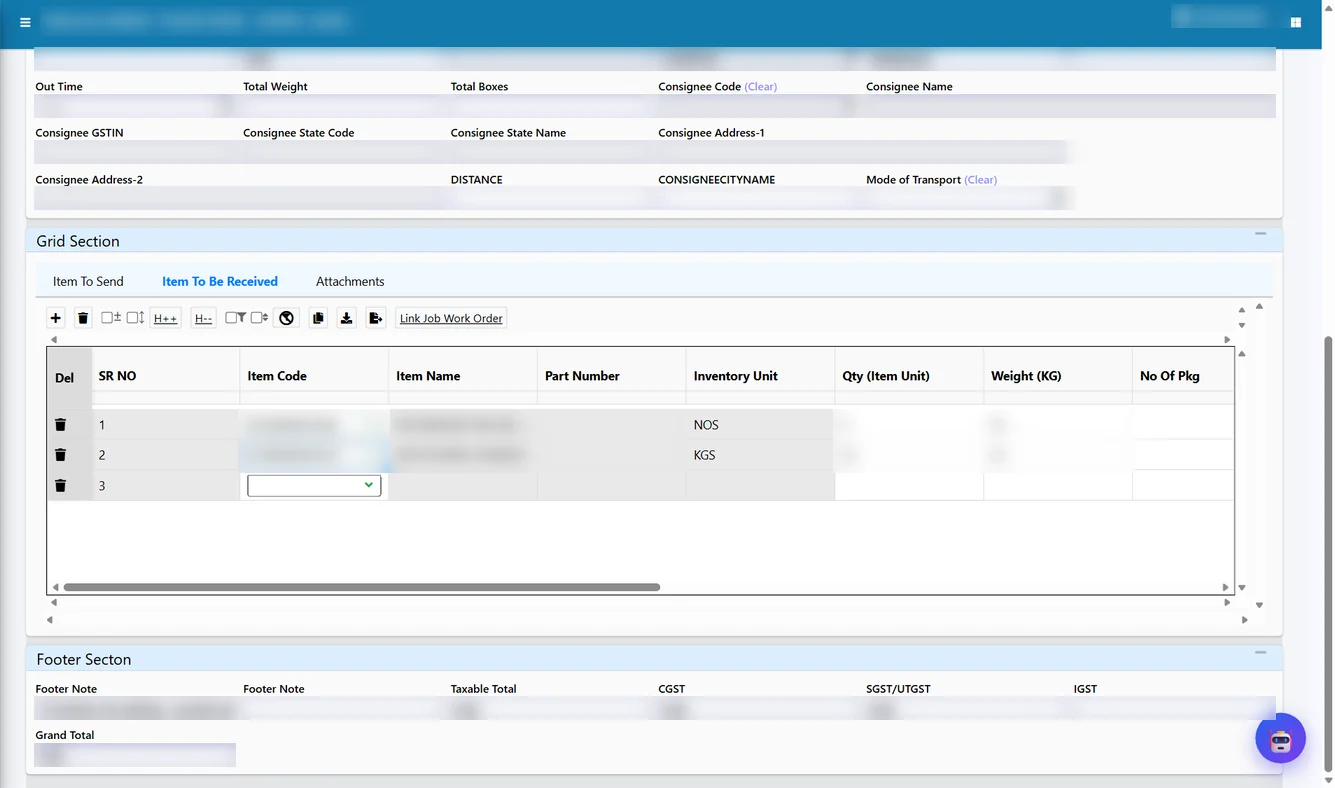
On the RGP receive grid, two lines are created against the brackets sent:
- Line 1 – the item line: the painted bracket, in pieces, linked to the painting line of the job work order.
- Line 2 – the charge line: a plating charge item, in kg, linked to the plating line of the job work order.
Charge items carry the SAC for the service. A charge line bills an operation, but it never consumes sent material, so the knock-off skips it. Only the item line reduces the brackets sent.
At the gate and MRR
Both lines are picked from the to-receive popup at the After Job Work Gate and keep their own RGP and JWO links. The item line goes to stock in pieces; the charge line adds only value. The MRR knocks off the painted brackets against the plain brackets, piece for piece, and the RGP closes when all pieces are back.
Worked example 2: plating and painting on 12 brackets
RGP-0058 sends 12 brackets of 3 kg each (36 kg) to Tejaxo Vendor. The job work order has plating at ₹11 per kg and painting at ₹28 per kg.
| Receive line | Item | Qty | JWO rate | Amount | Knock-off |
|---|---|---|---|---|---|
| 1 | Painted bracket | 12 nos / 36 kg | Painting ₹28 / kg | ₹1,008 | 12 brackets |
| 2 | Plating charge | 36 kg | Plating ₹11 / kg | ₹396 | None (charge only) |
| Total job work charge | ₹1,404 | RGP balance 0 | |||
The bill is checked line by line against agreed rates, and each operation keeps its own SAC and GST.
Reports: Job Work Order Usage and more
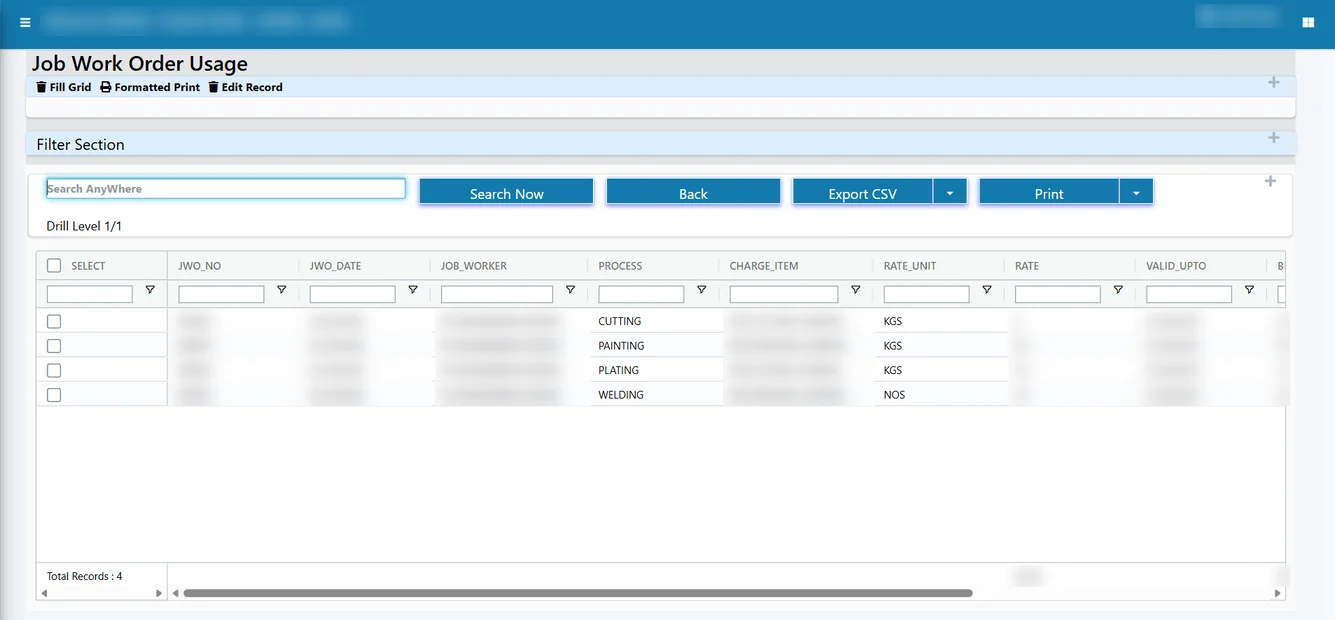
The Job Work Order Usage report shows, for each JWO line, the quantity and value received so far – for example, how many kg of plating and how many pieces of welding have been billed against the order. Purchase heads use it to see whether a rate contract is being used as expected and when it needs renewal. Other useful reports are job work charges by vendor and process, RGP pendency and aging, the coil / batch tracking tree, and ITC-04 Table 4 and Table 5A.
Mistakes these features prevent
- Over-consumption hidden in averages: with a BOM, the vendor is charged exactly 2 plates and 3.5 kg per frame; any extra shows as a balance to explain.
- Charges booked as material: the plating charge line never reduces stock sent, so stock and service values stay separate.
- Two operations, one rate: each operation is linked to its own JWO line, so a rate change on plating does not disturb painting.
- Forcing one method on every receipt: because the rule is chosen per MRR line, a BOM receipt and a pooled receipt can sit on the same RGP.
Who this is for
Job work BOMs and multi-operation lines fit auto component and sub-assembly makers who outsource welding, plating, coating or painting – see our ERP for the automobile industry – as well as machinery builders whose fabricated frames come from vendors. These features sit alongside in-house planning in production planning software, and vendors can upload their invoices and challans through the vendor management portal.
How Tejaxo implements this
We list the outsourced assemblies and multi-step finishing jobs with your purchase and production teams, and build Job Work BOMs only where the structure is stable. The pilot runs live RGPs for a few vendors on your own items and rates, and we compare our knock-off with the vendor’s stock statement. After go-live and user training, the same team stays on support as your vendor list and operations grow.
Want to see a job work BOM and a two-operation bill on screen? Book a free demo at marketing.tejaxo.com/consult or WhatsApp +91 96717 27474.
Frequently asked questions
What is a job work BOM?
It is a master that defines the input items and quantities a job worker consumes to make one output item, with the process. The MRR uses it to knock off exact quantities from the material sent.
Do I need a job work BOM for every outsourced job?
No. The BOM is used when one exists for the received item; otherwise the knock-off uses the weight pool or the direct line link.
How are plating and painting on the same part billed?
As two receive lines: the item line carries one operation and a charge item line carries the other, each linked to its own job work order line with its own rate, SAC and GST.
Does a charge line reduce the material sent to the job worker?
No. Charge items only bill an operation; the knock-off skips them and only the item line consumes sent material.
Can one RGP have receipts against a BOM and against a weight pool?
Yes. Each MRR line picks its own knock-off rule, so different receipts on the same RGP can follow different rules.
Which report shows how much of a job work order has been used?
The Job Work Order Usage report shows the quantity and value received against each JWO line.