
Most plants know they have a quality problem long before they can describe it. Rejections are counted at month-end, reasons are written in a register nobody totals, and the cost of scrap and rework is buried in the material account. Four simple measures turn that into something a team can act on: PPM, first-time-right, the defect Pareto and the cost of poor quality (COPQ). This guide explains each one, works through a month of sample data and shows how an ERP produces them from everyday inspection and production entries.
PPM: defects per million
PPM = rejected quantity / quantity inspected x 1,000,000. It puts every item and supplier on the same scale, whatever the volume. Automotive and engineering customers usually measure their suppliers in PPM, so a plant that tracks its own incoming and outgoing PPM speaks the customer’s language. Track it separately for incoming material (supplier PPM), in-process and finished goods, and keep customer-reported PPM – parts the customer rejected – as its own figure, because it is the one that decides future orders.
First-time-right
First-time-right % = parts that pass the first time / parts produced x 100. Rework hides in a good final yield: a part reworked twice still ships. First-time-right shows how much of the plant’s capacity is spent making things again.
The defect Pareto
List rejections by reason, sort from largest to smallest and add a cumulative percentage. In most plants a few reasons cause most of the rejections, so the Pareto tells the team which two or three problems to attack first instead of spreading effort across everything. It only works if every rejection is recorded with a reason – “rejected” alone cannot be sorted. Build it per process or product family, so different problems are not mixed in one chart.
Cost of poor quality (COPQ)
COPQ adds up what bad quality costs: material and process time lost in scrap, the labour and machine time of rework, and the handling of customer returns and complaints. Expressed in money, it makes quality a management number rather than a quality-department number. Prevention and appraisal – training, inspection, calibration – are usually reported alongside it, because spending a little more there is often the cheapest way to bring scrap, rework and returns down.
Worked example: one month in a machine shop
Tejaxo Manufacturing (sample data) received 50,000 bought-out parts and rejected 120 at incoming inspection: supplier PPM = 120 / 50,000 x 1,000,000 = 2,400. It produced 20,000 parts of Product A: 19,400 passed first time, 450 were reworked and passed, and 150 were scrapped. First-time-right = 19,400 / 20,000 = 97.0%, and the in-process scrap rate is 150 / 20,000 = 7,500 PPM.
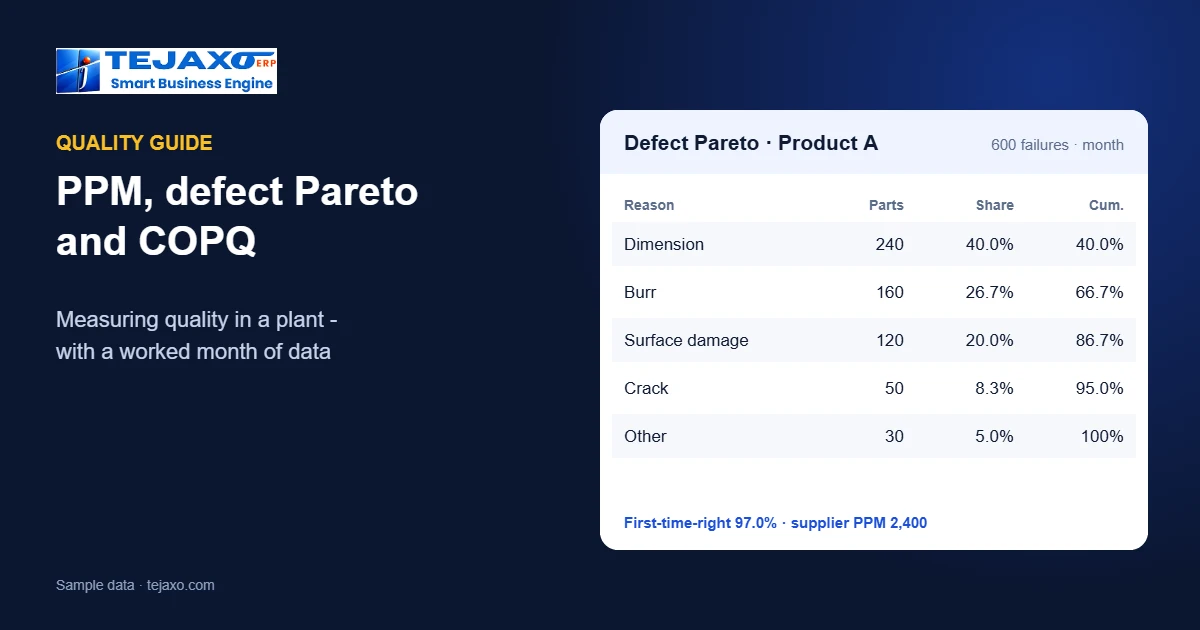
The 600 parts that failed first inspection (450 reworked + 150 scrapped) were recorded with these reasons:
| Reason | Parts | Share | Cumulative |
|---|---|---|---|
| Dimension out of tolerance | 240 | 40.0% | 40.0% |
| Burr | 160 | 26.7% | 66.7% |
| Surface damage | 120 | 20.0% | 86.7% |
| Crack | 50 | 8.3% | 95.0% |
| Other | 30 | 5.0% | 100.0% |
Two reasons – dimensions and burrs – account for two thirds of all failures, so that is where the next improvement starts. If a scrapped part costs 60 in material and process time and a rework costs 8 (sample figures), the month’s COPQ is 150 x 60 + 450 x 8 = 12,600, before any customer return.
How the numbers come out of the ERP
- Incoming inspection: against each goods receipt, accepted and rejected quantity are recorded with a reason; the incoming QC register and acceptance percentage and PPM follow – see reel-wise inspection in a box plant for one example.
- In-process quality: production entries record good and rejected quantity with a reason at each stage, plus rework – see stage-wise production with rejection by reason.
- Reports: Tejaxo ERP provides the incoming QC register, acceptance % and PPM, defect Pareto, in-process QC, first-time-right % and cost of poor quality, with heat number and MTC where traceability matters – see heat number traceability.
- Cost: scrap and rework charged to the work order show up in the job’s margin – see work order costing.
Supplier quality from incoming PPM
Incoming PPM by supplier and item is the fairest way to talk to suppliers. Instead of “your material is bad”, the purchase team can show that one supplier ran at 2,400 PPM last month against 600 for another, with the reasons behind the rejections. Rejected quantity recorded against the goods receipt also flows into purchase returns and debit notes, so the money follows the quality decision – see from gate entry to debit note. Over a few months, supplier PPM becomes part of vendor rating and of the next sourcing decision.
From Pareto to action
- Pick the top reason from this month’s Pareto.
- Contain: check stock, work in progress and recent dispatches for the same defect.
- Find the cause on the floor – machine, tool, method, material or measurement – with the people who make the part.
- Act and record the action against the reason.
- Check next month’s Pareto. If the reason has dropped, move to the next one; if not, the cause was wrong.
What a weekly quality view should show
- Incoming PPM by supplier and item, with the top rejection reasons.
- First-time-right and in-process PPM by machine and shift.
- The current defect Pareto and the actions open against its top reasons.
- COPQ for the month so far against last month.
Kept on one screen and reviewed every week, these four views do more for quality than a thick monthly report.
Making the measures useful
- Fix the reason list. Ten to fifteen clear reasons per process, agreed with the shop floor, with “other” kept small.
- Record at the point of inspection, not at month-end from memory.
- Review weekly. PPM and first-time-right by item, machine and supplier; the top three Pareto reasons with an owner and an action.
- Share supplier PPM with suppliers. Reel-wise or lot-wise figures end arguments about “weak material”.
- Put COPQ in the monthly review. A money figure gets attention that a percentage does not.
Common mistakes
- Counting only scrap. Rework that ships looks like good output and hides lost capacity; track first-time-right too.
- Free-text reasons. “Not OK”, “bad” and “rejected” cannot be sorted into a Pareto.
- One PPM for everything. Separate incoming, in-process and customer-reported PPM – they have different owners.
- No link to the job. When rejections are not tied to the work order, their cost disappears into the month.
Next step
See the quality registers, PPM, Pareto and first-time-right on your own items in a free demo, or read about ERP for auto component suppliers and the free OEE calculator.
Frequently asked questions
How is PPM calculated in manufacturing?
PPM = rejected quantity / quantity inspected x 1,000,000. For example, 120 rejections out of 50,000 parts is 2,400 PPM.
What is first-time-right?
The percentage of parts that pass inspection the first time, without rework: parts passing first time / parts produced x 100.
What is a defect Pareto?
A list of rejections by reason, sorted from largest to smallest with a cumulative percentage. It shows the few reasons that cause most of the failures, so they can be fixed first.
What is the cost of poor quality (COPQ)?
The money lost to bad quality: material and process time in scrap, the cost of rework, and the handling of customer returns and complaints.
Why record a reason for every rejection?
Because reasons can be counted and sorted. Without them there is no Pareto, no root cause and no way to see whether an action worked.
Can an ERP calculate PPM and Pareto automatically?
Yes. Tejaxo ERP builds the incoming QC register, acceptance % and PPM, defect Pareto, in-process QC, first-time-right % and cost of poor quality from inspection and production entries.