
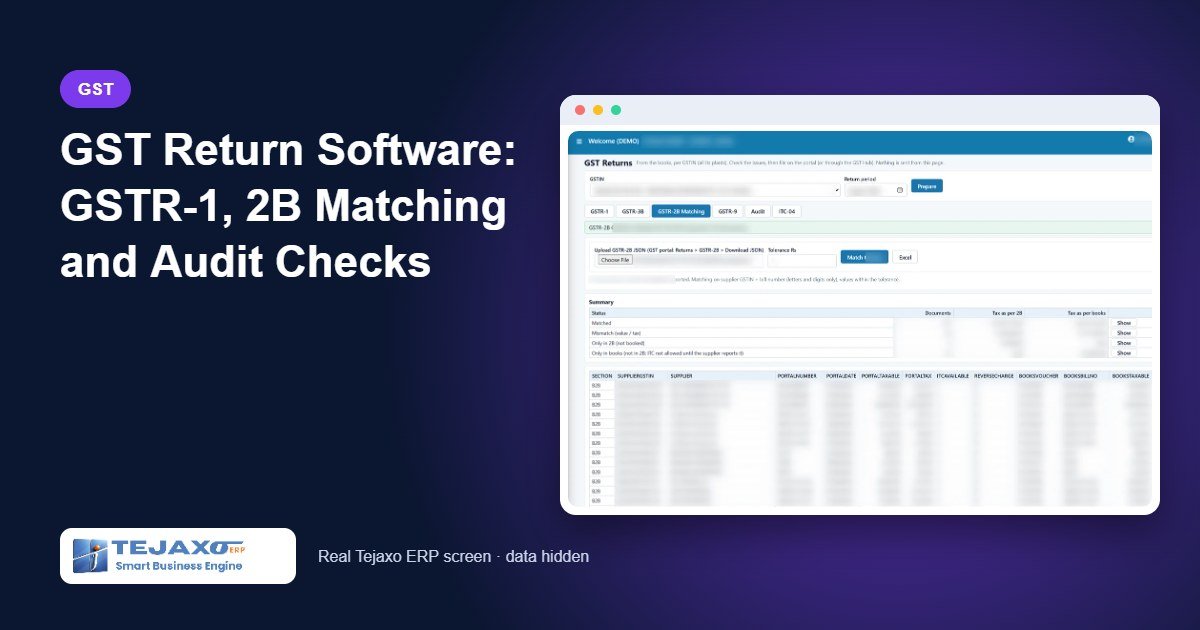
In many manufacturing companies, the GST return is a monthly project of its own. Sales data is exported to Excel, cleaned, re-sorted into B2B and credit-note sheets and uploaded. Purchase bills are ticked against GSTR-2B by hand. The 180-day rule for unpaid suppliers is checked only when the auditor asks. GST return software that works from the books removes this rework, because the return is built from the same invoices and vouchers that already sit in the ERP.
Tejaxo ERP prepares GSTR-1, GSTR-3B and GSTR-9 from the books, matches purchases with GSTR-2B, runs GST audit checks such as Rule 37, and files the returns from the ERP. This article walks through the monthly cycle, with a worked example of 2B matching and the checks that catch errors before filing.
Why returns built in Excel go wrong
- Two versions of the truth. Once data is copied into a spreadsheet, corrections made in the books do not reach the return, and vice versa.
- Bill-number formats. A supplier writes “INV/0045/26-27” while the purchase entry says “45”. Manual matching marks it as missing.
- Tax posted in the wrong ledger. The invoice shows one tax amount and the ledger another, and nobody notices until the annual return.
- Forgotten reversals. Input tax credit on bills unpaid for more than 180 days must be reversed under Rule 37, but tracking payments bill by bill in a spreadsheet is rarely done.
The monthly GST cycle in Tejaxo ERP
Step 1: GSTR-1 from the books
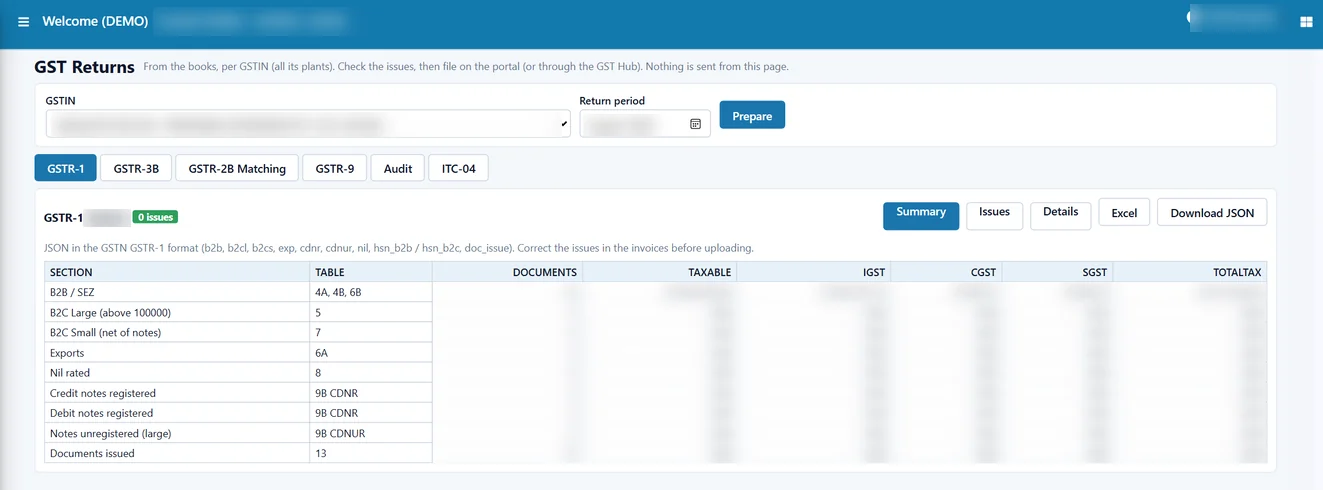
Choose the GSTIN and the month and press Prepare. Tejaxo ERP builds GSTR-1 from the sales invoices, credit notes, export and SEZ invoices already posted – for example, the B2B section with document count and taxable value. An Issues tab lists anything that would cause a problem on the portal before the return goes out. The prepared return can be downloaded as Excel and as a GSTN JSON file.
Step 2: GSTR-2B upload and matching
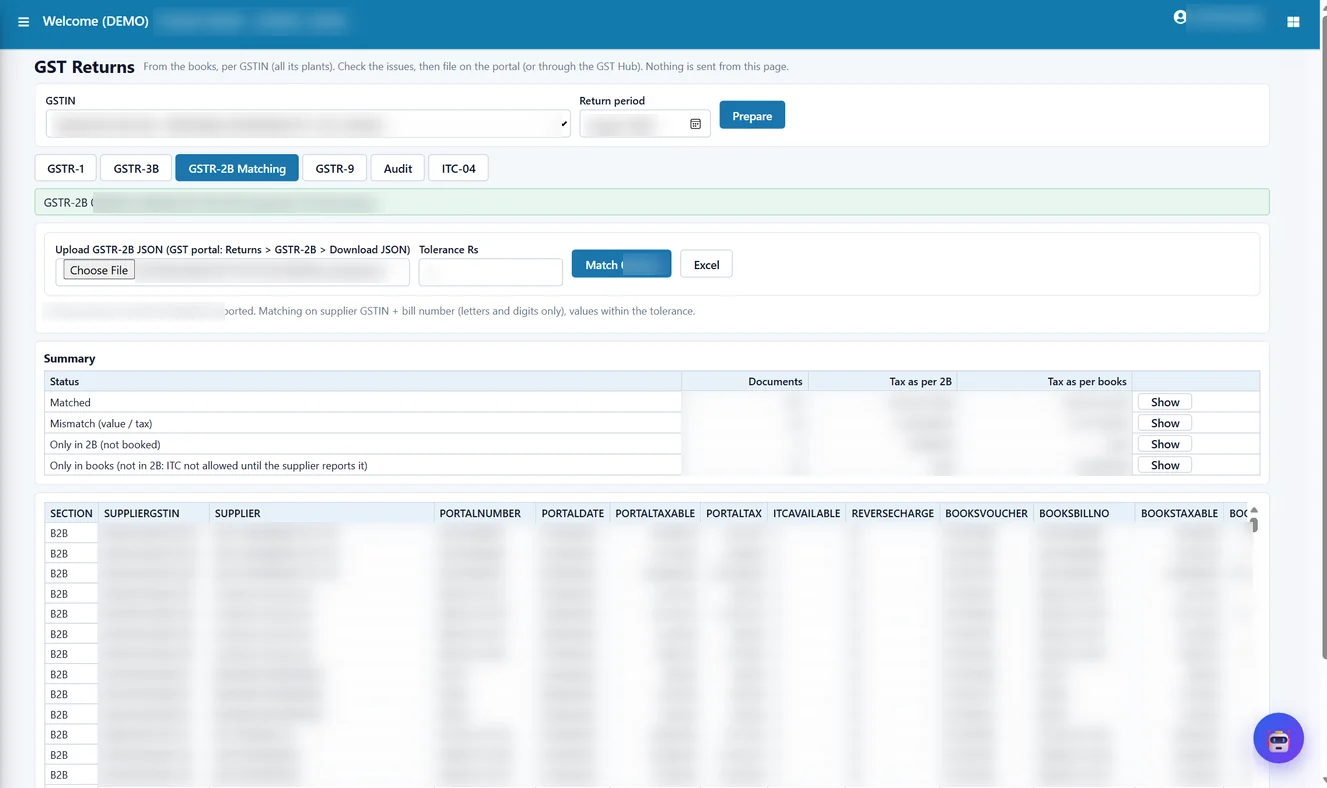
Upload the GSTR-2B JSON for the month. The ERP matches every document with the purchase books and places it in one of four groups:
- Matched – including bills where the supplier’s number is written in a different format from the purchase entry.
- Mismatch – the bill exists on both sides but taxable value or tax differs; portal and book values are shown side by side.
- Only in 2B – the supplier has reported a bill that is not in your books.
- Only in books – you have booked a bill that the supplier has not yet reported.
Step 3: GSTR-3B with set-off
GSTR-3B tables 3.1 (outward and reverse-charge supplies), 4A (input tax credit available) and 5 (exempt, nil-rated and non-GST inward supplies) are prepared from the books. The ERP also works out the set-off of input tax credit against the tax liability in the order required by Rule 88A, under which IGST credit is used first, and shows the balance payable in cash.
Step 4: Audit checks, then filing
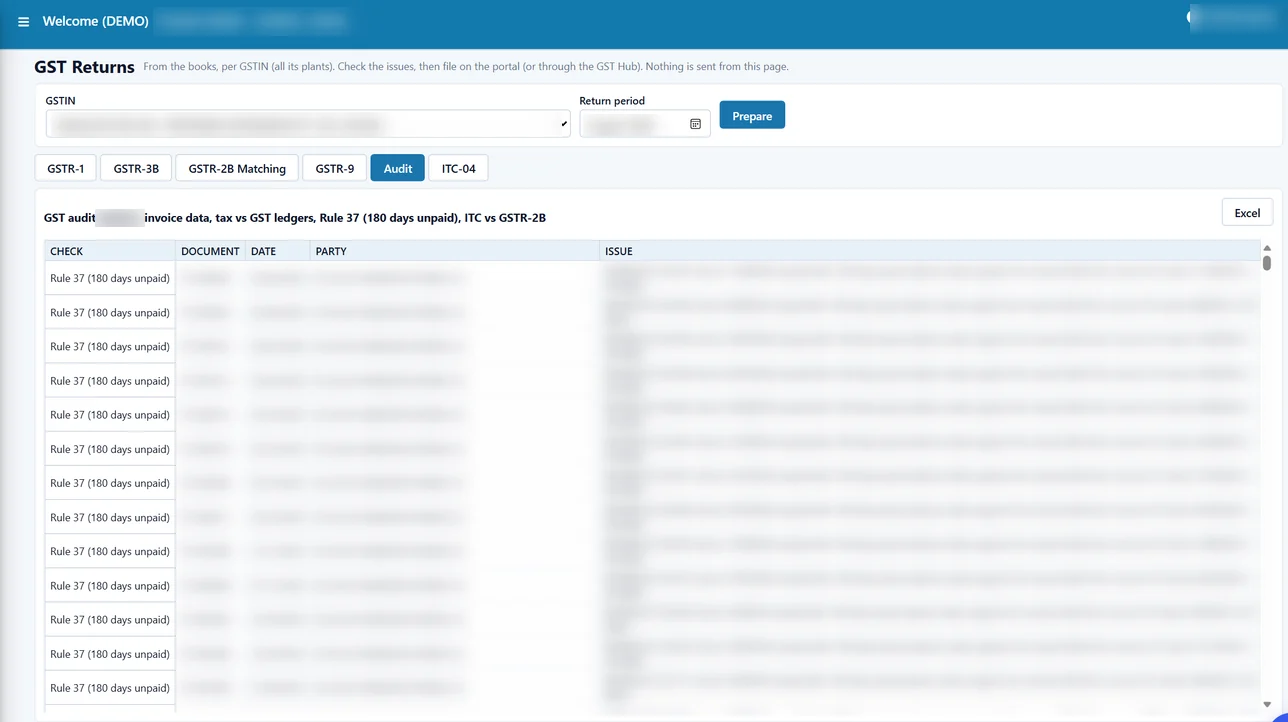
Before filing, the GST audit runs three checks for the period (explained below). The returns are then filed from the ERP. Connection settings are stored encrypted, secret values are masked on screen, and every request is written to a log, so there is a record of what was prepared and sent and when.
Worked example: one month of GSTR-2B matching
Tejaxo Manufacturing uploads its GSTR-2B for August 2026 (192 documents). The purchase books for the month hold 200 bills. The matching result:
| Group | Documents | What the accountant does |
|---|---|---|
| Matched | 180 (6 with a different bill-number format) | No action; credit can be claimed |
| Mismatch | 8 | Check the bill: correct the booking, or ask the supplier to amend |
| Only in 2B | 4 | Find the bill; book it if received, or query the supplier |
| Only in books | 12 | Follow up with the supplier to report the bill |
In the first mismatch row above, the books carry 18% tax on INV-0045 while the supplier has reported 12%. Without matching, the company would claim Rs 6,000 more credit than the supplier has reported. The 6 bills with a different number format would have appeared as “missing” in a manual tick-mark exercise, creating needless follow-ups with suppliers.
GST audit checks before you file
Rule 37: suppliers unpaid for 180 days
Under Rule 37 of the CGST Rules, if a supplier is not paid within 180 days from the invoice date, the input tax credit taken on that bill must be reversed; it can be claimed again once payment is made. Because Tejaxo ERP tracks payments bill by bill, the audit lists bills that have crossed 180 days unpaid. For example, a sample bill INV-0012 dated 15 March 2026 for Rs 59,000 (Rs 50,000 + Rs 9,000 GST), still unpaid in September 2026, appears on the list with Rs 9,000 of credit to review.
Ledger tax vs invoice tax
This check compares the tax on each invoice with the tax actually posted to the GST ledgers. A difference usually means a wrong ledger or a manual journal that did not follow the invoice.
Credit claimed vs GSTR-2B
This check compares the credit in the books with the credit available in GSTR-2B, so excess claims are caught before GSTR-3B is filed.
Finance checks that protect GST data
The Finance Audit and Controls screen runs one-click checks across the books: vouchers where debit does not equal credit, postings to a fallback ledger, bills settled for more than their amount, openings that do not match last year’s closing, and the same GSTIN on many parties – a common source of wrong supplier data in GST returns. These checks only read the data; corrections are made in the voucher or master.
Annual return and job work
GSTR-9 annual tables are prepared from the books for the financial year, including tax paid and the HSN summary, so the annual return starts from the same data as the monthly returns. Manufacturers who send material to job workers can also prepare ITC-04 from the ERP – see ITC-04 filing from the ERP. Older summary reports – sales invoice-wise data for GSTR-1, purchase invoice-wise data for GSTR-2 and a GSTR-3B report – remain available for accountants who prefer them.
Common mistakes the ERP prevents
- Re-keying sales data into the return – GSTR-1 is built from posted invoices, and the Issues tab flags problems first.
- Claiming credit the supplier never reported – 2B matching and the credit-vs-2B check show the gap.
- Missing Rule 37 reversals – bill-wise payment tracking lists bills unpaid for 180 days.
- Wrong party GSTINs – duplicate GSTINs across parties are flagged, and party GSTINs can be checked from the GST hub.
- No record of what was filed – every request to the portal is logged.
A monthly checklist for the accounts team
- Confirm that all sales invoices, credit notes and purchase bills for the month are posted.
- Prepare GSTR-1 and clear everything on the Issues tab.
- Upload GSTR-2B and work through the mismatch, only-in-2B and only-in-books lists.
- Run the GST audit: Rule 37, ledger tax vs invoice tax, and credit vs 2B.
- Prepare GSTR-3B, review the set-off and the cash payable, then file.
Each step uses the same books, so a correction made in step 3 automatically flows into step 5.
Who it is for and how Tejaxo implements it
This setup suits manufacturers who raise invoices and book purchases in the ERP and want returns to come from the same data – from single-plant units to multi-plant companies with several GSTINs. Smaller manufacturers can read more on our ERP for small manufacturing businesses page; the full module list is on the Tejaxo ERP page.
Implementation starts with a discovery session with your accounts team to map GSTINs, ledgers and current return practice. We then run a pilot on your own books for a live month, compare the ERP returns with what you filed, and fix any master or ledger issues the audit checks reveal. Go-live includes training for the accounts team, and the same team supports you afterwards. Our approach is described on the ERP implementation page.
To see GSTR-1, 2B matching and the audit checks on sample data, book a free demo or WhatsApp us at +91 96717 27474.
Frequently asked questions
Can GST returns be filed directly from Tejaxo ERP?
Yes. GSTR-1 and GSTR-3B are prepared from the books and filed from the ERP, and every request is recorded in a log.
How does GSTR-2B matching work in Tejaxo ERP?
You upload the GSTR-2B JSON and the ERP matches each document with the purchase books, grouping them as matched, mismatch, only in 2B and only in books. Bills with a differently formatted number are still matched.
What is the Rule 37 check?
Under Rule 37, input tax credit must be reversed if the supplier is not paid within 180 days of the invoice date. Tejaxo ERP tracks payments bill by bill and lists bills that have crossed 180 days unpaid.
Can I download GSTR-1 as JSON?
Yes. The prepared GSTR-1 can be downloaded as Excel and as a GSTN JSON file.
Does Tejaxo ERP prepare GSTR-9?
Yes. GSTR-9 annual tables, including tax paid and the HSN summary, are prepared from the books for the financial year.
Does the ERP handle ITC-04 for job work?
Yes. ITC-04 Table 4 and Table 5A are prepared from the job-work records in the ERP.