
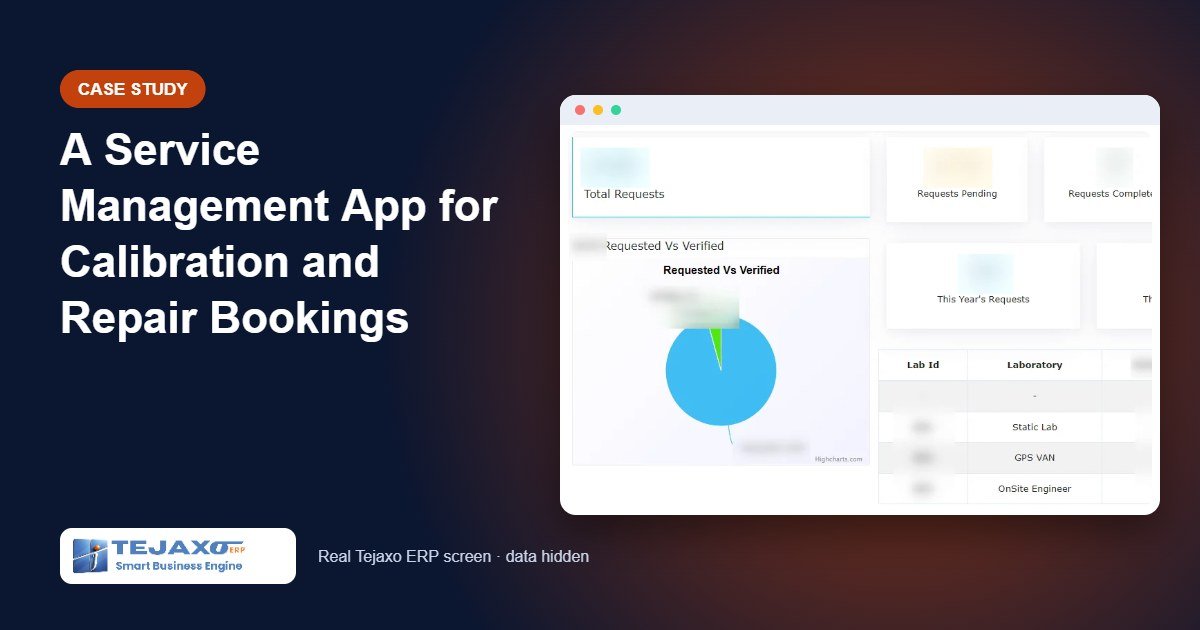
For a company that calibrates and repairs instruments, the service desk is often the busiest and least organised part of the business. Requests arrive by phone, email and WhatsApp, each with different details missing. The team spends the first day of every job asking for the instrument range, the accuracy class or a photo of the nameplate. Customers, in turn, keep calling to ask for the quote, the status and when the engineer will arrive. A service management app fixes this by putting the booking, the quote and the tracking in the customer’s hands.
This article describes, without naming the client, a customer app that Tejaxo built for an instrumentation calibration company. It covers how the booking flow was designed, what the customer sees, what the service team gets, and the lessons that apply to any field service business.
The problem with service requests by phone and email
A calibration request is only useful when it is complete. The lab needs to know the type of instrument, its range and the required accuracy before it can plan the work or give a price. When requests come in free text, three problems repeat:
- Incomplete details: every request needs a follow-up call before work can be planned.
- No reference number: customers cannot quote a booking ID, so every status enquiry starts with a search.
- Status calls: customers ring to ask where the request stands, where the van is and when the invoice will come.
The aim was a single app in which the customer provides all required details once, receives a request number, and can see the status, history and invoices without calling anyone.
What the customer sees: the booking flow
Login and sign-up
Customers log in with their own account, can reset their password, and new customers can sign up directly from the login page. Each customer’s bookings stay under their profile.
Home screen
The home page gives four clear choices: an events section for announcements, a button to book a calibration request, a button to book a repair and maintenance request, and WhatsApp integration for customers who prefer to chat.
Choosing the mode and type of calibration
The customer first chooses how the calibration will be done:
- at a calibration lab,
- through a mobile calibration van, or
- by an on-site service engineer.
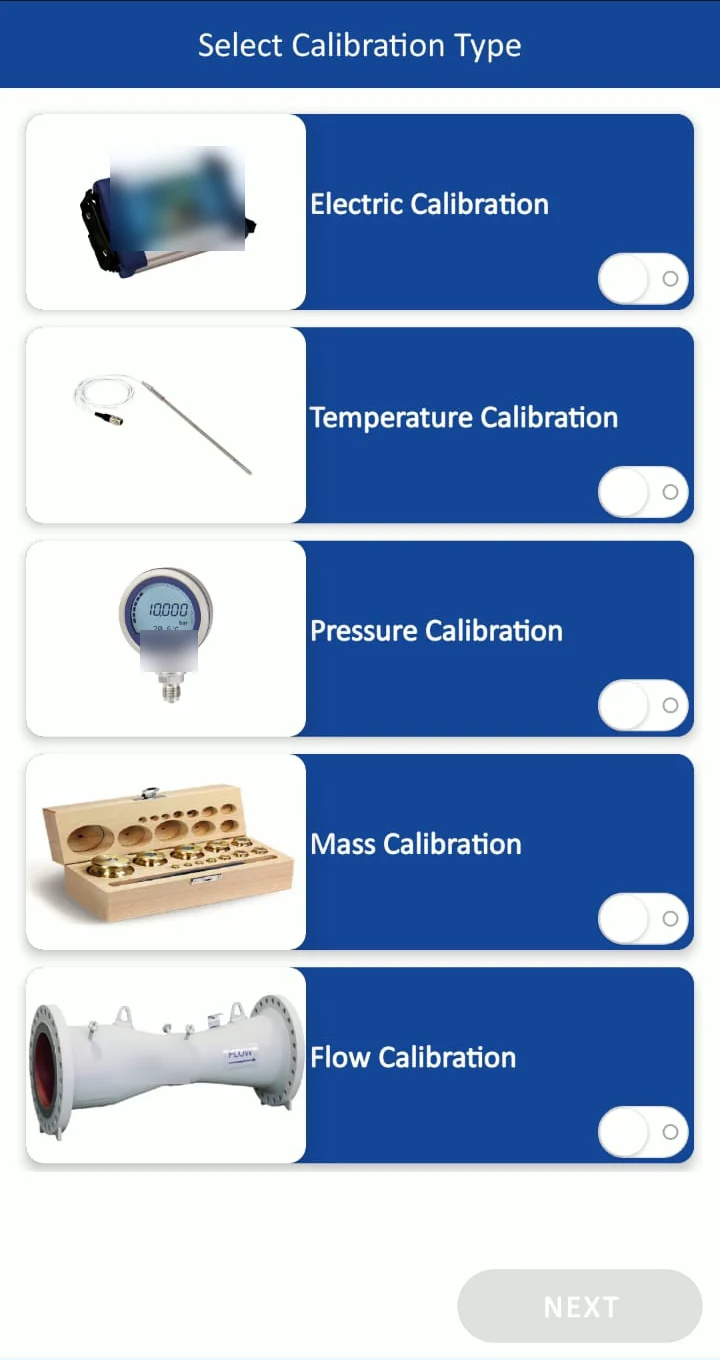
Then the calibration type: electrical, temperature, pressure, mass or flow. These choices drive the rest of the form, so the customer only sees fields that apply.
The calibration request form
The request form asks for the instrument, its range and its accuracy, mostly through pre-filled drop-down lists. Customers can attach images and technical documents, such as a nameplate photo or a datasheet. Drop-downs matter: they keep the data consistent, which makes it easy for the service team to plan and price.
Tentative quote and request number
Before submitting, the customer sees a tentative quote for the calibration service. On submission, the app generates a calibration request number for future tracking. From this point, every conversation can start with that number.
Repair and maintenance requests
A separate repair and maintenance form handles breakdowns and servicing, so these requests do not get mixed with routine calibration work.
After the booking: tracking without phone calls
A bottom menu keeps the most common customer actions one tap away:
| Menu | What it does | Calls it replaces |
|---|---|---|
| Home | Returns to the home page | – |
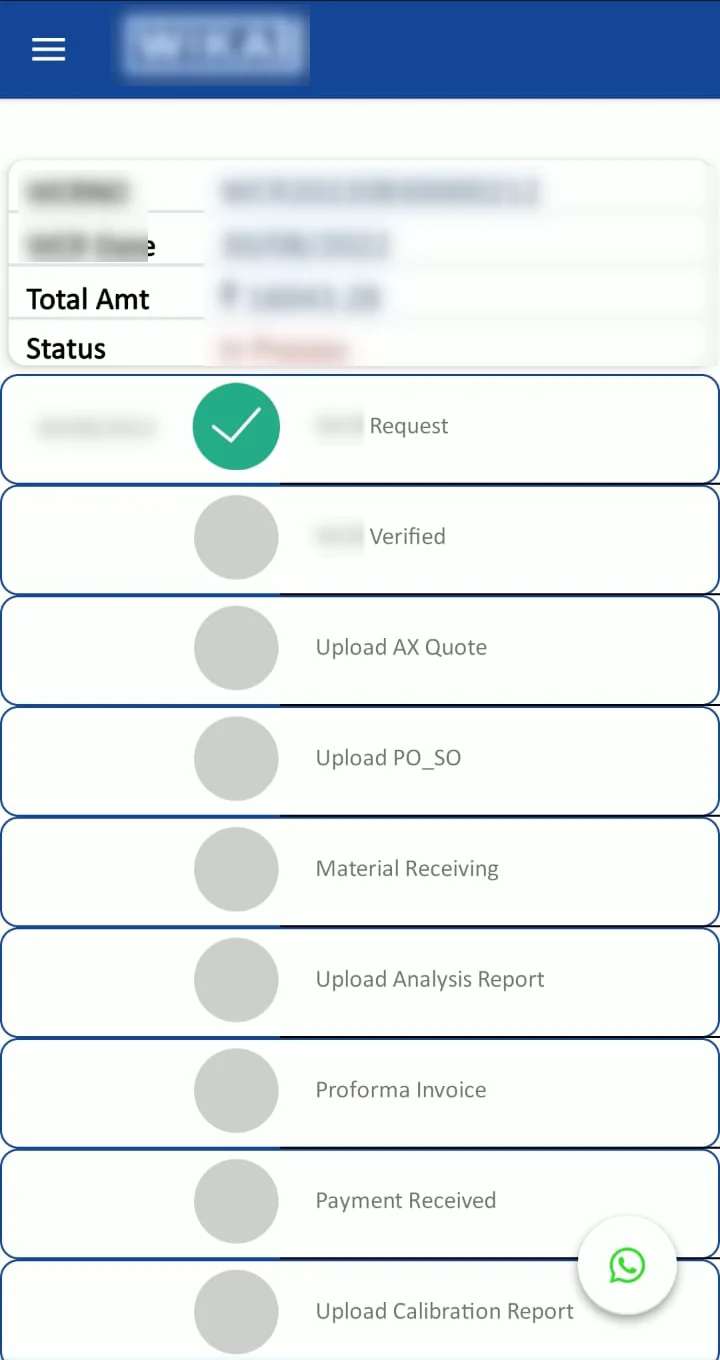
| History | Booking history, current status and invoice download | Where is my request? Please resend the invoice. |
| Request | Books a new calibration | Calls and emails to place an order |
| Call Us | Connects to the company’s toll-free marketing line | Searching for the right number |
| Locate Van | Live geo-tracking of the mobile calibration van | When will the van arrive? |
A side menu covers account tasks: edit profile, change password, contact details of the company’s locations, an email option and logout.
What the service team gets: the admin panel
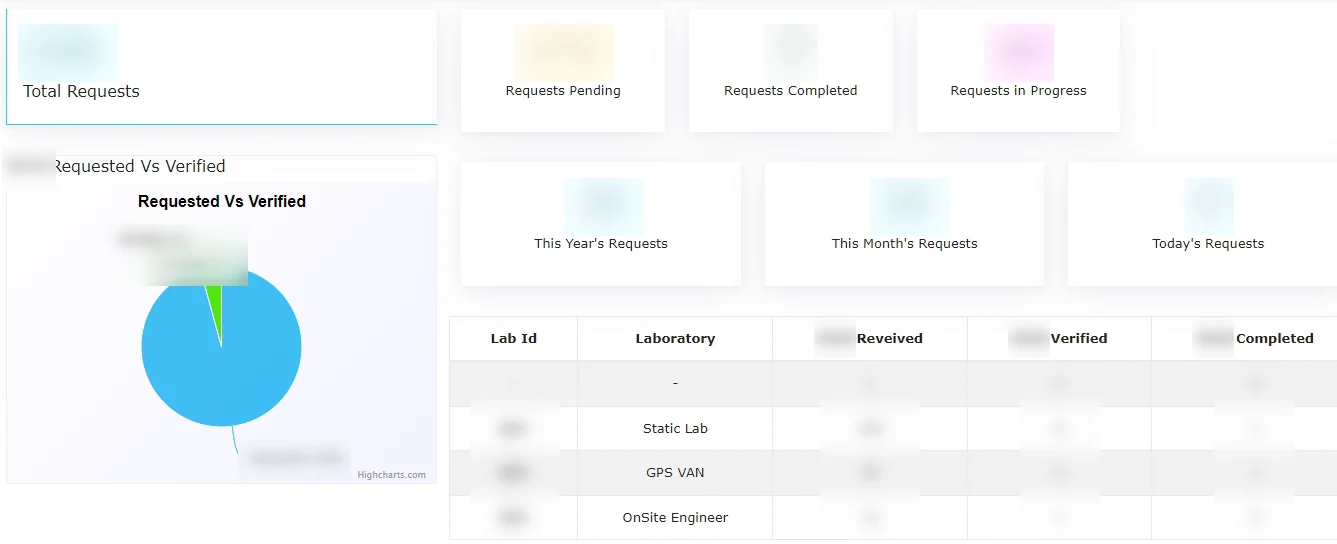
Every request lands in an admin panel used by the service team. Because the form is structured, the request arrives with the mode, type, instrument, range, accuracy and attachments already filled in. The team can plan the work without a first round of clarification calls, and the request number links the booking, the status updates and the invoice that the customer later downloads.
Why an app and not just a web form
Many service companies start with an enquiry form on their website. It is a reasonable first step, but it solves only the first minute of the customer’s journey. Once the form is sent, the customer is back to phone calls for the quote, the status, the visit time and the invoice. A dedicated app keeps the customer inside one place for the whole life of the request.
There is a second benefit that is easy to miss. Because each customer logs in, every booking is tied to a known account. Over time, the history screen becomes a record of every instrument the customer has sent for calibration and every repair raised. For a calibration business, where the same instruments return at regular intervals, that history is valuable to both sides: the customer can find past invoices quickly, and the service team sees the full relationship before it plans the next job.
Finally, a structured request is the foundation for any later automation. Reminders, status messages and reports all depend on clean fields such as mode, type, range and request number. Collecting them correctly at booking time is what makes the rest possible.
Worked example: one booking, end to end
Here is how a typical request moves through the app. All names and numbers are samples.
| Stage | Who | What happens |
|---|---|---|
| Booking | Tejaxo Customer | Books pressure calibration for 6 gauges, 0 to 10 bar, by mobile van; attaches nameplate photos |
| Quote | App | Shows a tentative quote before submission |
| Request number | App | Generates CR-0012 for tracking |
| Planning | Service team | Sees full details in the admin panel and schedules the van |
| Visit day | Tejaxo Customer | Uses Locate Van to see the van’s live position |
| Closure | Tejaxo Customer | Checks status in History and downloads invoice INV-0001 |
In this flow, the customer did not need to call once. The service team, meanwhile, received a complete request on the first attempt.
Plants that manage their own instruments can also read gauge calibration management software: a buyer guide.
Lessons for any field service business
- Structure beats free text. Drop-downs for instrument type, range and accuracy save more time than any other feature.
- Give a number at once. A request number on submission ends the search at the start of every status call.
- Show a price early. A tentative quote before submission filters out mismatched requests and builds trust.
- Answer the arrival question. Live van location removes the most frequent call on visit days.
- Keep a chat channel open. Some customers will always prefer WhatsApp; integrate it rather than fight it.
The same design works for equipment servicing, AMC visits, installation requests and warranty repairs. Where an ERP is in place, the next step is to connect the app so that service requests, invoices and customer records flow into one system. Tejaxo ERP already includes Tejaxo CRM for leads to orders to service tickets, and the WhatsApp CRM handles automated alerts and conversations. An AI agent on WhatsApp can also take service requests and send invoices and reminders.
How Tejaxo implements this
We begin with a discovery workshop to list your service types, the details each one needs and the questions customers ask most often. We then build and pilot the app on your own service catalogue and a small group of customers, adjust the forms from real feedback, and go live with training for the service team. Support after go-live comes from the same team that built the app. Read more about our approach to implementation.
Next step
If your service desk still runs on calls and spreadsheets, a booking app can change how customers experience your company. Book a free demo to discuss your service flow, or message us on WhatsApp at +91 96717 27474.
See it in a real plant: the calibration and repair booking app we built for an instrumentation company.
Frequently asked questions
What is a service management app?
It is a mobile application through which customers raise service requests, such as calibration or repair, and follow them until the job is closed. The service team receives the request with complete details in an admin panel instead of through scattered calls and emails.
Can customers get a quote before booking calibration?
Yes. In this case the app shows a tentative quote after the customer enters the instrument, range and accuracy, so the customer knows what to expect before submitting the request.
Does the app support on-site and lab calibration?
Yes. The customer chooses the mode of calibration: at a calibration lab, through a mobile calibration van, or by an on-site service engineer.
Can customers see where the calibration van is?
Yes. The Locate Van option shows live geo-tracking of the mobile calibration van, which reduces follow-up calls about arrival times.
Is WhatsApp connected to the app?
Yes. The app has WhatsApp integration from the home screen, so customers can move to a chat with the service team when they need to.
Can Tejaxo build a service app for our business?
Yes. Tejaxo builds web and mobile applications alongside Tejaxo ERP, including service-booking apps. We start with a discovery workshop to map your service types, forms and tracking needs.