
Most manufacturers make a budget at the start of the year and look at it again at the end. In between, the month’s numbers arrive, everyone looks at the profit line, and nobody compares power, freight or consumables with what was planned until the year is almost over. Budget vs actual reporting closes that gap: every month, each ledger is compared with its budget, the differences are classified, and the large ones get an owner and an explanation. This guide explains how to build a practical budget, read the variances and act on them, with a worked month of sample data.
A budget you can actually maintain
Detailed zero-based budgets are rarely kept up in a mid-sized plant. A practical starting point is last year’s actual for the same month, adjusted by a growth or change percentage per ledger. Sales may be planned at +10%, power at +8% for a tariff increase, consumables at +5%. The budget is set by ledger, by month and – for multi-plant companies – by plant, because one plant’s budget overrun should not hide inside another’s saving. Agree the growth percentages with the people who will be measured against them, so the budget is theirs and not only accounts’.
Which ledgers to budget first
A first budget does not need every ledger. Start with the lines that move the result: sales by product group or customer group, raw material, power and fuel, wages and contract labour, consumables and stores, repairs and maintenance, freight inward and outward, and finance cost. Together these usually cover most of the cost of a manufacturing business. Small administrative ledgers can be budgeted as a group and refined later. The aim in the first year is a budget that people use every month, not a perfect one that nobody opens.
Seasonality
Using last year’s same month as the base carries seasonality into the budget automatically: a plant that ships more before festivals or the financial year-end will have higher sales and freight budgets in those months. Spreading an annual figure evenly over twelve months, by contrast, makes every busy month look favourable and every quiet month adverse, and the variance report stops meaning anything. Where last year was unusual – a long shutdown, a one-time order – adjust that month by hand rather than copying it.
Favourable, adverse and not budgeted
- Favourable: income above budget, or an expense below budget.
- Adverse: income below budget, or an expense above budget.
- Not budgeted: a ledger with actual amounts but no budget at all – often the most interesting line, because nobody planned for it.
Show each variance in rupees and as a percentage of budget; a small ledger can be 30% over budget and still not matter, while a 4% miss on sales is serious money.
Worked example: one month
Tejaxo Manufacturing (sample data) budgets each ledger at last year’s same month plus a growth percentage:
| Ledger | Budget | Actual | Variance | % | Status |
|---|---|---|---|---|---|
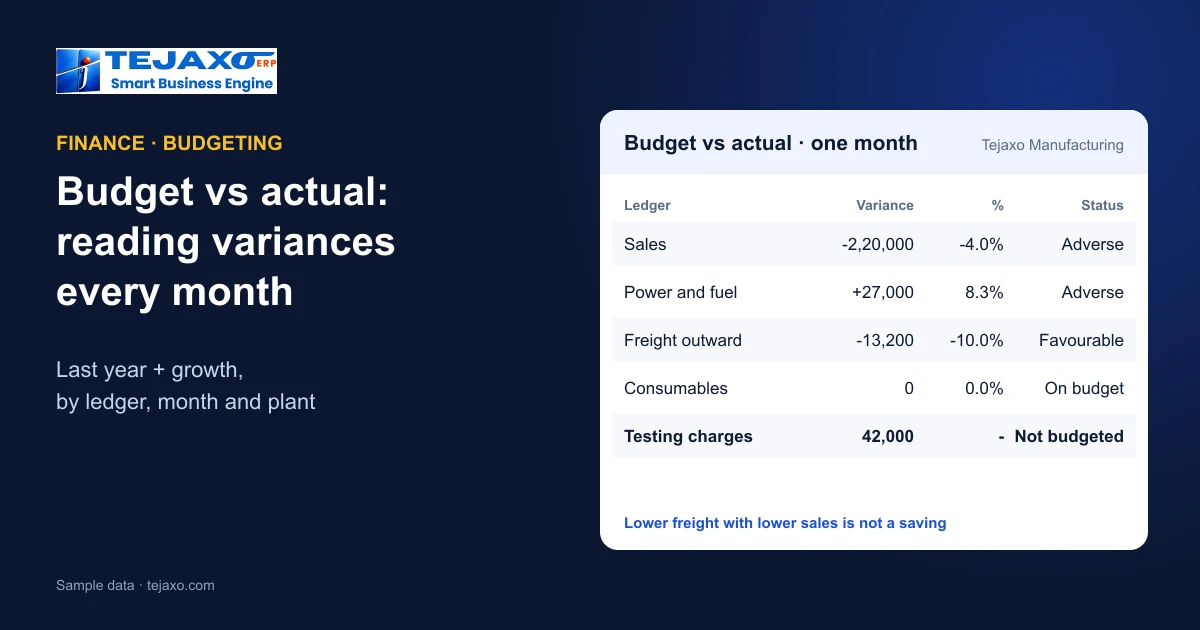
| Sales | 55,00,000 | 52,80,000 | -2,20,000 | -4.0% | Adverse |
| Power and fuel | 3,24,000 | 3,51,000 | +27,000 | 8.3% | Adverse |
| Freight outward | 1,32,000 | 1,18,800 | -13,200 | -10.0% | Favourable |
| Consumables | 84,000 | 84,000 | 0 | 0.0% | On budget |
| Testing charges | – | 42,000 | 42,000 | – | Not budgeted |
Sales were budgeted at 55,00,000 (last year + 10%) and came in at 52,80,000: 2,20,000 adverse, -4.0%. Power and fuel ran 27,000 over budget even though sales were lower – a sign of idle running, poor power factor or a tariff change, and worth a look at machine utilisation. Freight outward was favourable because fewer goods were dispatched, which is not a saving at all. Testing charges of 42,000 were never budgeted: either a new customer requirement or a one-off that should have been planned. Consumables landed exactly on budget, which is worth a quick check too: a perfect match month after month sometimes means costs are being posted to fit the budget rather than recorded as they happen.
Reading variances properly
- Check the volume first. Many expense variances follow sales up or down. Freight and packing below budget with sales below budget is not a saving.
- Separate price from quantity. Material cost over budget may come from higher rates or from more scrap; see purchase price variance.
- Look at the year to date, not only the month. A one-month spike may reverse; a steady drift will not.
- Ask about every not-budgeted line. It is either a gap in the budget or a cost that should not have happened.
Turning variances into action
- Set a threshold – for example, any variance over 5% and over a fixed amount – so the review covers what matters.
- Give each large variance an owner – sales for revenue, production for power and consumables, purchase for material rates, logistics for freight.
- Record the explanation and the action in the monthly review, and check next month whether the action worked.
- Re-forecast the rest of the year when a variance is clearly permanent, while keeping the original budget for comparison.
Budget by plant and by cost centre
In a multi-plant company, the same ledger can be on budget overall while one plant is well over and another well under. Budgeting by plant shows where to look; budgeting by cost centre – a department, a line or a machine group – shows who is responsible. Cost-centre profitability then shows which parts of the business earn their keep. See one-screen MIS for multi-plant owners.
Linking budget to cash
A budget that is met on profit can still strain cash if customers pay late or stock builds up. Review budget vs actual together with receivables and the short-term cash picture – see the owner’s daily dashboard and net liquid position and receivables ageing.
How Tejaxo ERP handles it
Tejaxo ERP supports budget vs actual with ledger-, month- and plant-wise budgets, can fill a budget from last year plus a growth percentage, and classifies each variance as favourable, adverse or not budgeted. Finance reports include ledgers, trial balance, P&L, balance sheet and cost-centre profitability, with multi-plant consolidated reports and one-click audit checks such as unbalanced vouchers and fallback-ledger postings, so the actuals behind the variance can be trusted. Every report exports to Excel and drills down to the vouchers.
Common mistakes
- Budgeting annually only, so seasonal months always look “wrong”.
- Reviewing the profit line alone, while individual costs drift.
- Treating every favourable variance as good news without checking volume.
- No owner per variance, so the same explanation is repeated every month.
- Postings to a suspense or general ledger, which hide costs from the budget lines they belong to.
Next step
See budget vs actual by ledger, month and plant on your own accounts in a free demo.
Frequently asked questions
What is budget vs actual analysis?
Comparing each ledger’s actual amount with its budget every month, classifying the difference as favourable, adverse or not budgeted, and explaining the large ones.
How can a manufacturer build a budget quickly?
Start from last year’s actual for the same month and apply a growth or change percentage per ledger, by plant where there are several plants, then refine the main lines.
What is a favourable and an adverse variance?
Favourable means income above budget or expense below budget; adverse means income below budget or expense above budget.
What does not budgeted mean?
A ledger with actual amounts but no budget. It shows either a gap in planning or a cost that should not have happened.
Is a favourable expense variance always good?
No. If sales were below budget, lower freight or packing cost simply follows lower volume and is not a saving.
Does Tejaxo ERP have budget vs actual?
Yes. It supports ledger-, month- and plant-wise budgets, can fill them from last year plus growth %, and shows variances as favourable, adverse or not budgeted.