
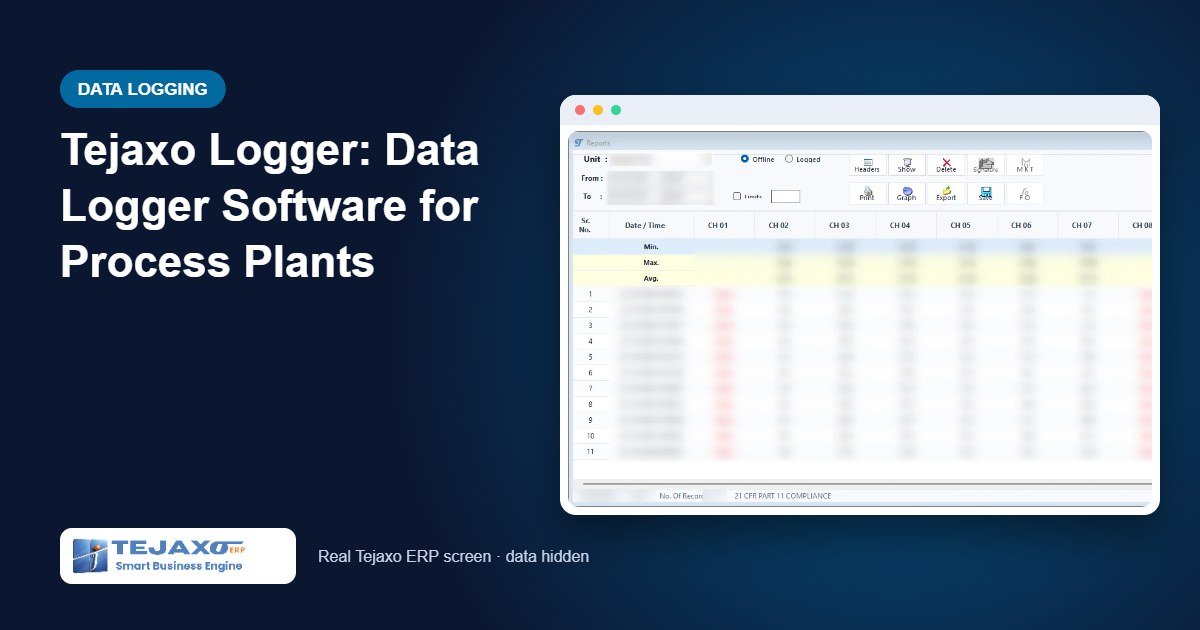
Temperature is the one process value that every quality auditor asks about. A stability chamber, a cold room, an autoclave, a reactor jacket or a drying oven – each needs a continuous record that shows the value stayed within limits, who looked at it and whether anyone changed anything. In many plants that record is still a chart recorder roll, a handwritten log sheet or a spreadsheet copied from an instrument once a week. Data logger software replaces that with readings taken automatically, stored in a database and printed as signed reports.
Tejaxo Logger is Tejaxo’s own data logger software, linked to Tejaxo ERP. It reads temperature and process instruments over RS-485 / RS-232 using Modbus RTU, logs every reading and produces audit-ready reports, including mean kinetic temperature (MKT) and F0 sterilisation value. This article explains how it works and what it gives a quality team.
What Tejaxo Logger does
- Online scanning – reads every enabled instrument at the scan interval and shows live values and alarms.
- Data logging – saves one record per instrument at the save interval into the database: time stamp, the value of every channel, alarm set points and alarm states.
- Logger download – downloads readings stored inside data-logger instruments, so data recorded while the PC was not connected is not lost.
- Instrument setup – reads and writes zero, span, alarm set points, decimals and latches on the instrument itself.
- Reports and graphs – data, alarm, scheme and audit reports, trend graphs, and MKT and F0 calculations.
- Security – individual logins, access rights per command, password ageing, automatic log-off and a full audit trail.
It runs on Windows 8, 10 or 11 (32- or 64-bit) and needs no hardware key. A serial port or a USB-to-RS-485 converter connects the PC to the instruments. Excel is optional: without it, exports are written as CSV files.
Modbus data logging, step by step
Getting from a new installation to logged data takes five configuration steps.
1. Communication settings
Select the COM port and set baud rate, parity, data bits and stop bits exactly as configured on the instruments (commonly 9600, None, 8, 1). Every change of port settings is recorded in the audit log with old and new values.
2. Units
Each instrument on the RS-485 line is added as a unit with its Modbus ID (1-255), a clear name such as “Stability Chamber 1” and its product model. Duplicate Modbus IDs are refused, and the unit’s channels are created automatically.
3. Channels
Channels are read from the instrument and can be enabled, disabled and given short descriptions. Alarm 1 and Alarm 2 set points, alarm type (HIGH or LOW), decimal point and, for linear 4-20 mA or 0-10 V inputs, zero and span are set here. For models without on-board alarms, the settings are kept in the database and the software calculates the alarm status.
4. Intervals
The scan interval decides how often values are read and shown (minimum 10 seconds). The save interval decides how often one record per unit is stored (minimum 10 seconds and never less than the scan interval). For example, scan every 10 seconds and save every 600 seconds gives live values every 10 seconds and one stored record every 10 minutes.
5. Start
Press Start. Each unit’s caption shows Reading, then OK or an error. If a read fails, the unit shows the error and no record is stored for that cycle – the software never fills a gap with an invented value. Logging out does not stop scanning; data keeps being saved.
Alarms and trend graphs
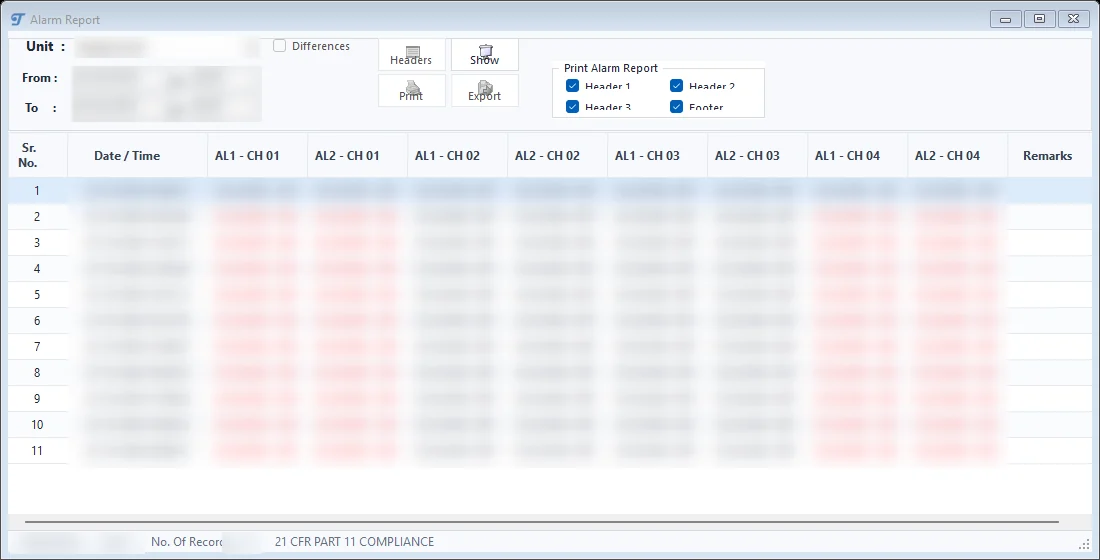
The online data view shows each channel’s process value, its two alarm set points and status. An alarm ON is shown in red; sensor problems appear as Open, Over, Under or Fault. Every alarm change during scanning is listed with unit, channel, time and value, and the alarm report can show only the moments an alarm changed state.
Trend graphs allow zooming into a time range, two Y-axes, markers on individual readings and limit lines, and can be saved as images or printed. A scheme groups channels from several units – for example all probes of one cold room – into one graph and one report with MIN, MAX and AVG rows.
MKT calculation and F0 value – worked examples
Mean kinetic temperature (MKT)
MKT expresses a fluctuating storage temperature as one equivalent temperature that reflects its effect on a product. Because higher temperatures weigh more, MKT is usually above the simple average. In the data report, select the rows (or none for all), press MKT, choose the channel and period, check the activation energy ΔH and gas constant R, and calculate. The software uses:
MKT = (ΔH/R) / -ln( Σ e^(-ΔH/(R·Ti)) / n ) - 273.15, with Ti in Kelvin. Readings with sensor errors are excluded.
| Sample reading | Temperature |
|---|---|
| Reading 1 | 20.0 °C |
| Reading 2 | 25.0 °C |
| Reading 3 | 30.0 °C |
| Arithmetic average | 25.0 °C |
| MKT (ΔH = 83.144 kJ/mol, R = 8.3144 J/mol·K) | 25.86 °C |
The result can be printed with the report header or saved and reopened later.
F0 sterilisation value
F0 converts a heat-sterilisation cycle into equivalent minutes at a reference temperature. Enter the reference temperature T (normally 121.1 °C) and Z (normally 10 °C); the software calculates F0 = Σ 10^((Ti - T) / Z) · Δti, where Δti is the minutes between consecutive readings.
| Minute | Temperature | Lethality 10^((Ti-121.1)/10) |
|---|---|---|
| 1 | 119.1 °C | 0.631 |
| 2 | 120.1 °C | 0.794 |
| 3 | 121.1 °C | 1.000 |
| 4 | 121.1 °C | 1.000 |
| 5 | 122.1 °C | 1.259 |
| 6 | 121.6 °C | 1.122 |
| F0 (1-minute intervals) | 5.81 minutes | |
Doing this by hand for a full cycle with hundreds of readings is slow and error-prone; the software calculates it directly from the stored readings.
Reports, signatures and the audit trail
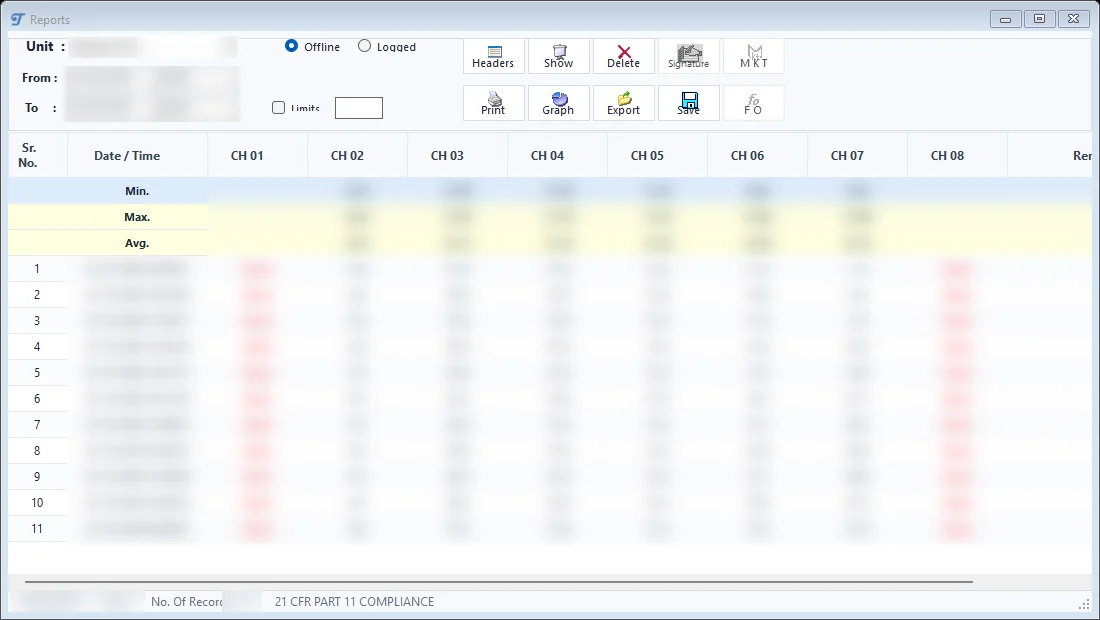
The data report shows a unit’s scanned or downloaded data for any period, with the chosen channels and optional MIN, MAX and AVG rows. Users can add remarks to a row; remarks are stored and audited. The print preview carries the company header, the period, page numbers, “Created by / on” and two signature lines. Reports can be exported to Excel or CSV and saved for later viewing.
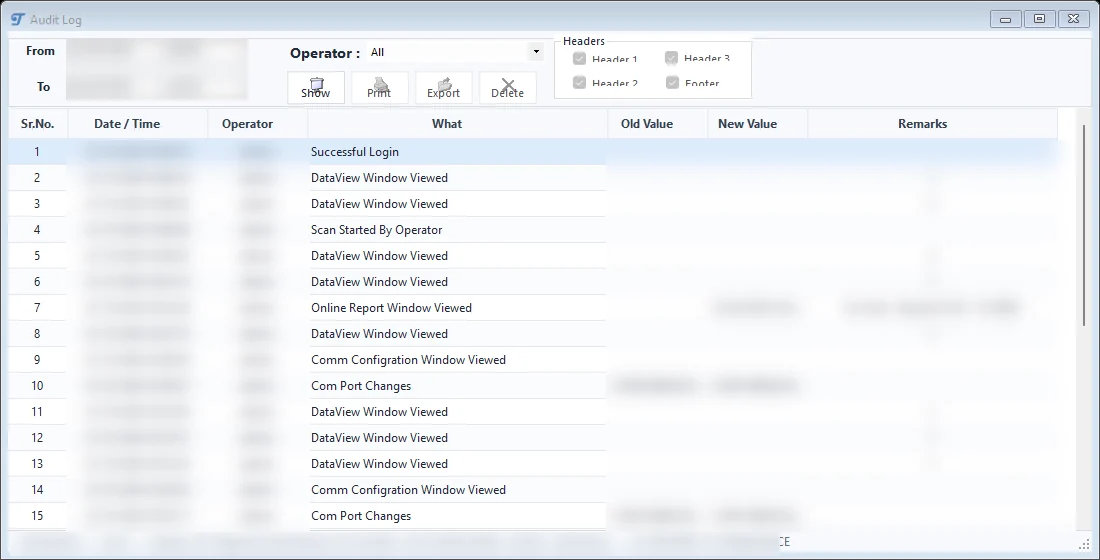
The audit log lists date and time, operator, action, old value, new value and remarks. Logins, failed attempts, configuration changes, report views, exports, deletions and downloads are all recorded. Deleting records requires confirmation and is itself written to the audit trail.
User security covers individual login names, a configurable password length, a retry limit after which the user is locked, password validity and expiry warnings, and automatic log-off after a set number of idle minutes (scanning continues). Access rights are set per command and per report button – print, export, delete and MKT are rights of their own.
Together, these give Tejaxo Logger an audit trail designed to support 21 CFR Part 11 requirements. Meeting the regulation also depends on the site’s own procedures: one login per person, regular review of the audit log and backups before any deletion.
Common mistakes the software helps prevent
- Shared logins – every action carries a user name, and accounts can be deactivated instead of deleted once used.
- Silent gaps – failed reads are shown as errors, not filled in.
- Unrecorded set-point changes – port, channel and alarm changes are logged with old and new values.
- Lost data – a built-in backup copies and compacts the database; a weekly backup and a backup before deleting data are recommended.
- Duplicate addresses on the bus – duplicate Modbus IDs are refused at setup.
Who it is for and how Tejaxo implements it
Tejaxo Logger suits plants that must prove temperature or process conditions: pharmaceutical stores and stability rooms, sterilisation, chemical reactors and ovens, and any process monitored by Modbus instruments. See also our ERP for pharmaceutical manufacturers and ERP for chemical manufacturers, For recipe-driven batch control, Tejaxo SCADA complements the logger; both are listed with our other products.
Implementation follows our usual approach: a discovery visit to list instruments, addresses and reports; a pilot on your own instruments; go-live with training for operators and the quality team; and support by the same team afterwards. Details are on our ERP implementation page.
To see Tejaxo Logger on live instruments, book a free demo or WhatsApp us at +91 96717 27474.
Frequently asked questions
Which instruments can Tejaxo Logger read?
It reads temperature and process instruments over RS-485 or RS-232 using Modbus RTU, with Modbus IDs from 1 to 255 on one line. It can also download readings stored inside data-logger instruments.
How does Tejaxo Logger help with 21 CFR Part 11?
Tejaxo Logger has an audit trail designed to support 21 CFR Part 11 requirements: individual logins, access rights, password ageing, automatic log-off and a full audit log. Compliance also depends on the site procedures around the software.
Can Tejaxo Logger calculate MKT and F0?
Yes. MKT and F0 are calculated from the stored readings for a selected channel and period, and the results can be printed and saved.
What is the minimum logging interval?
The minimum scan and save interval is 10 seconds, and the save interval can never be shorter than the scan interval.
Does Tejaxo Logger need special hardware?
No hardware key is needed. It runs on Windows 8, 10 or 11 with a serial port or a USB-to-RS-485 converter wired to the instruments.
Is Tejaxo Logger linked to Tejaxo ERP?
Yes. Tejaxo Logger is a Tejaxo product linked to Tejaxo ERP.