
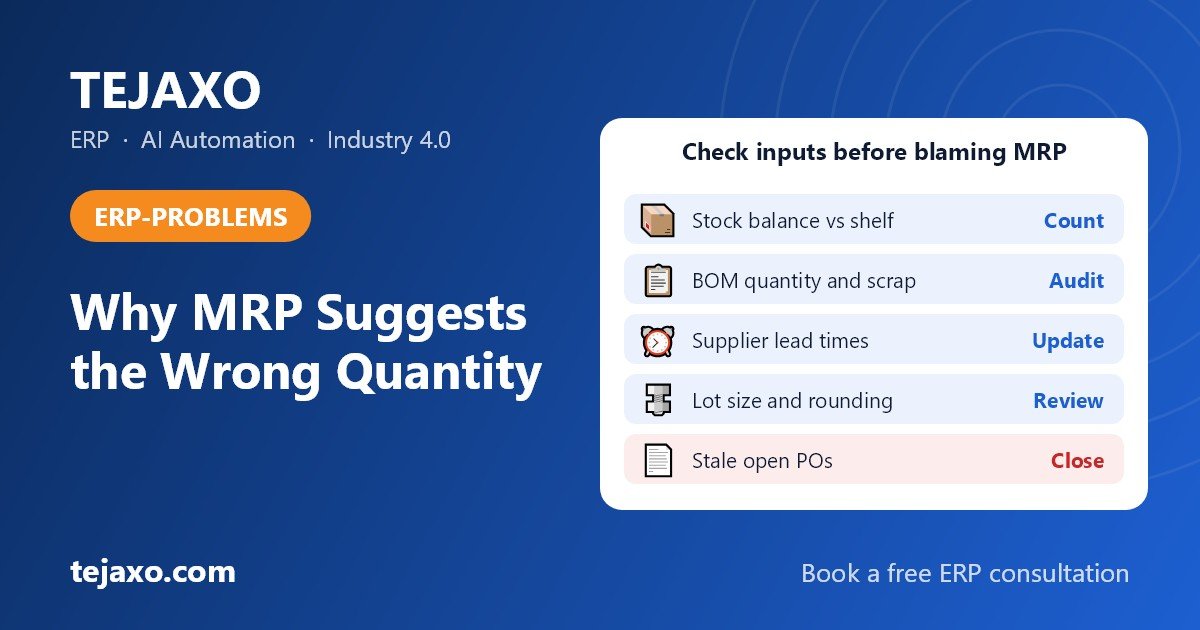
When MRP suggests the wrong purchase quantity, the cause is usually bad input data or a planning parameter nobody has reviewed, not a broken calculation. The usual culprits are inaccurate stock balances, wrong BOM quantities, unrealistic scrap or yield percentages, outdated supplier lead times, and lot-size or rounding rules left at their defaults. The fastest way to find the culprit is to rebuild one suggested quantity by hand and see which input moves the number.
MRP (material requirements planning) is the calculation that turns customer demand into a list of what to buy and when. It takes the demand, explodes it through the bill of materials (BOM, the list of components needed per finished product), subtracts what you already have or have on order, and suggests a quantity. If any of those inputs is wrong, the answer is wrong, however good the software is.
Why is MRP suggesting more than I need?
Over-suggestion means the system believes it needs more material than the plant really does. Check these causes first:
- Stock balance lower than the real shelf. Receipts, returns from production or found stock were never posted, so the system sees a shortage that does not exist.
- Think of a returnable job work challan (RGP) left open for four months after plating or machining. The material is booked out of your store, and unless it is counted as stock at the job worker or netted against the expected return, MRP sees a shortage and orders again.
- A coil bought in MT and stocked in kg needs a factor of 1,000. If someone keyed 100, every receipt is booked at a tenth of its real weight and the system keeps asking for more.
- BOM quantity too high. After a design change, the old quantity per assembly often stays behind in the BOM while the drawing and the shop floor have moved on.
- Scrap counted twice. The same loss can be built into the BOM line and again as a scrap percentage on the item, and each one adds its own uplift to the requirement.
- Safety stock stacked at several levels. A buffer on the finished product, another on the sub-assembly and a third on the raw material all add up when the demand is exploded.
- A large minimum order or rounding value can hide a small shortage. In one public ERP forum thread, a shortage of 26 units produced a requisition of 500 because of the lot size, and the planner saw only the 500. A weekly or monthly lot size has a similar effect, because it groups a whole period’s demand into one order on the first date.
- Stock exists but MRP orders again. The material may sit in a location MRP does not count, such as another plant, a quality-hold bin or a reserved location, or the open PO may be against a different item code or unit and so is ignored as supply.
- Old forecast quantities that were never removed get added on top of real sales orders.
A related question is why a subcontracting component shows a requirement. When a job worker or subcontractor makes an item, the BOM of that item still lists the components you must send, so MRP rightly creates a requirement for them. It looks wrong when material already sent is not counted, or when the component is marked as supplied by the subcontractor as well. Check which party supplies each component. Our page on job work and RGP tracking shows how material at a job worker can be followed.
Why is MRP suggesting less than I need?

Under-suggestion is the more dangerous error, because it shows up as a line stoppage rather than extra stock. The common causes are:
- System stock higher than the shelf. Issues to production, scrap and damaged goods were not booked, so the system believes material is present when it is not.
- Rejected or quality-held material is physically there but cannot be used, and the same applies to stock already reserved for another job or owned by someone else (consignment). If MRP counts these as free, the suggestion shrinks.
- Missing scrap or yield. The BOM shows the net quantity in the finished product, but the process loses material, so the real need is higher than the calculation.
- The purchase unit and stock unit may be linked by a factor that is too large. A receipt in kg is then booked as far more pieces than arrived, and the shortage never appears.
- A PO raised before a price revision and never closed still counts as incoming supply a year later, even though the supplier will never deliver against it.
- Lead time shorter than reality. The order is suggested late or in a later time bucket, which looks like a low quantity now and a rush later. For imported items, the time that matters runs until the goods are shipped, cleared and in your store, so a lead time quoted from the PO date or the supplier’s dispatch date makes the order late.
| Symptom | Most likely input | Quick check |
|---|---|---|
| Too high | Stock balance lower than physical | Count the item and compare with the system |
| Too high | Material at job worker not counted | Compare open job work challans with stock at the job worker |
| Too high | Scrap counted twice | Compare BOM line loss with the item scrap percentage |
| Too high | Minimum lot or rounding value | Read the lot-size and rounding fields on the item |
| Too high | Safety stock at several BOM levels | List buffers for the item and its parents |
| Too low | Rejected or held stock counted as free | Check which stock locations MRP includes |
| Too low | No scrap or yield on the item | Compare actual consumption with BOM quantity |
| Too low | Import lead time too short | Compare PO date with the date goods were cleared and received |
| Either | Wrong kg, MT or piece conversion | Check stock unit against purchase unit and the factor between them |
| Either | Stale open POs or requisitions | Review POs past their promised date |
How do I check an MRP calculation by hand?
Pick one item and one suggestion, and rebuild it step by step. A common order is: gross requirement, add scrap, add safety stock, less on hand, less open PO, then lot size and rounding. Below is a sample with clearly invented numbers for Tejaxo Manufacturing. Product A needs 4 M8 bolts, demand is 500 pieces, scrap is 5%, safety stock is 100 bolts, an open PO has 200 bolts, and bolts are bought in boxes of 250. The system shows 340 bolts in stock, while a count finds 215 usable bolts on the shelf.
| Step | System view (stock shows 340) | Real view (shelf has 215) |
|---|---|---|
| Gross requirement (500 × 4) | 2,000 | 2,000 |
| Add 5% scrap | 2,100 | 2,100 |
| Add safety stock of 100 | 2,200 | 2,200 |
| Less on hand | 340 | 215 |
| Less open PO | 200 | 200 |
| Net requirement | 1,660 | 1,785 |
| Round up to multiple of 250 | 1,750 | 2,000 |
Your ERP may apply safety stock and scrap in a different order or per time bucket. Confirm the rule in your system before treating a mismatch as an error.
Suppose the 125-bolt gap is 85 bolts issued to the line but never booked, plus 40 bolts rejected at inspection but still counted as free stock in the system. The physical count of 215 counts only usable stock; the 40 rejected bolts sit in the quality hold area and are not in that figure. A stock error of 125 bolts changed the order by 250 because of rounding. This is why a small data error can look like a large planning error. If the BOM quantity were really 3, the gross requirement would drop to 1,500 and the suggestion would move again.
The scrap uplift above is simplified. A 5% yield loss is strictly handled by dividing by 0.95 (2,000 ÷ 0.95 is about 2,105), not by multiplying by 1.05. Check which rule your ERP uses before you compare its number with yours. Repeating this exercise for three or four important items shows whether the fault sits in stock, BOMs or planning parameters.
Why does the MRP suggestion change every time I run it?
Small changes in demand, a moved delivery date or a revised forecast can shift how orders are grouped by the lot-size rule, so a suggestion that looked settled yesterday moves today. Planners call this MRP nervousness. Published academic papers on it find that unstable schedules driven by forecast error can be reduced by an appropriate lot-sizing rule and by freezing part of the schedule. This is a short summary of that finding, not a literature review.
- Choose an appropriate lot-sizing rule for each class of item, instead of one rule for all.
- Freeze the near-term horizon, so orders inside it change only when a planner decides.
Two more measures are common planning practice rather than findings we credit to that research:
- Hold safety stock at the end item rather than at every BOM level.
- Use lot-for-lot below the top level, so a change at the top is not amplified by rounding at each level below.
If a suggestion keeps moving, compare two runs on the same item and see which input or rule changed between them.
Is it the MRP or my data?
Treat it as a data or parameter problem until the hand calculation proves otherwise. Follow this order:
- Take one suggestion that looks wrong and write down item, quantity, date and the reason shown by the system.
- Rebuild the gross requirement from open sales orders and the BOM. If this does not match, the BOM or the demand is wrong.
- Count the item physically, including quality-hold, production-floor and job worker locations, and compare with the system balance.
- List every open PO and requisition for the item, and remove or correct any that are stale.
- Read the item’s planning parameters: lead time, safety stock, scrap or yield, lot size, rounding value, purchase unit and stock unit.
- Apply the parameters in the order your ERP uses (see the note under the calculation table). If your answer equals the system answer, the software is working and the inputs are the problem.
If your answer still differs from the system, check for settings such as a planning profile or time-bucket rule that the item inherits without anyone noticing. Public ERP community threads on this question often point to lot size and rounding values, and the same fields are worth reading first in any other ERP.
How accurate must BOMs and stock be for MRP?
Accurate enough that planners stop correcting the suggestion by hand. MRP multiplies small errors across every order, so even a modest mistake in a BOM line repeats on every job. Many planners use roughly 95% for inventory record accuracy and 98% for BOM accuracy as rules of thumb. They are not standards, and they may not suit every plant, so set your own targets, measure them monthly and tighten them as the data improves.
Four measures are worth tracking:
- Inventory record accuracy: the share of counted items where system and shelf match within tolerance.
- BOM accuracy: the share of audited BOMs that match the drawing and actual consumption.
- Planner override rate: how often planners change the suggested quantity. A high rate means the planners no longer trust the data.
- Lead-time variance: promised delivery time against actual time from the goods receipt.
How do I fix MRP inputs step by step?
Do not try to clean everything at once. Start with the items that cost the most and hurt the most, and then widen the circle.
- Rank items by value and risk. Use an ABC classification so that high-value and line-stopping items are cleaned first. See our guide to ABC and FSN analysis with cycle counting.
- Count stock for those items. Include material lying with job workers, matched against open job work challans. Post differences with a reason, and fix the process that caused them, such as unposted issues or receipts.
- Audit the BOMs. Check quantity per assembly, units, alternates, phantom assemblies and co-products against the drawing and real consumption. A multi-level view makes errors easier to see; read more about a multi-level BOM tree.
- Set scrap and yield from actuals. Use real consumption against standard, and keep loss in one place only so it is not counted twice.
- Update supplier lead times from receipt history. Compare the promised date on each PO with the date material was actually received. For imports, measure to customs clearance and receipt in store.
- Check units of measure. Confirm the kg, MT and piece factors between purchase unit and stock unit for your high-value items.
- Review lot size, rounding and safety stock. Use different rules for different classes of item instead of one default. Lot-for-lot suits high-value items, while fixed quantities suit low-value items. Our note on reorder level, safety stock and EOQ explains the formulas.
- Close stale POs and requisitions. Anything past its date with no delivery expected should be cancelled or re-dated.
- Assign owners. Engineering owns BOM quantities, stores owns stock accuracy, purchase owns lead times and MOQs, and planning owns scrap and safety stock rules. Review each on a fixed schedule.
For the BOM audit in step 3, a tree view that multiplies component quantities for a chosen finished-goods quantity lets you check the numbers against the drawing line by line.
What should a good ERP do about wrong MRP quantities?
An ERP cannot make bad data good, but it should make bad data visible and hard to create. Look for these capabilities:
- An explain-the-calculation view, where the planner sees demand, stock, open orders and parameters for one suggestion on a single screen and can trace each figure to its source document.
- Version control on BOMs. Changes to a quantity are approved, dated and traceable, so an old figure is not silently overwritten.
- Stock that is built from the transactions themselves. If gate entry, goods receipt, issue and dispatch all post to one ledger, the balance cannot drift far from physical movement, and stock can be held by batch as well as by item total.
- Quality status inside availability, so that held and rejected material, such as the 40 rejected bolts in the example above, drops out of free stock automatically.
- Actuals feeding back. Real scrap, yield and supplier delivery times are reported against the planning parameters, so someone can correct them.
- Exception messages for overdue POs, zero lead times and unusual order quantities, raised before a planner has to hunt for them.
Tejaxo ERP covers the live stock ledger on one database, the multi-level BOM tree and batch-wise stock. For the other points, ask any vendor, including us, to demonstrate them on one of your own items before you rely on them. Gate entry, which records the supplier invoice and vehicle at the gate, feeds the same ledger; see our page on material gate entry for factories.
If you are unsure whether the problem needs a better MRP or a wider ERP, read our comparison of MRP vs ERP. For the planning side in more depth, see production planning and MRP software.
Should I override the MRP suggestion?
Yes, when you know something the system does not, but record the reason every time. A planner may legitimately override for a known supplier shortage, a design change in progress or a customer order about to be cancelled. The risk is routine overriding with no record, because the data never gets fixed and the next planner repeats the same correction.
A simple rule works well: every override needs a short reason code, and any item overridden several times in a quarter goes on the data-review list. After the cause is corrected, the overrides should disappear. If they do not, look at the planning parameters, not the planner.
Conclusion: count five items this week
Take your five highest-value items, count them this week and rebuild one MRP suggestion for each. The item where your hand answer differs most from the system will show which input to fix first: stock, BOM, scrap, lead time or lot size. Then name an owner for that input and set a review date.
If you would like a second pair of eyes on your BOMs, stock process and planning parameters, book a free consultation with Tejaxo.
Frequently asked questions
Why does MRP suggest more than I need?
The most common reasons are a system stock balance lower than the real shelf, BOM quantities that are too high, scrap counted twice, safety stock stacked across BOM levels, and large minimum order or rounding values. Open POs that MRP cannot match to the item also inflate the suggestion. Rebuild one suggestion by hand to see which input is responsible.
Why does MRP suggest less than I need?
Usually the system believes more material is available than really is. Causes include unposted issues or scrap, rejected or quality-held stock counted as free, missing scrap or yield in the BOM, wrong unit conversion, and stale open POs that will never arrive. Lead times that are too short can also make the quantity look low now and urgent later.
How do I check an MRP calculation by hand?
Pick one item and rebuild the suggestion step by step: gross requirement, scrap, safety stock, less on hand, less open PO, then lot size and rounding. Your ERP may apply safety stock and scrap in a different order, so confirm its rule. If your result matches the system, an input is wrong. If not, look for hidden planning settings.
How accurate do stock and BOM data need to be for MRP?
Very accurate, because errors repeat on every order. Many planners use about 95% inventory record accuracy and 98% BOM accuracy as rules of thumb, but these are not standards. Track inventory record accuracy, BOM accuracy, planner override rate and lead-time variance monthly, and set targets that suit your plant and the value of each item.
Should I override an MRP suggestion?
You can override when you know something the system does not, such as a supplier shortage or an imminent design change. Always record a reason. If the same item is overridden repeatedly, treat it as a data problem and correct the BOM, stock, lead time or lot-size setting instead of continuing to override.
Why does the MRP suggestion change every time I run it?
Small changes in demand, a moved delivery date or a revised forecast can shift how the lot-size rule groups orders, so a suggestion moves between runs. This is called MRP nervousness. Common remedies are a suitable lot-sizing rule for each class of item and a frozen near-term horizon. Compare two runs for the same item to see which input or rule changed.
Is it an MRP fault or a data fault?
Treat it as a data or parameter problem until a hand calculation proves otherwise. Rebuild one suggestion from demand, BOM, stock, open POs and item parameters. If your answer matches the system, the software is working and an input is wrong. If it differs, check your ERP’s order of scrap, safety stock and lot sizing, and any inherited planning profile.
Why does MRP order again when stock exists?
The material may sit in a location MRP does not count, such as another plant, a quality-hold bin or a reserved location. Material lying with a job worker may not be netted, and an open PO against a different item code or unit may be ignored as supply. Check which locations and orders your MRP run includes for that item.