
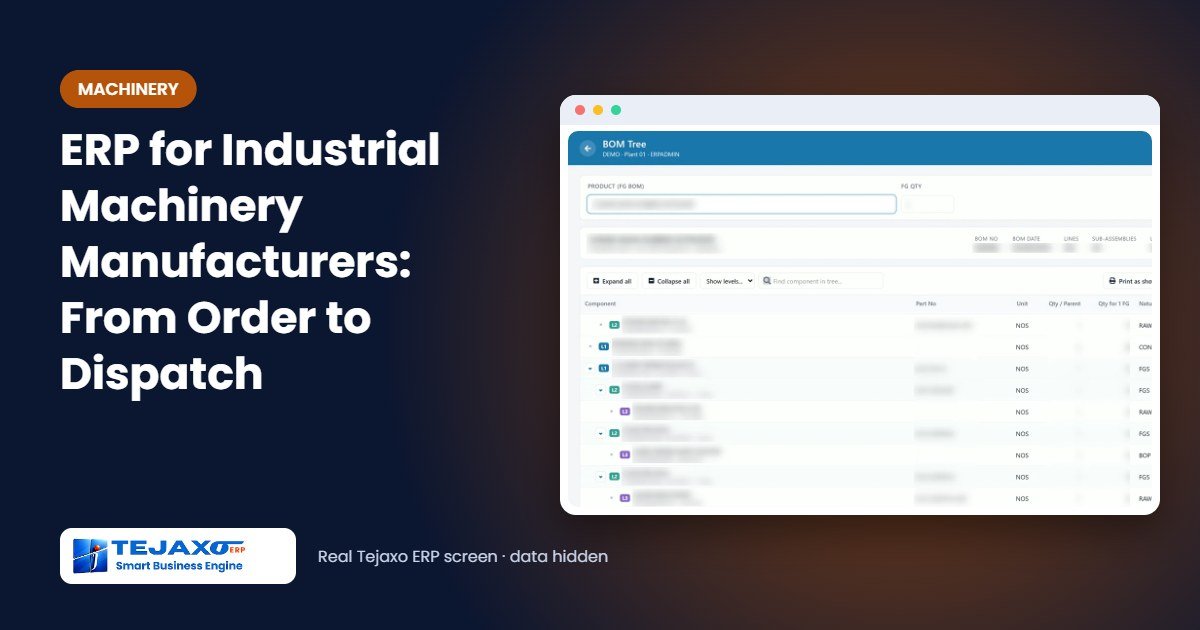
A machinery manufacturer does not sell from stock. Each order is a machine, or a few machines, built to a customer’s specification over weeks, with hundreds of parts: some machined in-house, some sent out for fabrication and painting, some bought out and a few imported. The questions the owner asks every week are always the same. Will the machine be ready on the promised date? Which part is holding it up? Did we make money on the last one? Good ERP for industrial machinery answers these from one system instead of five spreadsheets.
This article explains what an ERP must do for machinery and industrial equipment manufacturers, how Tejaxo ERP handles each step from customer order to dispatch, and a worked example of costing one machine, with sample numbers.
Why machinery manufacturing is different
Compared with a plant that makes the same component every day, a machine builder faces four everyday problems:
- Deep product structures: a machine is made of assemblies, sub-assemblies and machined parts that start as bar, plate or casting. Requirements three levels down are invisible from the top.
- Long and uneven lead times: a bought-out gearbox, a control panel or an imported drive can take far longer than any in-house part, so one late item delays the whole machine.
- Work spread across vendors: fabrication, machining, heat treatment and painting are often done by job workers, and material lying with them is followed up by phone.
- Cost known too late: the real cost of a machine is usually worked out after dispatch, if at all, so quotations for the next order are based on guesses.

From customer order to dispatch in Tejaxo ERP
Tejaxo ERP connects every step, so each document pulls from the one before it and nothing is typed twice.
- Enquiry and quotation: the enquiry is tracked in CRM, and the quotation goes to the customer as a branded PDF. When the order is won, the quotation becomes the sales order with a delivery schedule for each line.
- Work order for the order: a work order is created line-wise from the sales order, so every machine on order has its own work order.
- BOM to requirements: the multi-level BOM of the machine is exploded to all levels and scaled to the quantity on order. The BOM Tree shows the whole structure on one screen, and drawing and BOM data from AutoCAD can be brought into item masters and BOMs.
- Purchase: MRP raises requisitions for the shortfall; purchase orders go through approval, and approvers can release them on WhatsApp. Imported items follow the import purchase flow with Bill of Entry and landed cost.
- Gate, receipt and quality: material is received at the gate, inspected (accepted and rejected quantity, with a reason for every rejection) and only accepted quantity enters stock. Heat number and MTC are recorded for steel.
- Job work: material sent to fabricators, machinists or painters goes out on a returnable gate pass, with pending quantity, ageing, charges and ITC-04.
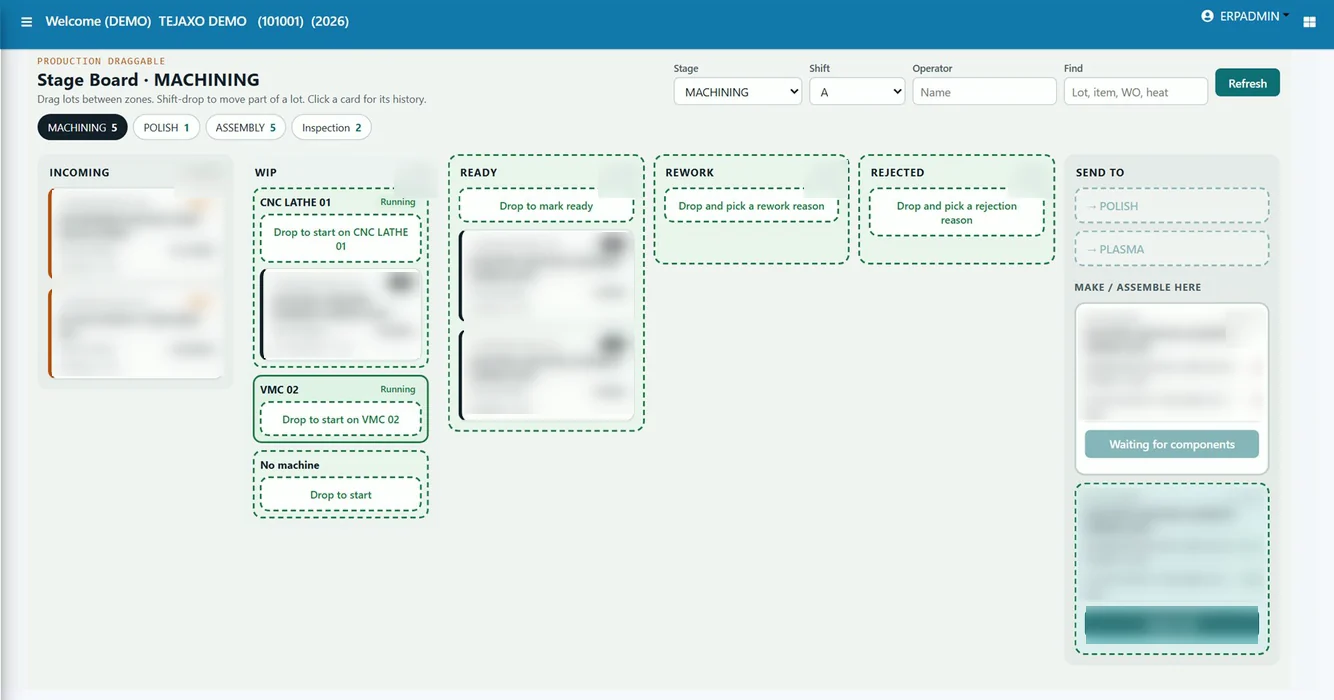
- Shop floor: job cards are scheduled forward on each machine’s hours. On the production boards, releasing a work order creates the raw-material pick list, and supervisors move lots from stage to stage with good and rejected quantity.
- Assembly, dispatch and invoice: serial numbers are tracked for finished machines and key components, and the invoice, including an export invoice where needed, closes the order.
Planning: will the machine be ready on time?
Two views answer this question before the shortage reaches the assembly bay.
Material: because the BOM is exploded to all levels, every bar, plate and bought-out part needed for the order is known on the day the order is entered, together with what is in stock, on order and with job workers. Items with the longest lead time can be ordered first.
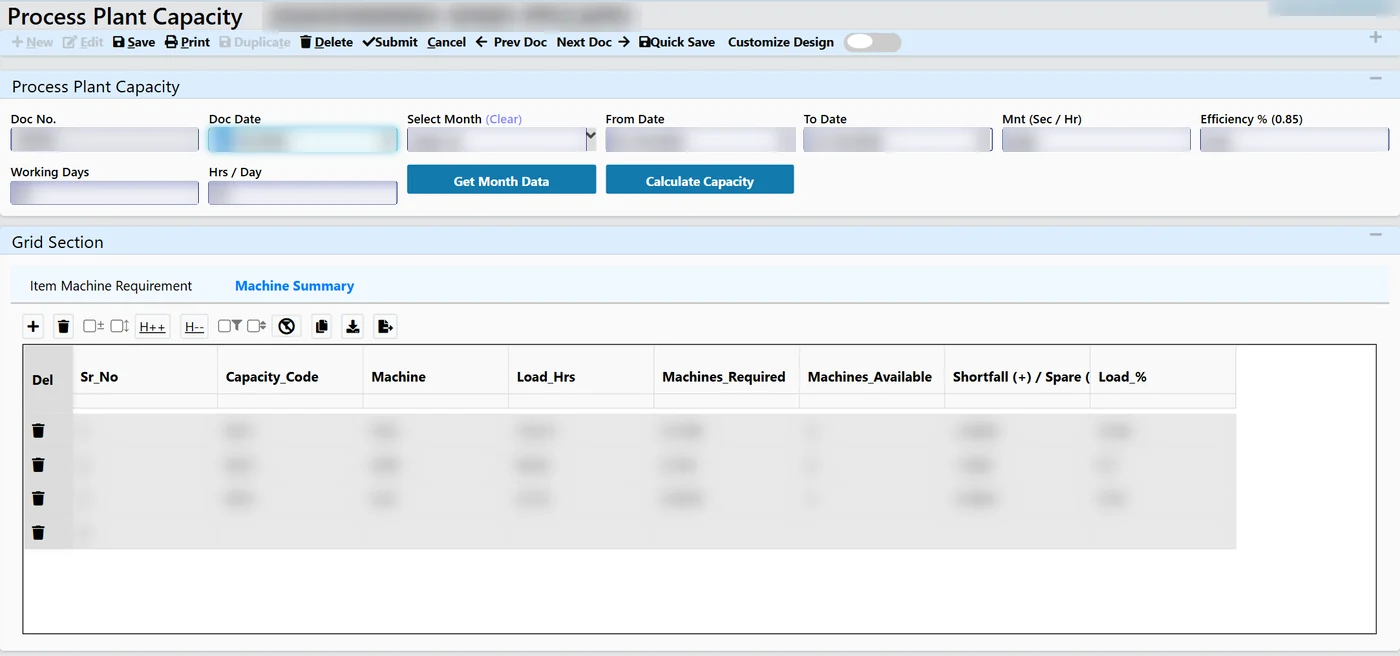
Machines: plant capacity planning works out the machines required for each machine type in the month from open work orders and cycle times, and compares it with the machines available. A shortfall on, say, the boring machines is visible weeks ahead, when outsourcing or overtime can still be planned.
Worked example: costing one machine
Tejaxo Manufacturing receives an order from Tejaxo Customer for three units of Machine A. The BOM has four levels. One drive assembly per machine uses two shafts (Product B), and each shaft is machined from 1.2 kg of round bar. For three machines, the requirement is 3 x 1 x 2 x 1.2 = 7.2 kg of bar, calculated by the system rather than by hand.
After the first machine is dispatched, the work-order cost (sample numbers) is built up as follows:
| Cost element | Basis | Amount (Rs) |
|---|---|---|
| Material | Issued batches at their receipt rates, including job-work charges | 4,80,000 |
| Machine time | 62 run hours x Rs 900 machine rate | 55,800 |
| Labour | 140 paid hours x Rs 250 | 35,000 |
| Overhead | Allocated | 40,000 |
| Total cost | 6,10,800 | |
| Invoiced value | 7,50,000 | |
| Profit | 18.6% of invoice value | 1,39,200 |
Because material is charged at the actual rate of the batch that was issued, and machine and labour time come from production entries, the next quotation for Machine A starts from a real cost, not an estimate.
Reports machinery owners use most
- Order backlog and day-wise delivery schedule, and OTIF by customer
- Shortages against open work orders, and items pending with each job worker (ageing and ITC-04)
- Machines required vs available, by machine type and month
- Incoming quality, PPM and defect Pareto by vendor
- Work-order cost and profit, by machine and by customer
- Receivables ageing, and export orders waiting for BRC
Every report exports to Excel, and the same numbers are available on dashboards.
Common mistakes when machinery manufacturers choose an ERP
- Single-level BOMs: if the system cannot explode and scale a multi-level BOM, planners go back to Excel within a month.
- Job work outside the system: when material at vendors is not on returnable gate passes, stock, cost and ITC-04 are all wrong.
- No machine-hour planning: material can be ready while the one critical machine is booked for weeks.
- Costing left to accounts: cost has to be built from issues and production entries as work happens, not reconstructed at month-end.
How Tejaxo implements this
We start with a study of how your machines are structured, how orders flow and which reports you need. Your items, BOMs and parties are uploaded during a pilot on your own data, each team is trained on its own screens, and the same team supports you after go-live, on-site and remotely. Read more about ERP for machinery and industrial equipment manufacturers and production planning and MRP.
See one of your machines in Tejaxo ERP
Share the BOM of one of your machines, and we will show it as a multi-level tree with requirements for your next order. Book a free demo, try the interactive demo or WhatsApp us at +91 96717 27474.
Frequently asked questions
What is the best ERP for industrial machinery manufacturers?
One that handles multi-level BOMs, order-wise work orders, job work with vendors, machine-hour planning and work-order costing in one system, and a team that supports you after go-live. Ask for a pilot on your own BOMs before you decide.
Can Tejaxo ERP handle a separate work order for each customer order?
Yes. Work orders are created line-wise from the sales order, so each machine on order has its own work order, material issues and cost.
Can we import BOMs from AutoCAD?
Yes. Drawing and BOM data from AutoCAD can be brought into Tejaxo ERP item masters and BOMs, so engineering and planning work from the same structure.
How does the ERP track parts sent to fabricators and painters?
Material goes out on returnable gate passes against a job work order. The system shows what is pending with each job worker and for how long, receipts cannot exceed what was sent, and ITC-04 is prepared from the same records.
Can we track serial numbers of machines and key components?
Yes. Serial-number tracking is in use at Tejaxo ERP clients, along with barcode and QR scanning in stores.
Do you support machinery manufacturers outside Delhi NCR?
Yes. Our office is in Palwal, Haryana, and we implement on-site across the NCR industrial belts and on-site or remotely anywhere in India.