
The procure to pay process in manufacturing is the chain that turns a material need into a paid supplier bill: requisition, purchase order, gate entry, material receipt (MRR or GRN), incoming quality check, purchase voucher with a 3-way match, and payment. In a factory it has more steps than office buying, because material arrives on trucks, is split into batches, and may be rejected after the invoice has already arrived.
This guide walks through the domestic chain step by step, with the control to set at each stage and the Indian compliance points (GST, e-way bill, MSME payment rules) that sit inside it. The aim is simple: every rupee paid should trace back to an approved order, a physical receipt and an accepted quality result.
The procure to pay flow at a glance
Before the detail, here is the whole chain in one table. Use it as a checklist when you review your own process.
| Step | Owner | Document | Key control | Typical failure |
|---|---|---|---|---|
| 1. Requisition | Stores or planner | Purchase requisition | Stock and budget check, MRP suggestion | Buying what is already in stock |
| 2. Purchase order | Purchase | PO with delivery schedule | Approval matrix by value | Approvals stuck with one person |
| 3. Gate entry | Security or gate staff | Gate entry | PO, invoice, vehicle and e-way bill check | Paper register with no PO link |
| 4. MRR / GRN | Stores | Material receipt, batch-wise | Quantity against open PO balance | Late entry that creates GRNI |
| 5. Incoming QC | Quality | Inspection result | Accept, reject or hold status | Rejected material already booked |
| 6. Purchase voucher | Accounts | Voucher with vendor invoice | 3-way match within tolerance | Duplicate or mismatched invoice |
| 7. Payment | Finance | Payment voucher | Due date from agreed terms | MSME due date missed |
Step 1: Requisition, manual or from MRP
Every purchase starts with a need. In a small plant the need is raised by a storekeeper who sees a bin running low. In a planned plant the need comes from the production schedule: the system explodes the bill of materials, nets off stock and open orders, and suggests what to buy and by when.
Both routes should end in the same document, a purchase requisition. Good practice at this stage:
- Show current stock, open PO quantity and the reorder level next to the requested quantity, so the approver sees the real gap. Our guide on reorder level, safety stock and EOQ explains how to set those numbers.
- Capture the reason: production plan, stock replenishment, maintenance or a one-off job.
- Check budget or cost-centre limits before the requisition goes forward, not after the goods arrive.
A requisition that carries item, quantity, required date and cost centre saves the buyer from chasing details by phone.
Step 2: Purchase order with approval workflow and schedules
The purchase order is your commercial commitment. It fixes the item, rate, taxes, payment terms and delivery date. For a manufacturer, three features matter more than they do in a generic P2P guide.
Approval by value and by item type
An approval matrix routes a PO to the right person based on value, item category or plant. Without it, either everything waits for the owner, or small buyers commit large amounts unchecked. See how this is set up in our note on ERP approval workflow and user rights.
Delivery schedules and blanket orders
Many factories buy the same raw material every week from the same supplier. A schedule against one PO, with dates and quantities, gives the supplier a plan and gives stores a view of what should arrive tomorrow. It also lets you monitor the open balance instead of raising a new PO each time.
Payment terms written into the order
Record the agreed credit period on the PO itself. This matters later, because the payment due date in accounts should come from the PO terms, not from someone's memory. It becomes especially important for micro and small suppliers, covered in Step 7.
Step 3: Gate entry at the factory gate
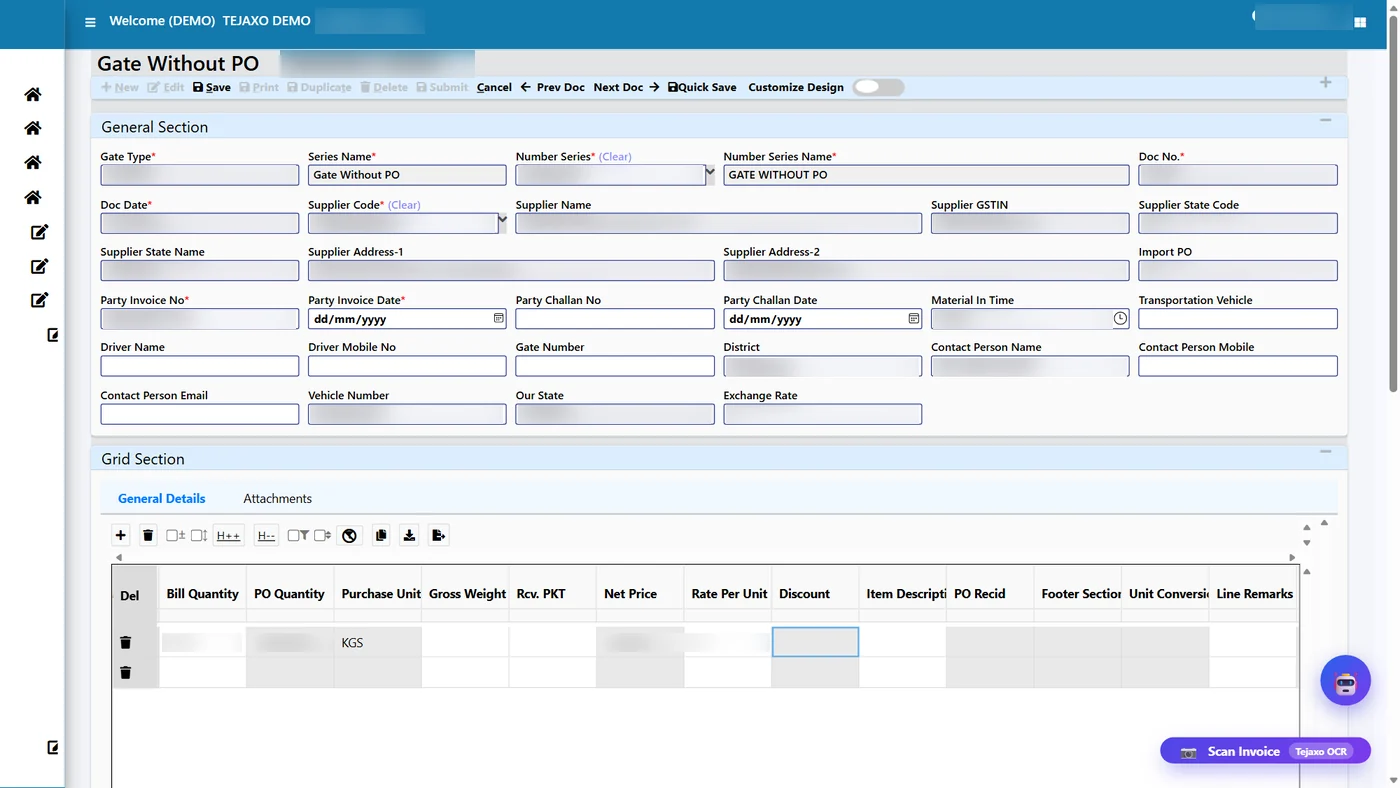
Gate entry is the first physical control in the chain and the step most often left on paper. When a vehicle arrives, the gate records the supplier, the invoice or challan, the vehicle number and the material description, and links the entry to an open PO.
What to verify at the gate:
- The supplier invoice or delivery challan is present and matches the PO supplier.
- For consignments where an e-way bill is required (generally above ₹50,000 in value), the e-way bill is valid and the vehicle number matches.
- The material is something you actually ordered, with quantity not exceeding the open PO balance.
A paper inward register has no link to the PO, cannot be searched quickly and often gets entered into the system a day or two later. A digital gate entry fixes all three. In Tejaxo ERP the gate entry records the supplier invoice and vehicle and can be created against a purchase order; read more on material gate entry software for factories.
Typing is the slow part. Tejaxo ERP can pre-fill a gate entry from a photo of the supplier invoice, so the gate staff check the data instead of keying it. We describe the approach in AI invoice scanning for gate entry and GRN.
Step 4: Batch-wise MRR or GRN
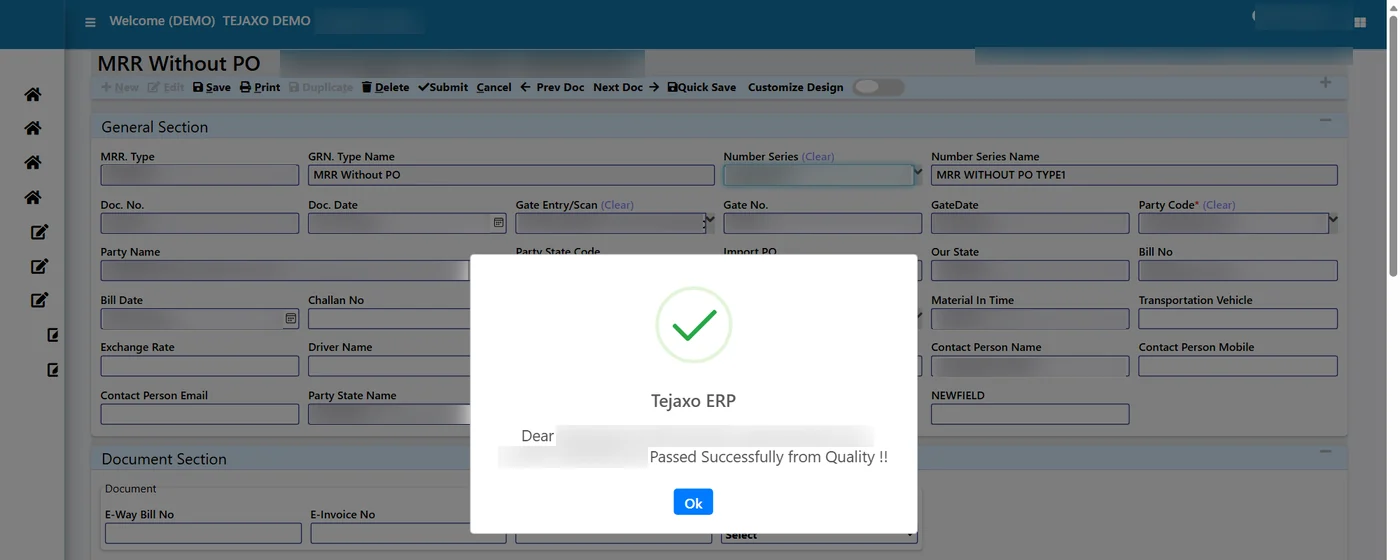
The material receipt report (MRR, also called GRN) is the stores confirmation that goods have been received against the gate entry. This is where quantity, batch or lot number, and storage location are recorded.
Points that separate a working MRR from a formality:
- It pulls from the gate entry. Stores should not re-enter supplier, invoice or PO details. Each document should carry forward from the one before.
- It is batch-wise. Recording supplier batch or lot at receipt is what makes later traceability possible, whether for a customer complaint or a recall. For stickers and batch stock, see barcode inventory software for factories.
- It handles short and excess supply. Receive what actually arrived. Short supply is recorded as it is, and excess is either rejected or accepted with a PO change.
- It is timely. If the MRR is posted days after the truck, the invoice reaches accounts first and you get goods received but not invoiced (GRNI) or the reverse, which is the root of most matching trouble.
Step 5: Incoming quality check
Material should not enter usable stock until quality says so. The inspection result is normally one of three: accepted, rejected or on hold. Only accepted quantity should become available stock and be eligible for payment in full.

For a manufacturer this step has real consequences. Wrong grade of raw material in production costs far more than the bill itself. A sound incoming inspection process includes:
- An inspection plan per item, with the parameters and limits to test.
- Recorded results per batch, not per delivery, so a bad lot can be traced.
- A clear status that stores and accounts can both see.
- A rule that quality-hold material is blocked from issue and from payment release.
More detail is in our article on quality inspection software for manufacturing.
What happens to rejected material
Rejection after invoicing is where accounts and stores most often fall out of step. The supplier has billed the full quantity, but you will pay only for what you accepted. The clean way is to return the rejected quantity against a document and raise a debit note for the value and tax, so that the supplier ledger and your GST records reflect reality. Our guide to the debit note in ERP for purchase returns and GST covers this in detail.
Step 6: Purchase voucher with 3-way match
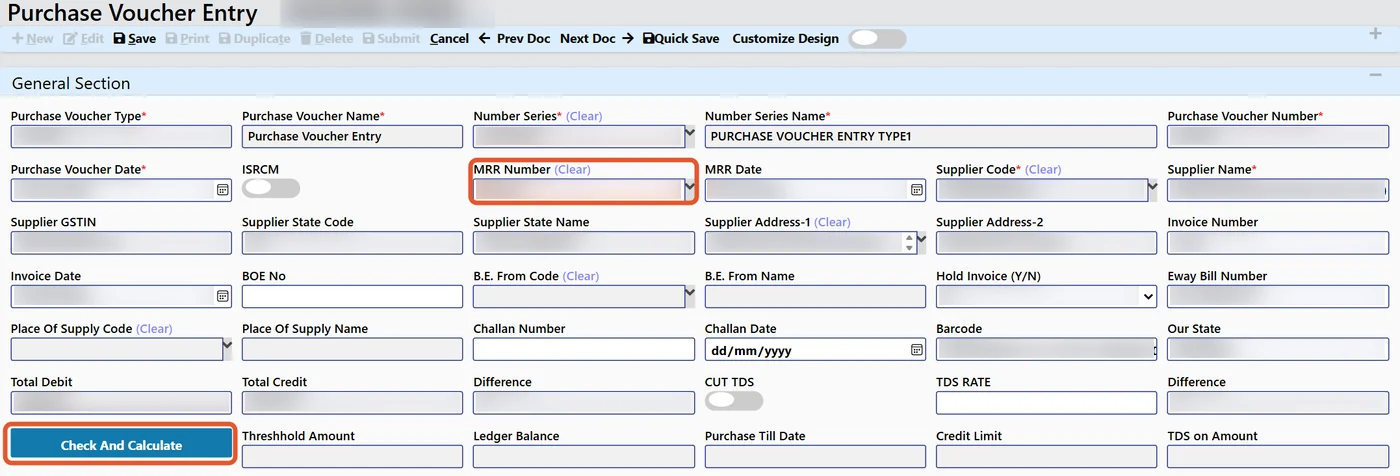
The purchase voucher is the accounting entry for the supplier invoice. The control that makes it trustworthy is the 3-way match: the invoice is compared with the purchase order (what you agreed) and the MRR (what you received and accepted). Price, quantity and tax should agree within a tolerance you define.
| Check | Compared with | Catches |
|---|---|---|
| Rate | PO rate | Supplier billing at an old or higher price |
| Quantity | Accepted MRR quantity | Billing for short or rejected material |
| Tax and HSN | PO and item master | Wrong tax rate or classification |
| Invoice number and date | Existing vouchers for the supplier | Duplicate invoices |
When the match fails, the voucher should stop and show the reason, rather than quietly post. When it passes, the posting is quick and the payable is reliable. Receipts not yet invoiced sit in a GRNI report so accounts can accrue them correctly at month end. This is explained fully in 3-way match and GRNI in purchase ERP.
Discounts also need care. Where a vendor gives a discount after GST, it should be recorded on a separate line, not buried in the rate, so that the tax base stays correct. See discount after GST on a vendor bill.
Step 7: Payment and MSME due dates
Payment is the last step, but the date is decided much earlier, at the PO. The payment run should pick bills by due date, apply any advance or debit note, and settle bill by bill, so that the supplier ledger closes cleanly. See supplier payment run and bill-wise payables.
For Indian manufacturers, one rule needs special attention. Section 43B(h) of the Income Tax Act, effective from FY 2023-24, treats amounts owed to micro and small enterprise suppliers as deductible only when paid, if payment is not made within the legal limit. The limit is generally 45 days where there is a written agreement, and 15 days where there is none. The MSMED Act also provides for interest on delayed payments. Your tax adviser should confirm how this applies to each supplier, but your system should at least flag supplier type, track the due date from the date of acceptance of goods, and warn before the limit. Our article on the 43B(h) report, TDS, TCS and MSME in ERP shows what to track.
Indian compliance checkpoints inside the chain
Compliance is easier when each check sits at the step where the information first appears, rather than in a month-end scramble.
- Gate: e-way bill and vehicle number where applicable.
- Voucher: supplier GSTIN, invoice number, date, HSN and tax rate. Where the supplier is an e-invoicing taxpayer, the invoice should carry an IRN and QR code, which are worth checking before posting.
- Input tax credit: ITC under Section 16 depends on having a valid invoice, receiving the goods, and the supplier's details appearing in your GSTR-2B. Reconcile purchase vouchers with GSTR-2B before filing GSTR-3B. Buyers can also use the Invoice Management System on the GST portal to accept, reject or hold invoices. Please confirm current rules on the GST portal.
- Non-payment: ITC may need to be reversed where a supplier remains unpaid beyond the period set in the rules, so ageing of payables matters for tax as well as for cash.
- Reverse charge, TDS and freight: goods transport and certain purchases can attract reverse charge, and TDS may apply on large purchases. Set these on the supplier or item master so they apply automatically.
Check each point with your CA, as thresholds and notifications change. For a return-side view, see GST return software with GSTR-2B matching.
Common problems in manufacturing procure to pay
Most delays and disputes come from a short list of causes.
- Gate register on paper. Entry happens late, details are re-typed and nothing links to the PO.
- Invoice before receipt. Accounts holds a bill for material that stores has not posted, or the reverse, and GRNI builds up.
- Price differences. The supplier bills at a rate different from the PO and nobody notices until audit.
- Rejected goods already booked. Payment goes out for the full invoice and recovery becomes a long phone exercise.
- Weak batch records. When a quality issue appears in production, nobody can tell which supplier lot was used.
- Approval bottlenecks. POs wait for one person, so buyers phone suppliers and place orders informally.
- Duplicate invoices. The same bill is entered twice, especially when it arrives by email and by courier.
- Missed due dates. MSME suppliers are paid late because nobody tracks acceptance dates.
Spreadsheets cannot enforce any of this, because they do not stop a user from skipping a step. For a wider view, read ERP vs Excel for manufacturing.
What to measure in procure to pay
Track a small set of indicators monthly. They show where the chain is slow or leaking.
- Requisition to PO time: how long needs wait for a purchase order.
- PO approval time: how long an order waits with approvers.
- On-time delivery by supplier: actual receipt against promised date. See vendor rating and supplier performance score.
- Gate to MRR time: how long material sits unposted.
- Incoming rejection rate: by supplier and by item.
- First-time match rate: share of vouchers that pass the 3-way match without manual correction.
- GRNI value and age: receipts waiting for invoices.
- Overdue payables, especially MSME: bills close to or past the legal limit.
- Purchase price variance: PO rate against market and earlier rates. See purchase price variance and price trends.
How Tejaxo ERP supports the full chain
Tejaxo ERP runs requisition, purchase, gate, inventory, quality and finance on one live database, so each document pulls from the one before and nothing is keyed twice. Gate entries can be created against a purchase order, MRRs link to the gate entry and are confirmed after the quality check, and purchase vouchers are created from the receipt with the vendor invoice details. Rejection and short supply can be carried through to a debit note, and alerts and approvals can reach owners on WhatsApp so they need not log in to the ERP to act on them.
If your plant runs SAP or Microsoft Dynamics, we do not replace your ERP, we extend it on the shop floor and at the gate. Tejaxo has been in business since 2017 and supports clients across India, on site and remotely. To see how the chain would look for your plant, book a free consultation and we will walk through your current purchase process, document by document.
Frequently asked questions
What are the steps of the procure to pay process in manufacturing?
The usual steps are purchase requisition, purchase order with approval, gate entry, material receipt (MRR or GRN) recorded batch-wise, incoming quality inspection, purchase voucher with a 3-way match against the PO and MRR, and finally payment. In a factory the gate, batch and quality steps are essential because material is physical and may be rejected.